5700ACO
Automatic Changeover
Revision 1.0 Page 17
3. HOW TO OPERATE THE AUTOMATIC CHANGEOVER
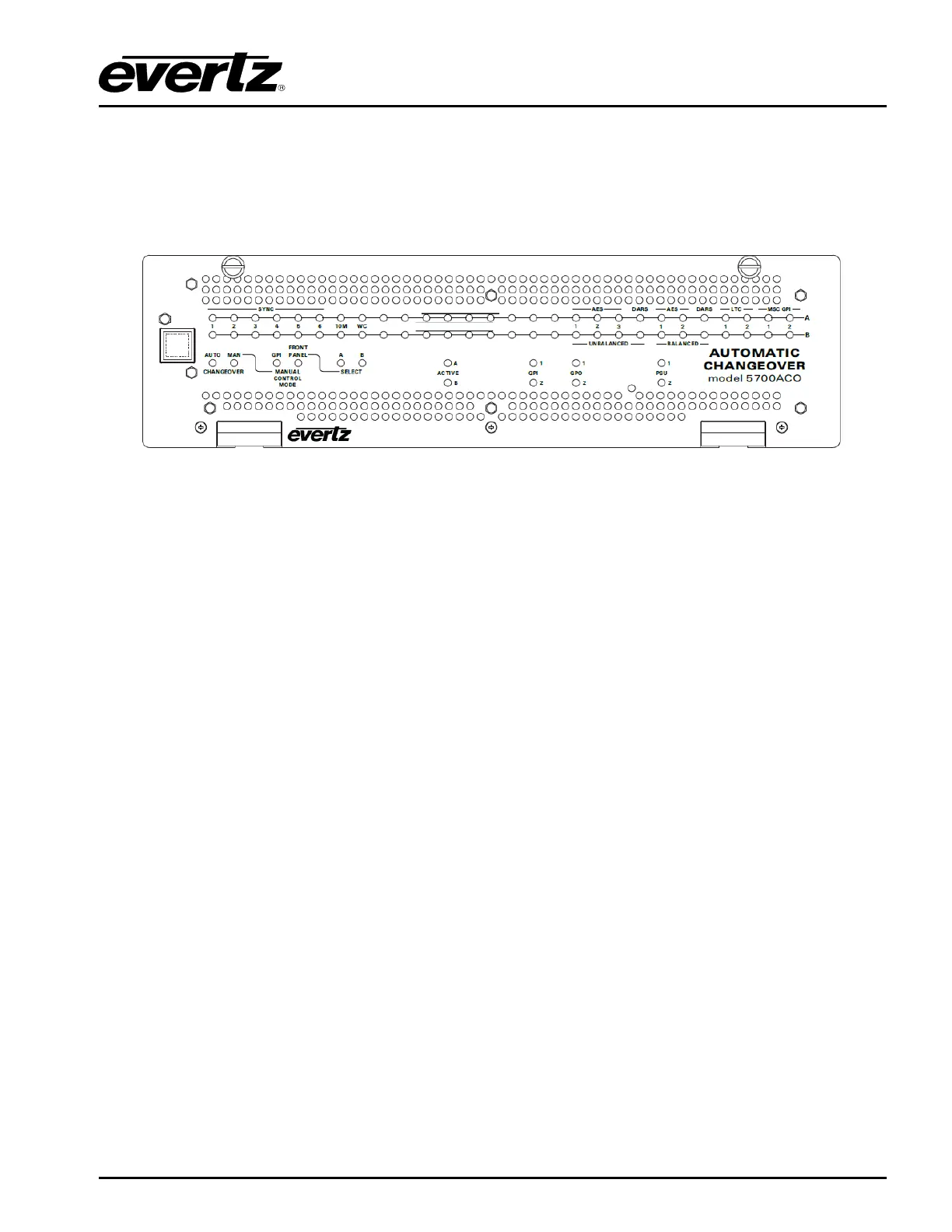
The front panel controls consist of three toggle switches to select the operating mode of the
changeover and 70 LED status indicators.
Figure
3-1 : Model 5700ACO Front Panel
3.1. AN OVERVIEW OF THE STATUS INDICATORS
There are 70 status indicators located on the front panel that show operational status of the 5700ACO
at a glance.
3.1.1. Operating Mode Indicators
AUTO This green LED will be “On” when the unit is operating in the Automatic control
mode.
MANUAL This green LED will be “On” when the unit is operating in one of the two manual
control modes.
GPI* This green LED will be “On” when the unit is operating in the Manual GPI control
mode. The LED will be “Off” when the unit is in the Manual Front Panel or
Automatic control mode.
* Requires factory installed +AUX hardware option on 5700MSC-IP, IP Master Clocks are available at
extra cost.
FRONT PANEL This green LED will be “On” when the unit is operating in the Manual Front Panel
control mode. The LED will be “Off” when the unit is in the Manual GPI or
Automatic control mode.
A This green LED will be “On” when the unit is operating in the Manual Front Panel
control mode and that Master A is selected. The LED will be “Off” when Master
B is selected or the unit is not in the Manual Front Panel control mode.
B This green LED will be “On” when the unit is operating in the Manual Front Panel
control mode and that Master B is selected. The LED will be “Off” when Master
A is selected or the unit is not in the Manual Front Panel control mode.
ACTIVE OUTPUT These two green LEDs indicate whether MasterA or MasterB is currently selected.



 To Next Page