EQX Server Manual
Revision 2.2 Page 9
"
Once complete be sure to return to the server Change Sets to upload any changes.
4.2.2. Establishing Tielines
There are 2 types of tielines in the EQX server:
1) A normal tieline that can be utilized by any device downstream depending on availability.
2) A reserved tieline, which is reserved for a SINGLE downstream destination and is NEVER
available to any other destination.
STEPS:
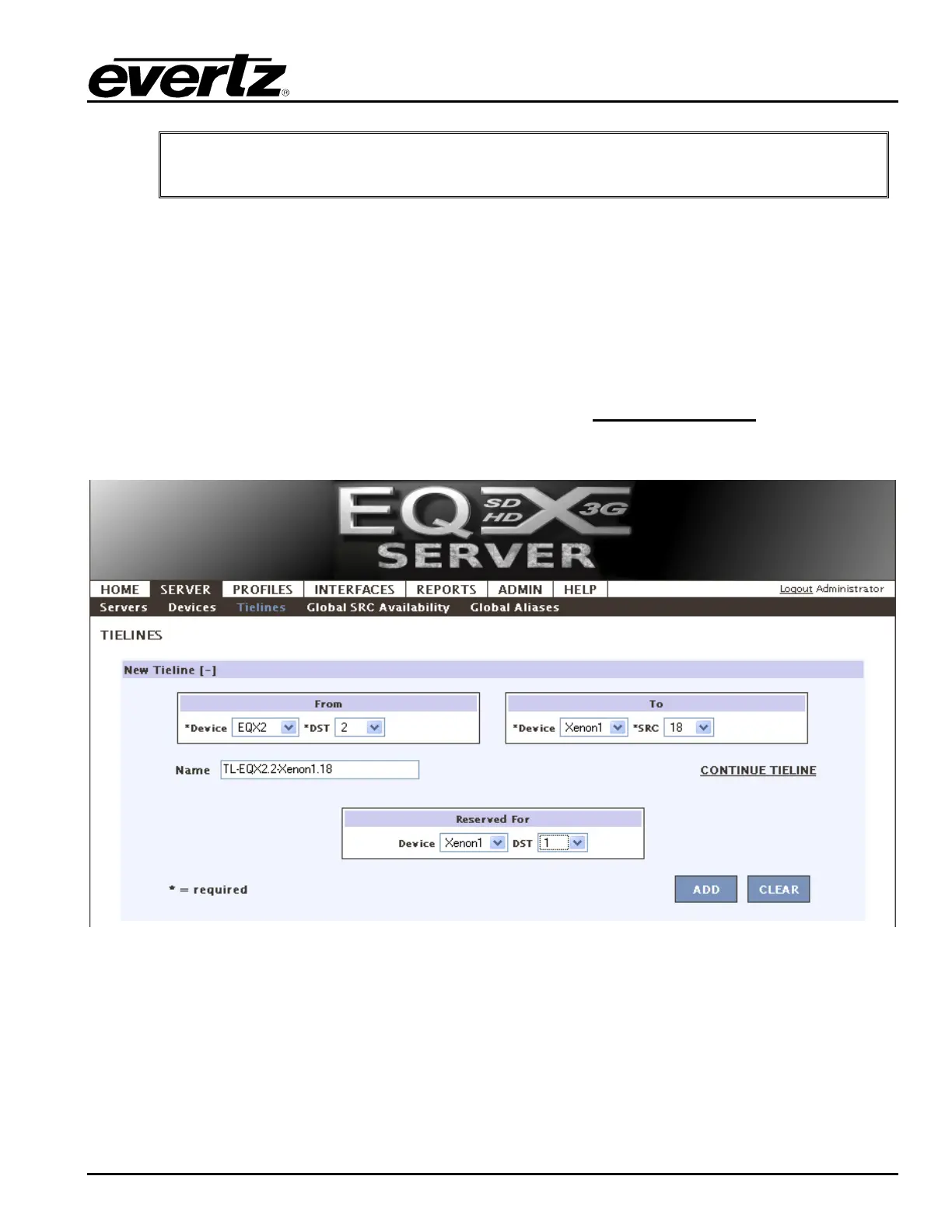
1. On the SERVER tab click on Tielines. This screen enables the user to choose the upstream (or
head) and downstream (or tail) of each tieline as well as if you choose to reserve it for a given
destination. Tielines can have multiple hops by clicking CONTINUE TIELINE
(if they are NOT
reserved, this has the same effect as just adding the tielines in one at a time, otherwise all tielines
are reserved for the specified destination).
Figure 4-7: Server - Tielines Tab
2. After choosing the From and To for each tieline, click the ADD button to complete and save it. It
will be added to the Change Set.



 To Next Page