EQX Server Manual
Revision 2.2 Page 29
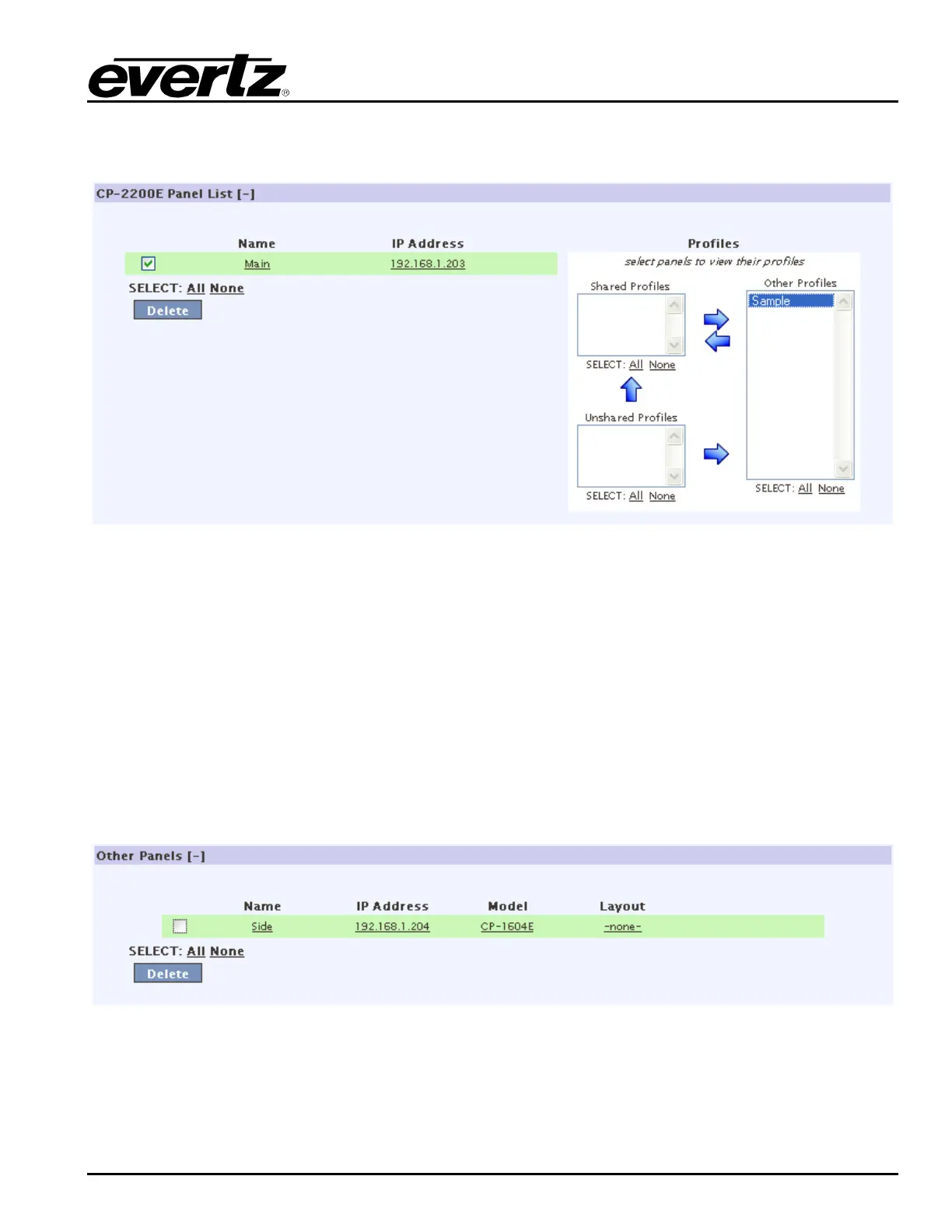
5. The CP-2200E Panel List section enables the user to select and apply profiles directly to CP-
2200E and other intelligent panels.
Figure 4-32: CP-2200E Panel List
6. The Other Panels section displays the additional panels that the user has added. The user can
remove panels by placing a check mark in the box beside the desired item and selecting the
DELETE button.
7. To assign a profile or profiles to a panel or group of panels, choose the panels you wish to work
with by checking the box next to each one and moving profiles, using the arrows on top, from other
profiles to shared profiles.
a. If multiple panels are chosen and some profiles appear in shared versus unshared profiles,
this means that not all profiles are common to all selected panels. Move the panels up from
the bottom to the top to make them common on all panels, or from left to right to remove
them from all panels.
Figure 4-33: Other Panels



 To Next Page