EQX Server Manual
Page 28 Revision 2.2
4.3.2.2 Source and Destination Order
The source order and destination order sections are used to determine the order that the items
scroll through in conjunction with the src/dst scroll up/down buttons. To change the order of the
item in the list, double click the item in the list and drag it to a new location in the list (up or down).
See Figure 4-29.
4.3.2.3 Build vs. Test Mode
Build Mode: Build mode enables the use to build the panel layout.
Test Mode: Test mode enables the user to test the panel using the web interface. The user can
navigate through the system but the user cannot actually run the control panel in this mode.
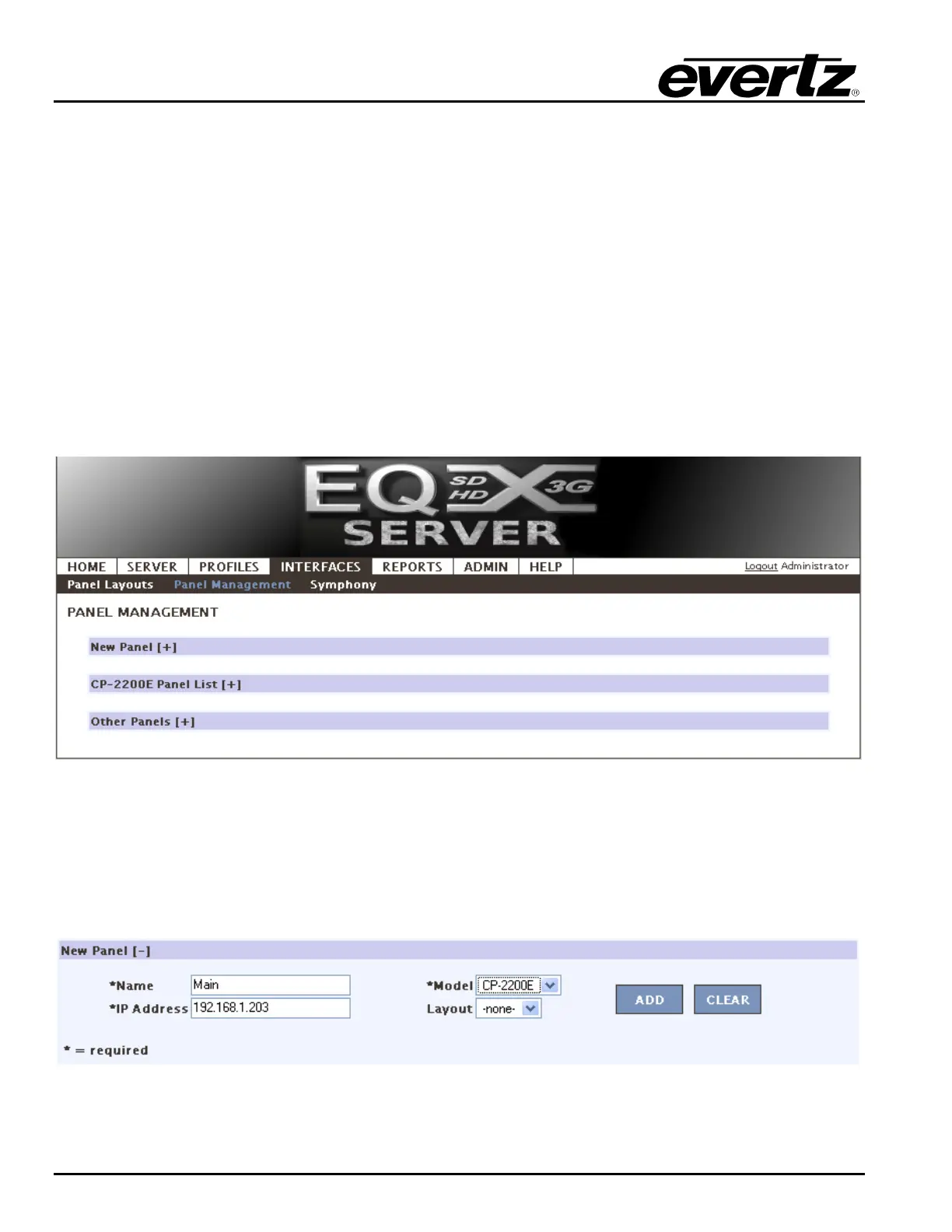
3. The Panel Management section enables the user to define and configure Control Panels.
Figure 4-30: Panel Management
4. The New Panel section enables the user to enter the parameters of the Control Panel into the
applicable fields. The user is required to enter a Name, IP Address, and Model. The User has the
option to select a Layout for panels that require them. Once the appropriate fields are filled out,
select the ADD button to add the Control Panel to the appropriate Panel List.
Figure 4-31: New Panel



 To Next Page