EQX Server Manual
Revision 2.2 Page 21
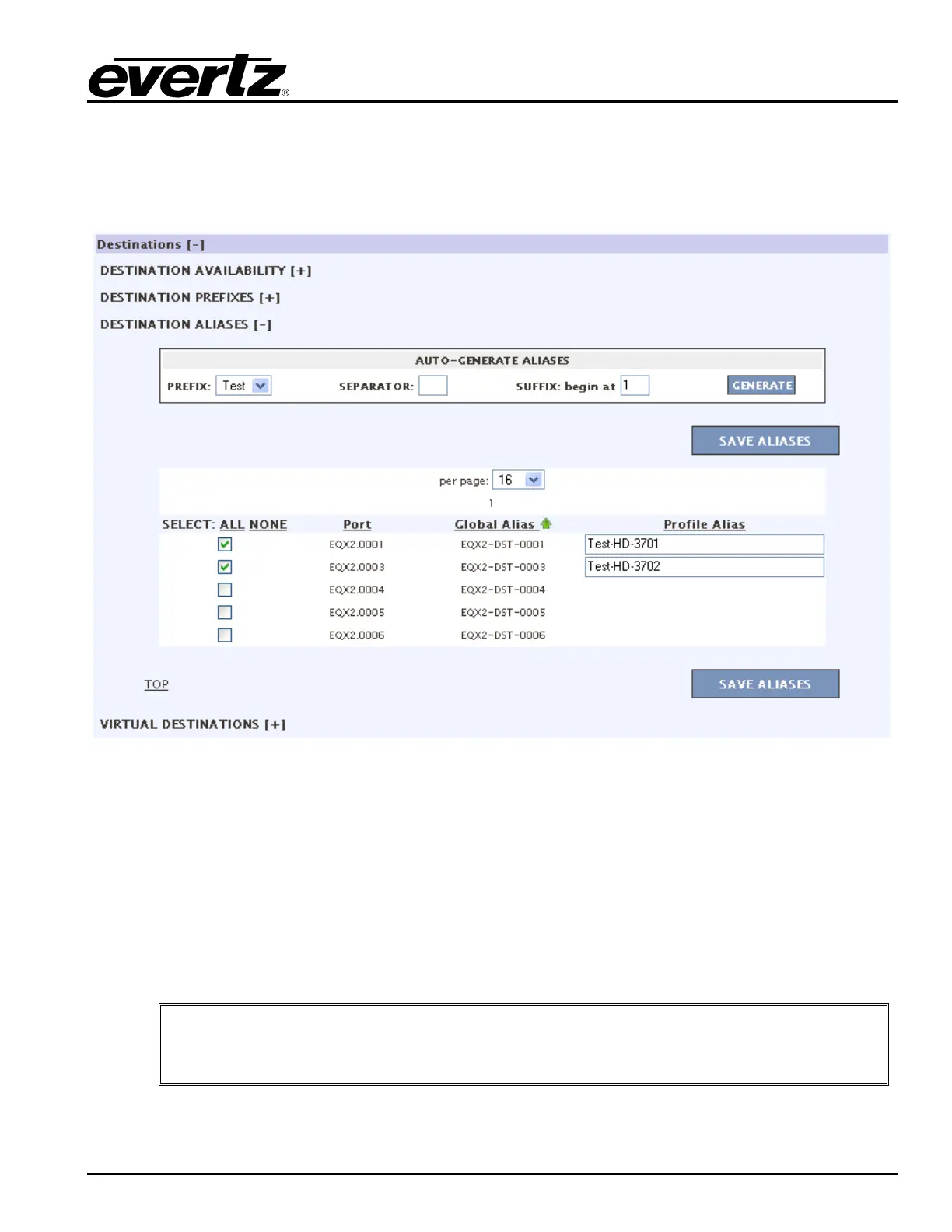
c) Configuring the Destination Aliases enables the user to set a Profile Alias name. If the
original global alias is appropriate you may leave as is, otherwise this page can be
configured the same as the global alias page. Use a combination of prefixes, separator
characters, and numeric suffixes to build up the new destination aliases. Once complete be
sure to click the SAVE ALIASES button.
Figure 4-21: Destination Aliases
d) The Virtual Destinations section enables the user to add virtual destinations. To create a
virtual destination click the ADD button and an empty field and check box will appear under
the NO VIRTUAL SOURCES AVAILABLE text. Enter a Virtual Destination name into the
field. The user can delete the Virtual Destination by placing a check mark in the box beside
the virtual destination and pressing the DELETE button. To store the virtual destinations
click the SAVE button. To import a virtual destination, select the Browse button and then
navigate to the desired file. Select the Open button in the dialog box and then click the
IMPORT button once the file is listed in the file field. To export the virtual destinations,
press the Export Virtual DSTs button.
"
Tip: Virtual destinations are a way to build up destinations with multiple level
assignments. In this way a destination that naturally spans frames and levels can be
routed to with sources sorting into the correct levels automatically.



 To Next Page