EQX Server Manual
Revision 2.2 Page 11
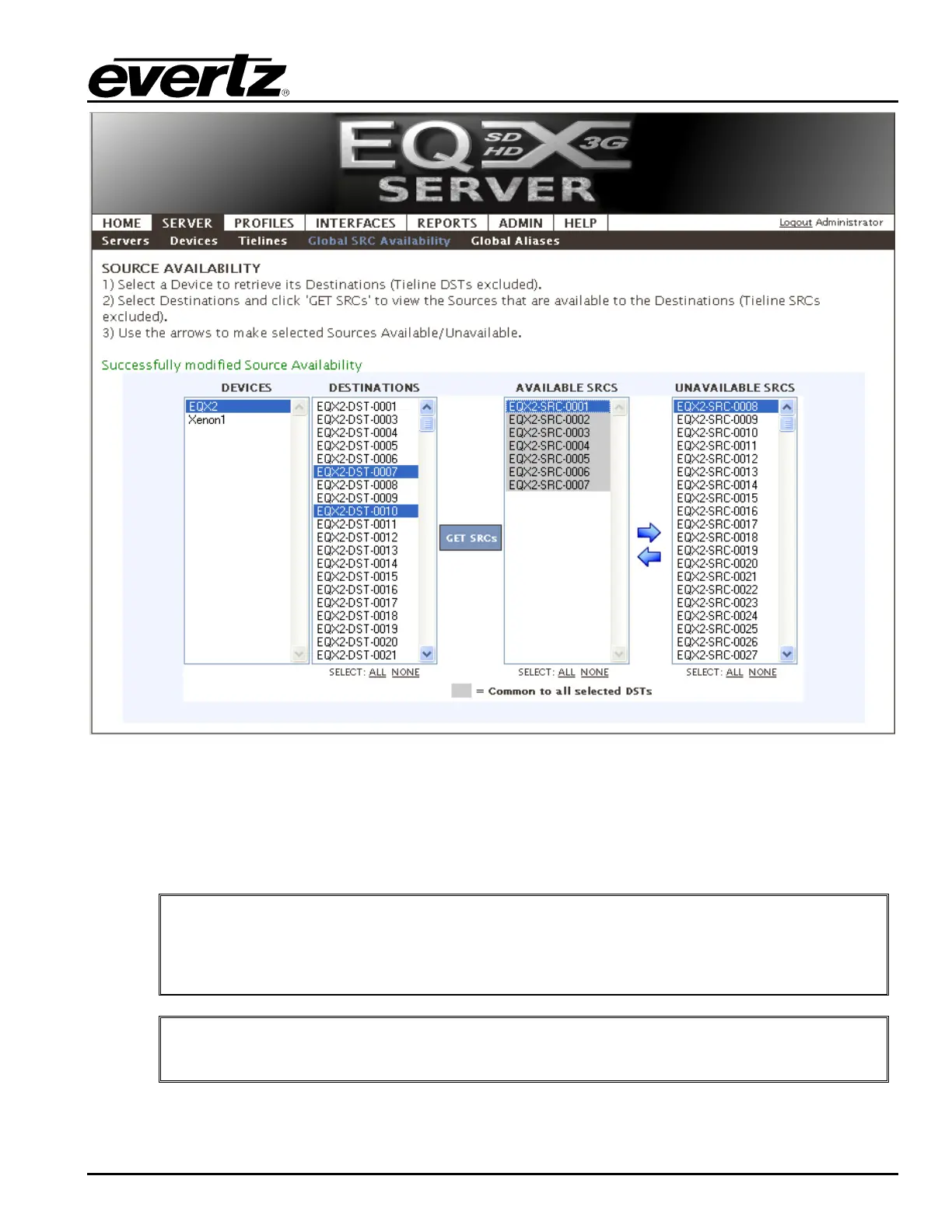
Figure 4-9: Server: Global SRC Availability
3. Move sources to or from the SRC lists as appropriate using Æ or Å arrows.
4. If you are working with multiple DSTs and would like to make all SRCs in the AVAILABLE column
common to all selected, simply click the Å button. You will see all SRCs become grey.
5. You can also GET SRCs for one destination and then select others to apply them to.
"
TIP: Sources from all routers that a given destination MAY have access to will
appear in the list. (Meaning if tielines exist connecting the selected DST to an
upstream router all SRCs on both the local and upstream router will appear in the
SRCs lists)
"
Once complete be sure to return to the server change sets to upload any changes.



 To Next Page