EQX Server Manual
Revision 2.2 Page 25
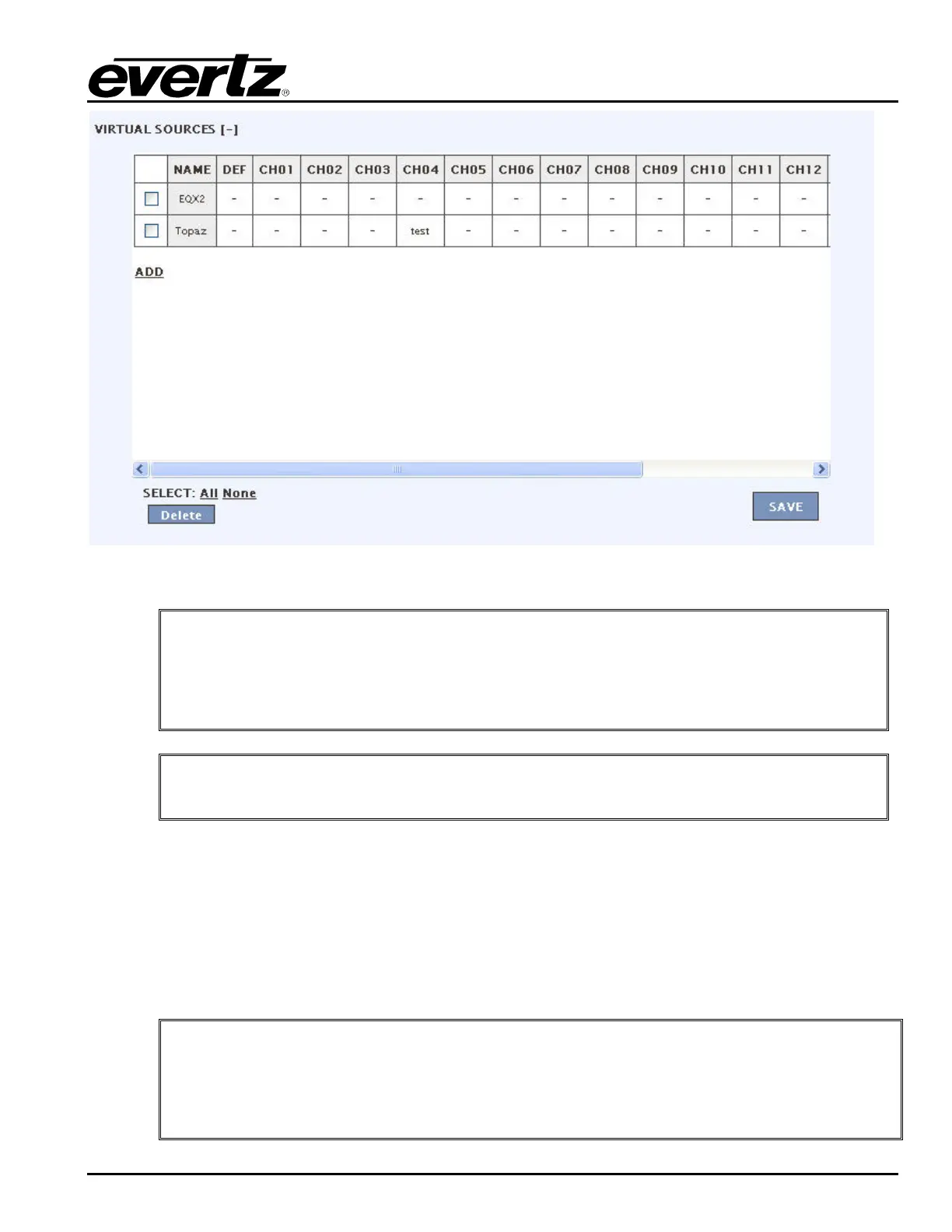
Figure 4-27: Profile - Virtual Sources
"
Tip: Virtual sources are a way to create sources that span levels and frames. This
facilitates level routing with virtual sources lining up routing to matching levels on
virtual destinations. Breakaways are also performed within virtual sources and
destinations on the panel by allowing you to choose new source assignments on
the fly to route into particular levels of a virtual destination.
"
Once complete be sure to return to the server change sets to upload any changes.
4.3.2. Configuring the Interfaces
The INTERFACE tab enables the user to set the layout of the interface.
1. The Panel Layouts section enables the user to create a new layout. The user is required to fill in
a Name, Model, and Profile for each new layout created. Once the appropriate fields are entered,
select the ADD button. Selecting the ADD button adds the new layout to the layout list.
"
Tip: Panel layouts are a definition of a TYPE of panel, not a specific panel, that allow
the user to set panel functions for a group of panels (defined later) very quickly. A
profile is specified now during panel layout creation so that the layout has a
framework of available sources, destinations and aliases (and as a result of these
choices, any automated tielines, path-finding src availability limits etc) to work within.



 To Next Page