MaxTester Series 17
3 Getting Started with Your Unit
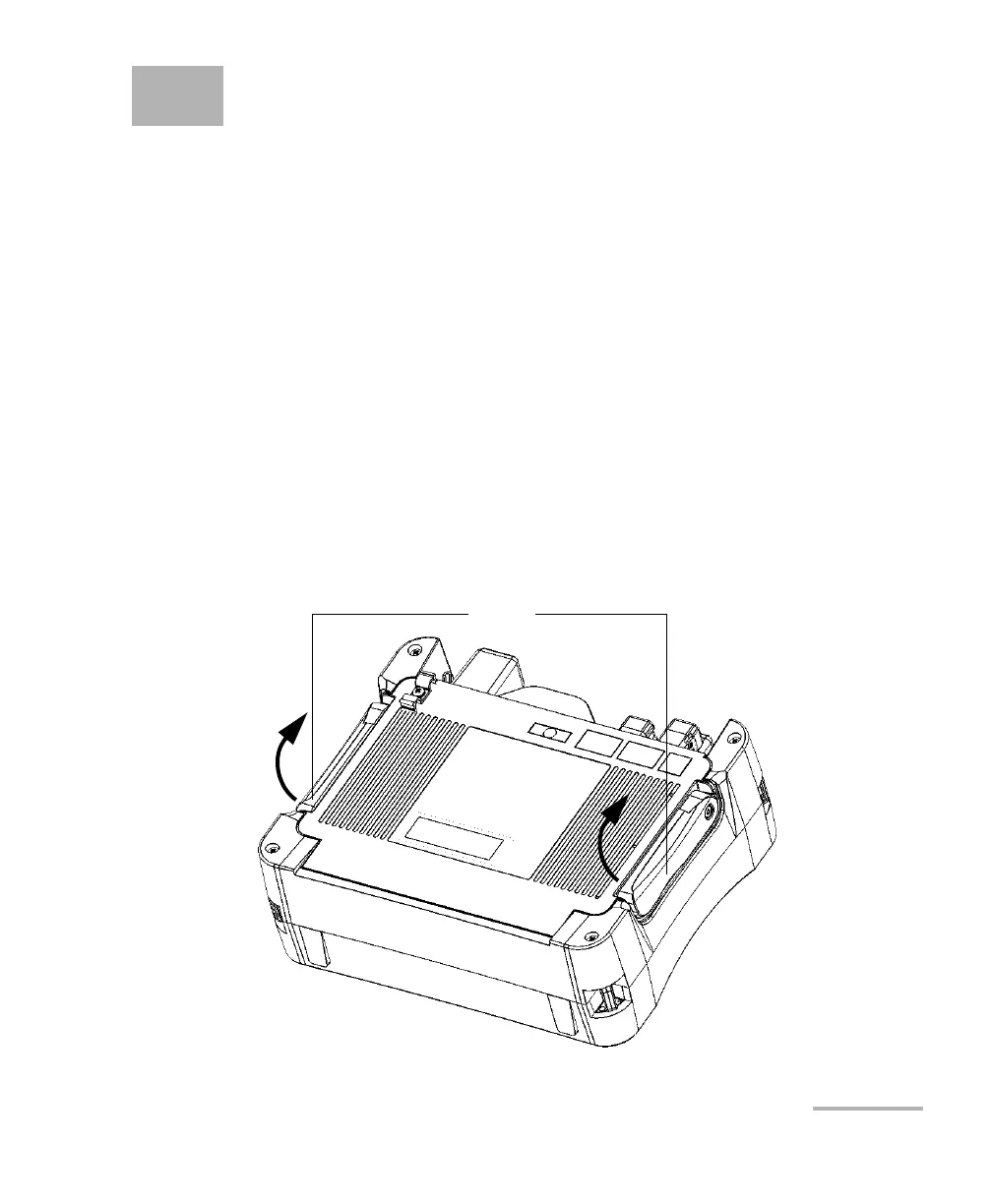
Using the Built-In Supports
Your unit has been designed to stand either vertically (with the screen
facing you), or at an angle, using either the two built-in supports or the
optional stand.
Note: Depending on the model you have purchased, your unit may not be
equipped with built-in supports. For more information, see Installing and
Using the Optional Stand on page 18.
The supports have been designed to be fully extended or fully retracted.
They are already assembled on your unit.
Note: The supports ensure optimum stability to the unit during your tests.
To change the orientation of the unit using the supports:
Pull out the two supports.












 To Next Page