Getting Started with Your Unit
18 MaxTester Series
Installing and Using the Optional Stand
Installing and Using the Optional Stand
Your unit has been designed to be positioned either vertically (with the
screen facing you), or at an angle, using the optional stand (or the optional
utility glove).
Note: The stand ensures optimum stability to the unit during your tests.
The stand is not assembled on your unit at time of shipment. You must
install it when you receive your unit.
To install the stand on your unit:
1. Position the unit so that its front panel rests on a flat surface such as a
table.
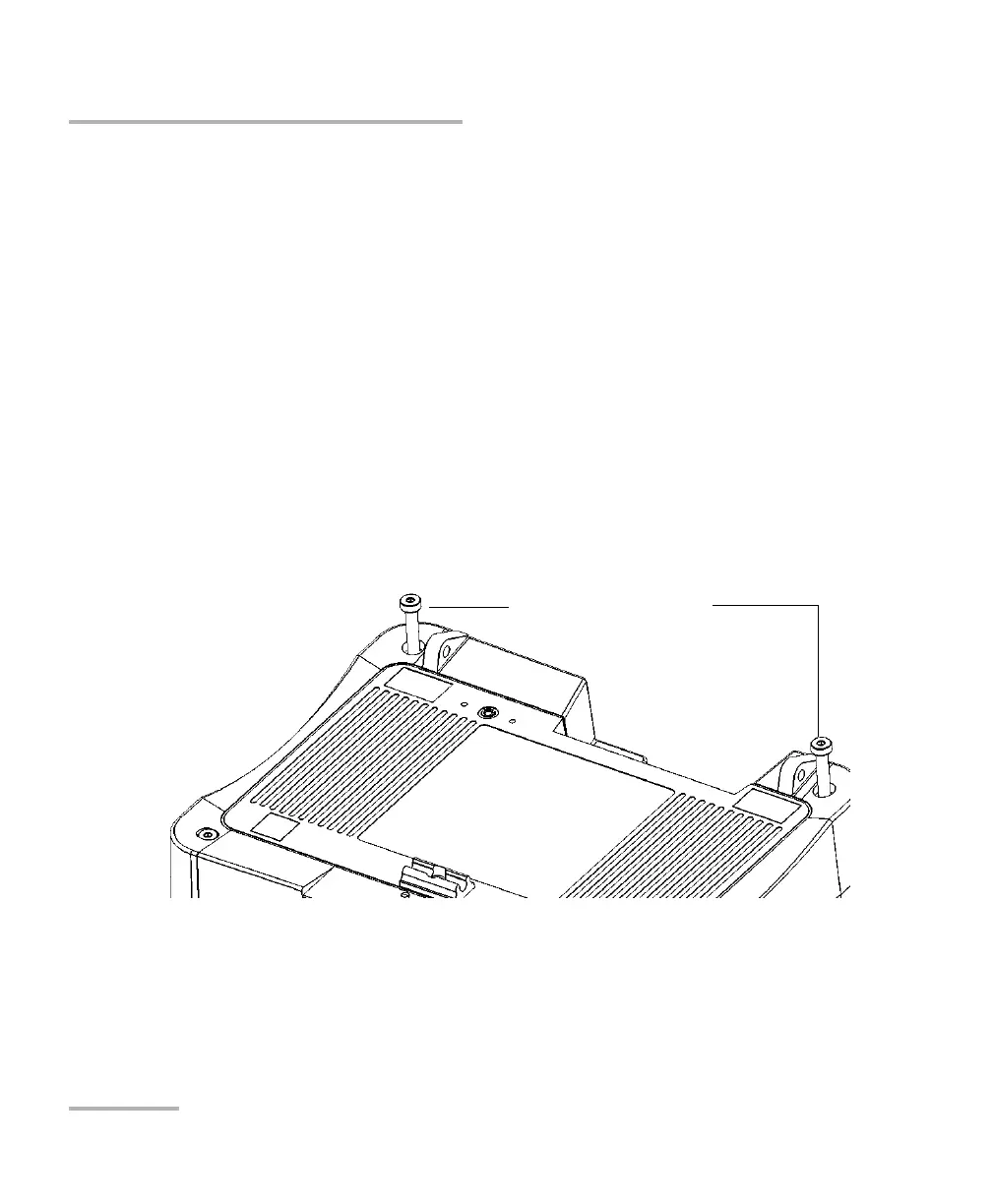
2. Using the provided hex key (“Allen” key), remove the two top screws
that secure the back of the unit in place.
Top screws securing the
back of the unit












 To Next Page