Getting Started with Your Unit
MaxTester Series 25
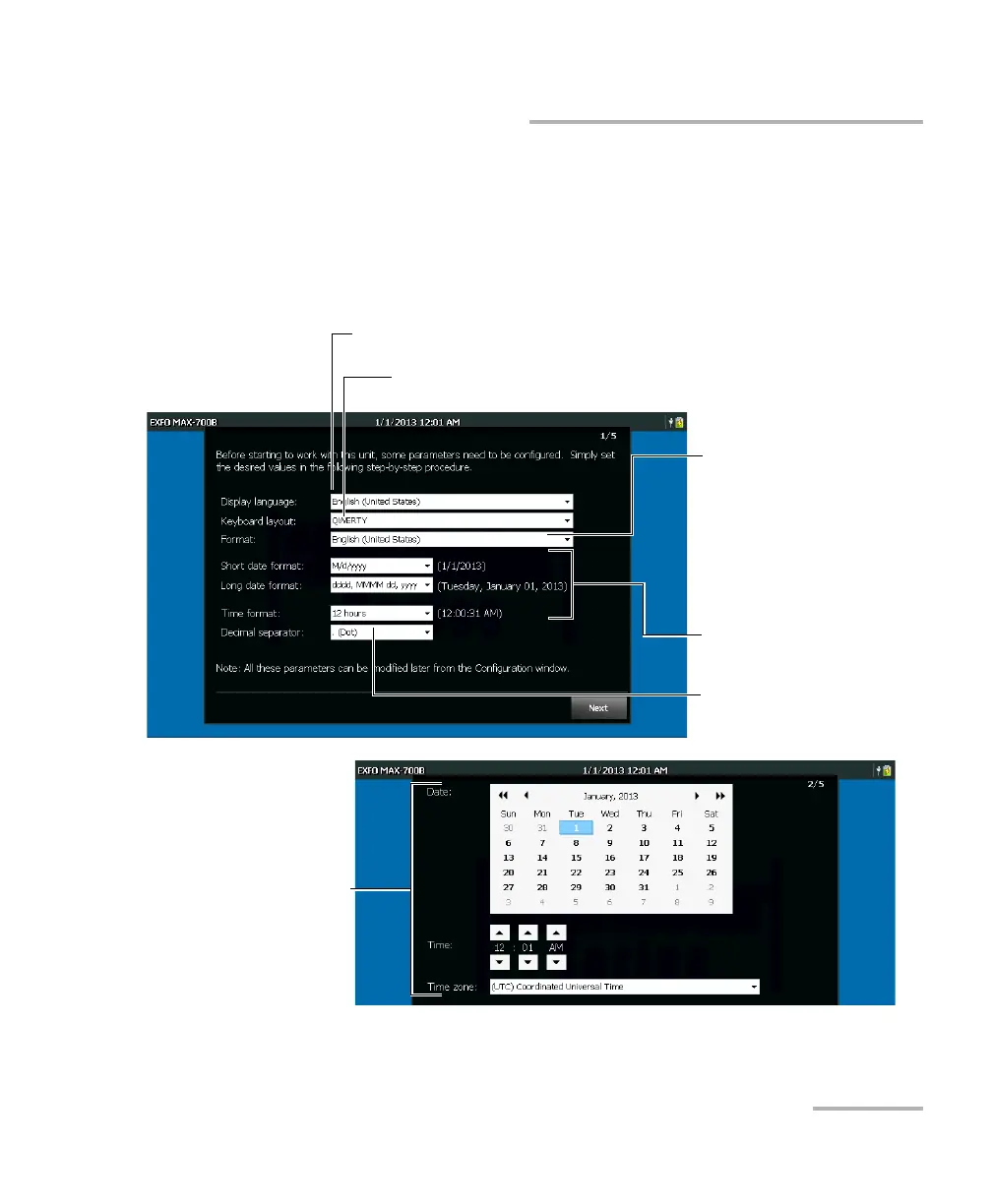
Configuring Your Unit At First Startup
To configure your unit at the first startup:
1. If it is not already done, turn on the unit (see Turning On or Off the Unit
on page 22).
2. When the wizard is displayed, set the parameters according to your
needs.
Note: The images above show the default values for each setting.
See Selecting the Layout of the On-Screen Keyboard on page 46.
See Selecting the Language of Operation on page 44.
See Selecting the Global
Language Format (Locale) on
page 49.
See Setting Date and Time
Formats on page 51.
See Setting the Decimal
Separator on page 52.
See Adjusting the Date, Time
and Time Zone on page 43.












 To Next Page