Setting Up Your Unit
MaxTester Series 65
Configuring the Network Settings
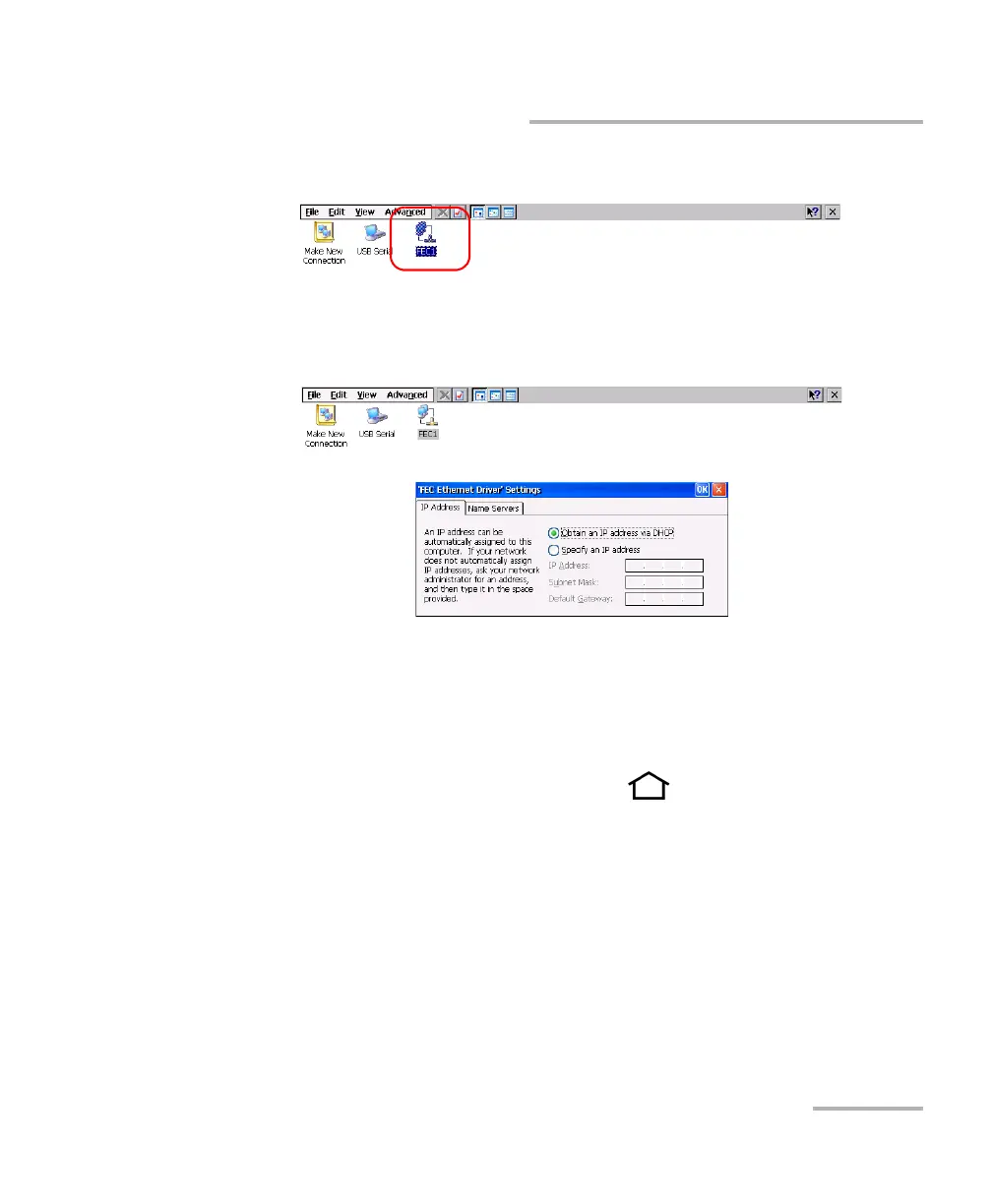
4. Double-tap FEC1.
5. Go to the IP Address tab.
6. Modify the settings using the information provided by your network
administrator.
7. Tap OK to confirm the changes.
8. Close the window to return to the Configuration window.
9. From the unit’s front panel, press the button to return to the
Home screen.
The new values are taken into account immediately.












 To Next Page