67
ENGLISH
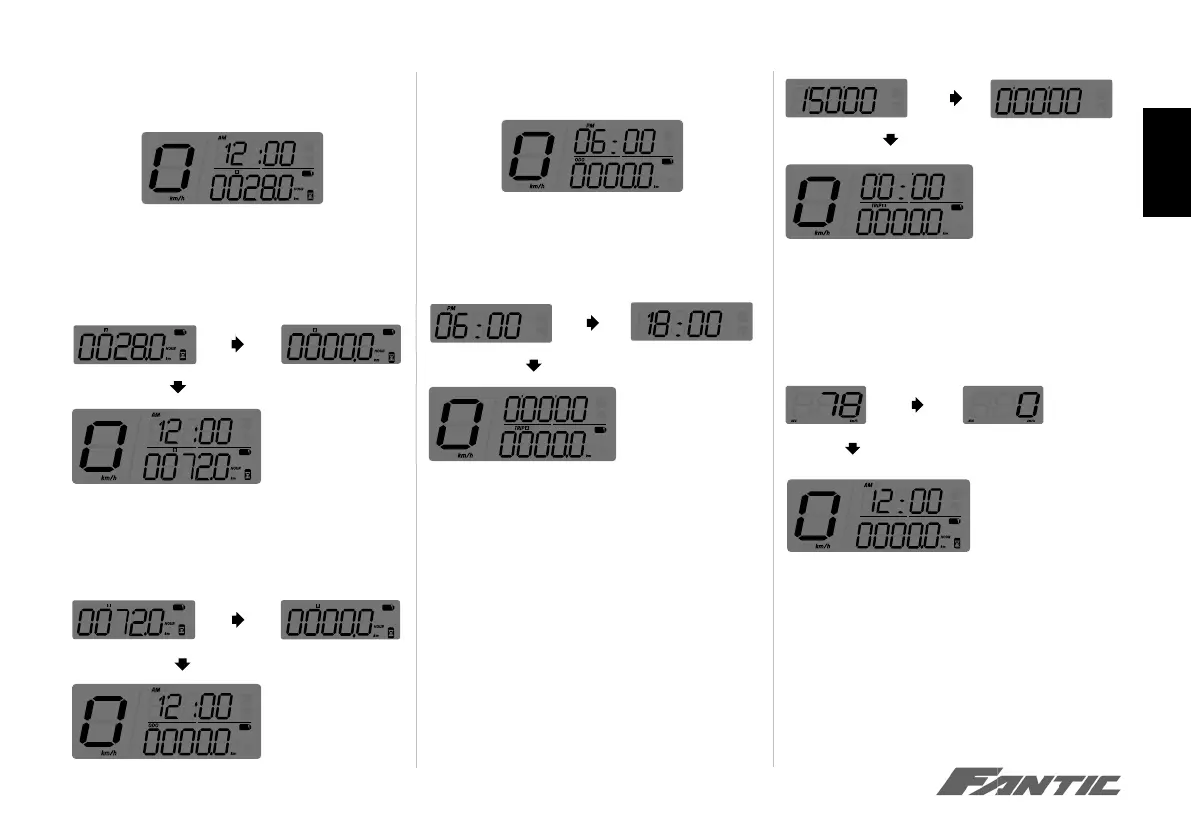
• Press the Adjust button to switch from trip B to
total hour meter.
• Press the Adjust button to switch from total hour
meter to hour meter A.
• Hold pressing the Adjust button for 3 seconds to
reset the hour meter A
Press the Adjust button to switch from hour meter
A to hour meter B
• Hold pressing the Adjust button for 3 seconds to
reset the hour meter B.
Select button functions
• In main screen, press the Select button for 3
seconds to switch between 12/24 hour mode.
NOTE If 24 hour mode is chosen, the AM/PM
symbol will not be displayed.
• Press the Select button during the main screen to
switch from Clock to Stopwatch.
• Hold pressing the Select button for 3 seconds to
reset the Stopwatch.
• Press the Select button to switch from Stopwatch
to Speed Record.
• Hold pressing the Select button for 3 seconds to
reset the Speed Record.
NOTE Average speed and the Max speed display
in 3 seconds rotation.
• Press the Select button to switch from Speed
Record back to the main screen.







 To Next Page