68
ENGLISH
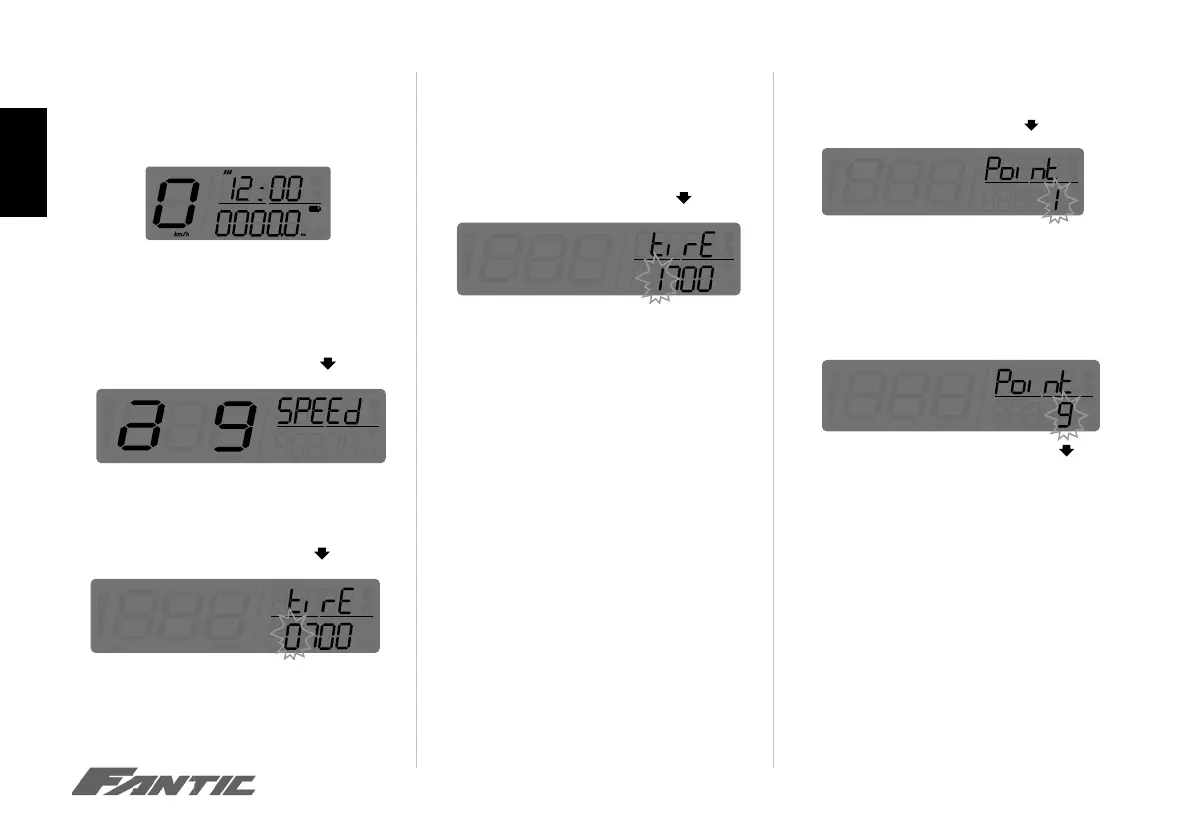
Adjust + Select X 3 function
Tire circumference setting
• In main screen, press down the Adjust+ SelectX3
to enter the tire circumference and sensing point
selling (for changing different size tire.)
• Press the Adjust button to enter the tire circum-
ference setting.
• Press the Adjust button to enter the tire circum-
ference setting. In this example the tire circumfer-
ence is 1,300 mm.
NOTE he circumference of the rear tires must
e set to 2090mm and 9 pulses for Motard and
290mm and 9 pulses for Enduro models.
The digit you set is from left to right in order.
• In this example the tire circumference setting is
changed from 1,000 mm to 1,300 mm.
• Press the Select button to change the setting.
• Press the Adjust button for three times to enter
the sensing point setting
Setting point of tire detection
• Press the Select button to change the fi gure by
entering the value 1
NOTE: The range inside which it is possible to
change the detection point is from 1 to 9.
• Press the Adjust button will return you back to the
menu and circumference point of the tire detection



 To Next Page