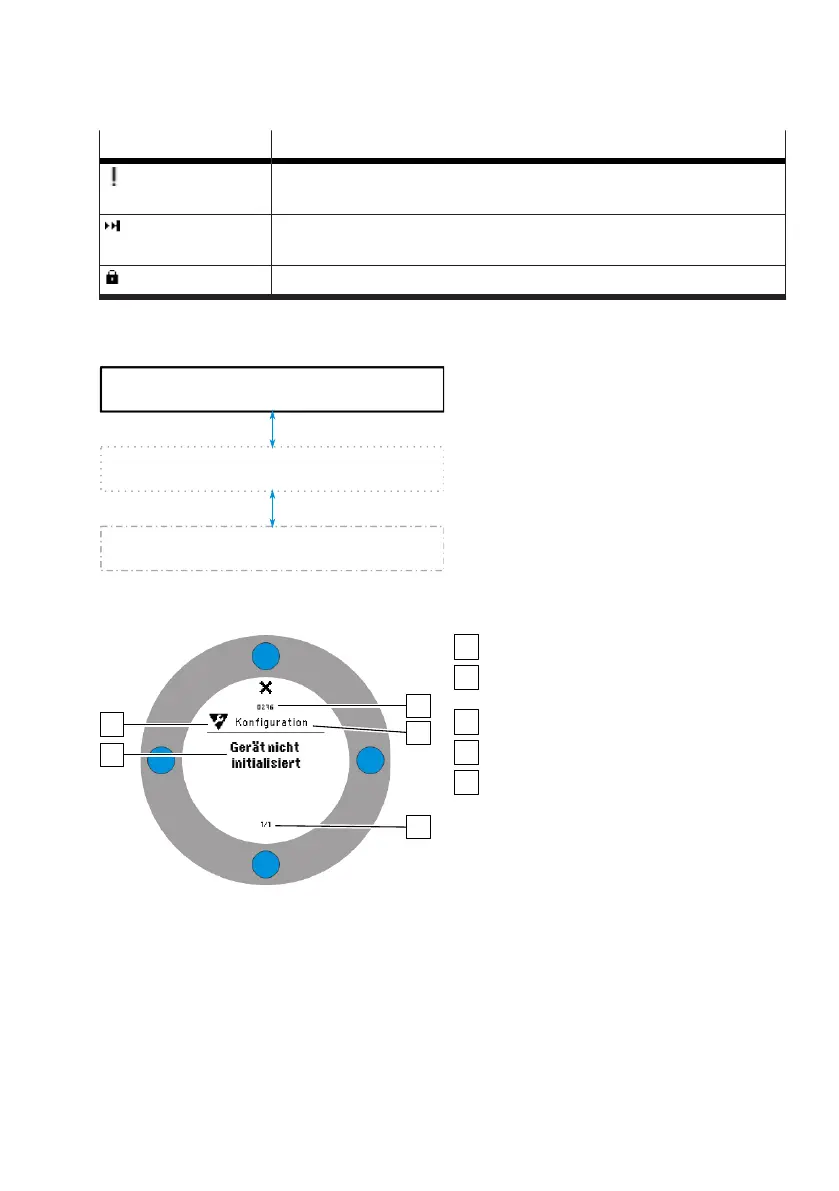
Symbol Information/status
–
No valid initialisation
–
Control not possible
–
Effective tight seal
–
Current setpoint position specification is in the tight seal range
Active blocking of local operation
Tab. 6: Status and information in the information area
4.1.3.3 Message views
Fig. 5: Information structure
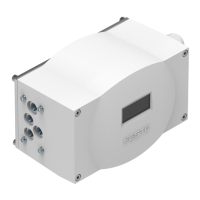
The following contents for a message are displayed in a message view:
Fig. 6: Structure of the message views
Message
Status signal of the message corresponding
to NAMUR recommendation NE 107
Unique message number
Message group
Page indicator
Active messages are displayed in the message views. If no active message is pending, a corresponding
message is displayed. If there are several messages pending, the highest priority message is dis-
played first.
The page indicator [5] is used for orientation and displays the rank of the displayed message and the
total number of all active messages. Active messages are called up when the upper key is pressed in
the process views
è
Key functions. The symbol belonging to the upper operating key indicates the
current device status in accordance with NAMUR recommendation NE 107
è
Tab. 5 Key functions in


 To Next Page