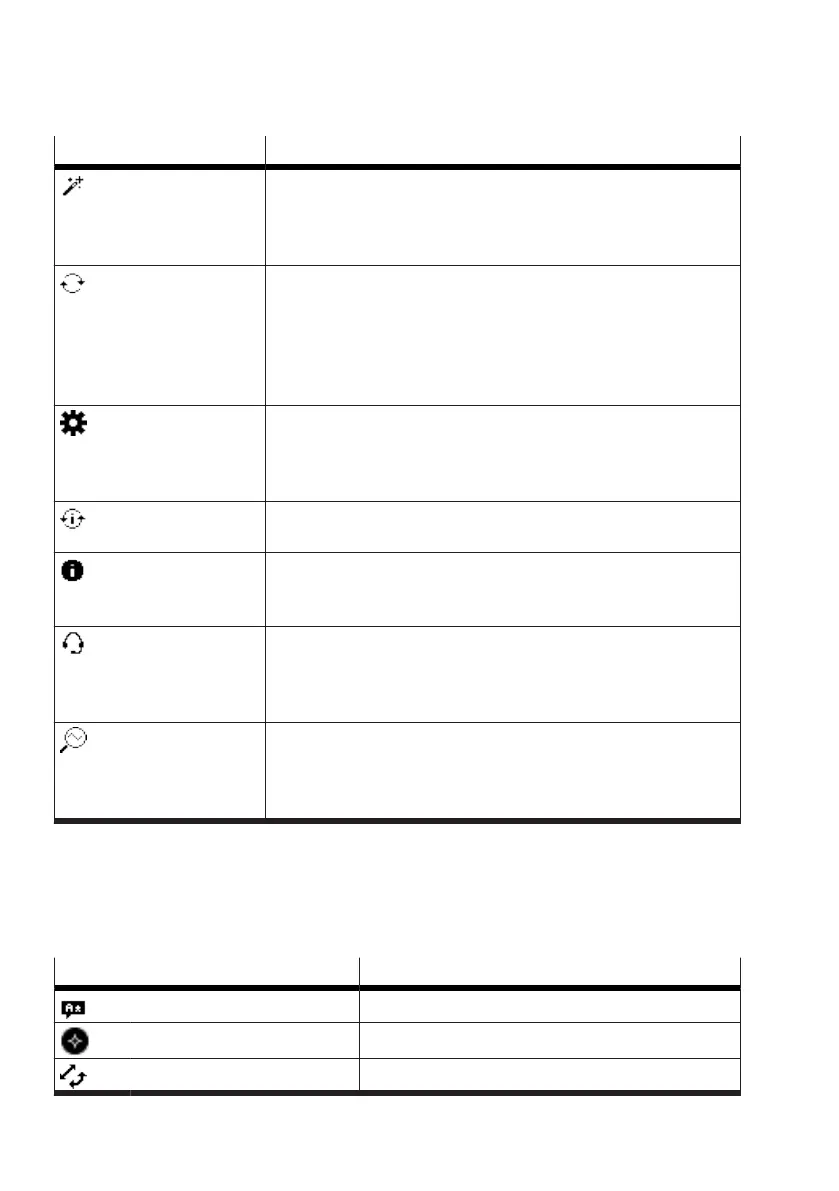
Menu option Description
Guided setup The setup wizard can be started in this area. The setup wizard offers
the most important parameters for the initial commissioning of the
device.
è
7.2.2 ‘Guided setup’ menu
Operation mode The operating mode can be defined in this area.
The following selection options are available:
– Automatic mode
– Manual setpoint position mode
– Manual pressurisation and exhausting
è
7.2.3 ‘Operation mode’ menu
Settings Basic settings can be made in this area. This includes parameteri-
sation, settings for control, configuration of the digital inputs and
digital outputs as well as device-specific settings.
è
7.2.4 ‘Settings’ menu
Initialization The initialisation routine can be started in this area.
è
7.2.5 ‘Initialization’ menu
Identification Basic information about the device and the operating unit is dis-
played in this area.
è
7.2.6 ‘Identification’ menu
Service Service-related information is displayed in this section. This includes
operating conditions as well as signal values at the inputs and out-
puts. In addition, reset functions can be executed.
è
7.2.7 ‘Service’ menu
Diagnosis In this area, diagnostic functions can be activated and counter read-
ings retrieved and reset. In addition, the Partial Stroke Test can be
executed and its status retrieved.
è
7.2.8 ‘Diagnosis’ menu
Tab. 14: Menu views
7.2.2 ‘Guided setup’ menu
A setup wizard is available for guided commissioning. The essential parameters are set in the setup
wizard. These parameters and other parameters can also be opened and edited via the ‘Settings’
menu
è
7.2.4 ‘Settings’ menu.
Menu option Reference
Language
è
Language
Display Orientation
è
Display Orientation
Actuator type
è
Actuator type


 To Next Page