Symbol Function
Right key
–
Change selection: switch to the following menu entry or to the following
selection option.
–
Increase parameter values.
Tab. 9: Key functions
Settings
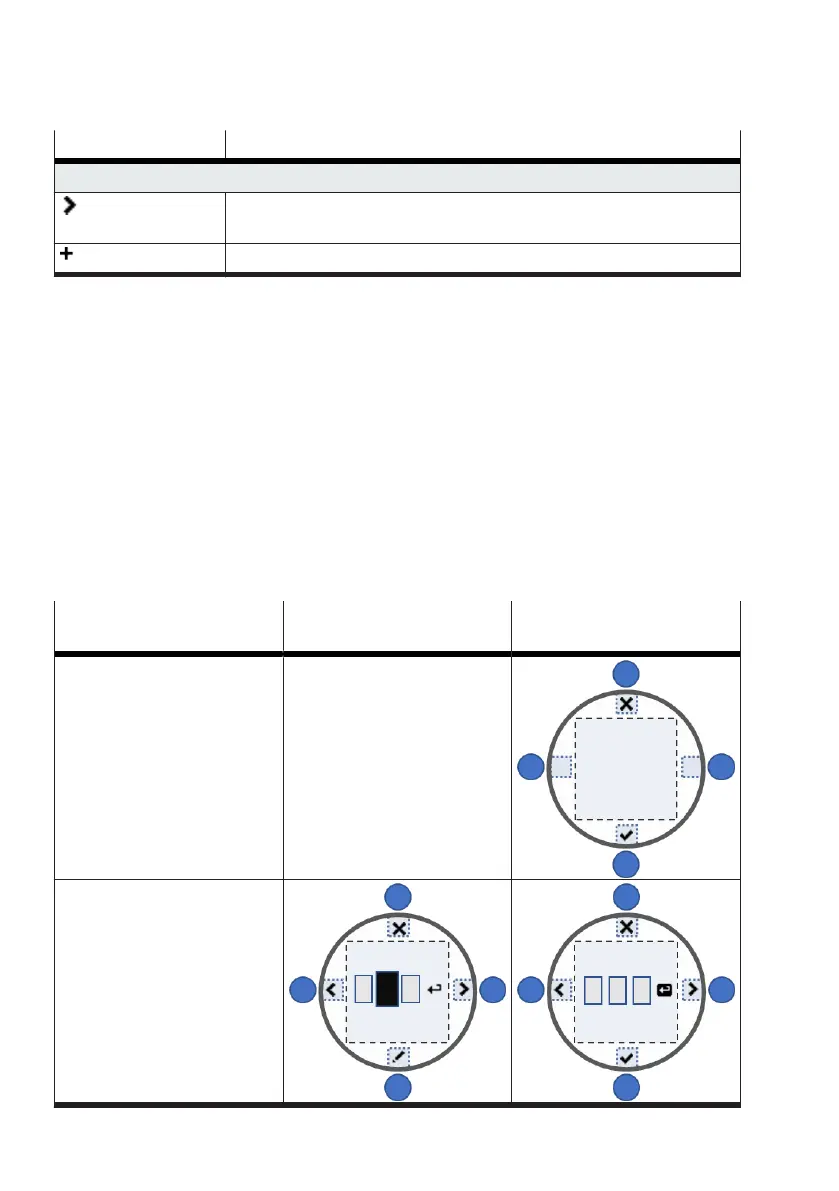
Parameters can be changed in the menu views. The parameters are selected or adjusted via a value
input.
Discard or accept changes
Parameter changes are discarded when the upper key is pressed.
Parameter changes become effective when the lower key is pressed. The input symbol must be
selected in order to apply the change for numerical value entry, multiple selection and the user
characteristic curve. A curved arrow is visible on the input symbol. The input symbol is selected if it is
highlighted in black.
Actions with far-reaching consequences, such as calling the initialisation routine and resetting the
device, are protected by upstream queries. The critical action is not executed until the question is
confirmed.
Pattern Lower key for changing the
focused parameter
Lower key for accepting the
change
General principle —
Numerical value entry



 To Next Page