7.2.4.2 Control
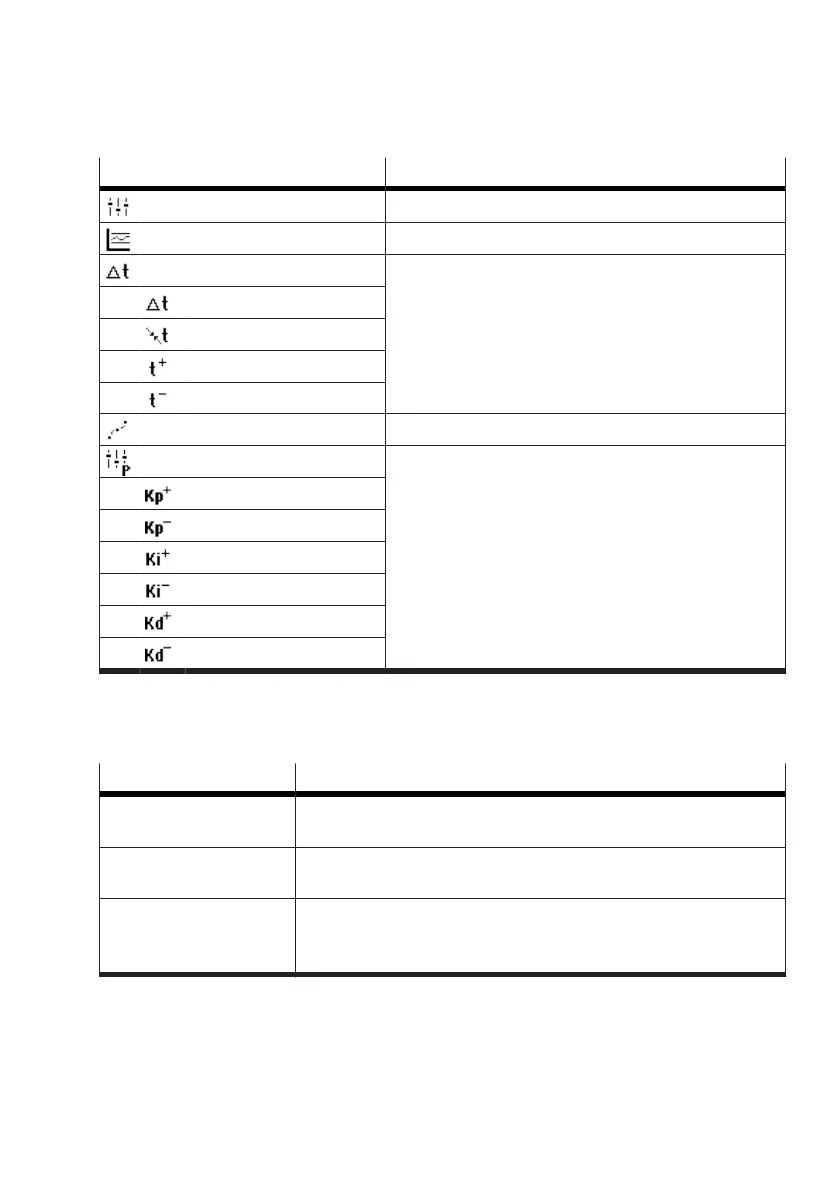
Menu option Description
Control mode Parameter description
è
Control mode
Deadband Parameter description
è
Deadband
Travel time The positioning time extension can be configured in this
area. The minimum positioning times determined during
initialisation are also displayed here.
è
‘Travel time’ menu
Mode
Minimum travel times
Positive travel time
Negative travel time
Trajectory Planning Parameter description
è
Trajectory Planning
User parameters The controller parameters that are effective in the user-
defined control mode can be defined in this area.
è
‘User parameters’ menu
Kp positive
Kp negative
Ki positive
Ki negative
Kp positive
Kd negative
Tab. 39: Control
Control mode
The ‘Control mode’ parameter defines the currently effective control mode.
Value Description
robust Factory setting: the positioner approaches the setpoint position slowly
and accurately.
fast The positioner approaches the setpoint position quickly. Overshooting
can occur.
user defined The positioner regulates according to parameters specified by the user.
The direction-dependent P, I and D components can be adjusted in the
‘User parameters’ menu
è
7.2.4.2 Control.
Tab. 40: Control mode
Deadband
The ‘Deadband’ parameter defines the value of the static deadband. The deadband defines a range
around the setpoint position within which the closed-loop controller does not react to deviations.


 To Next Page