3. Commissioning
3-12
Festo CPX-FB36-EN en 1611a English
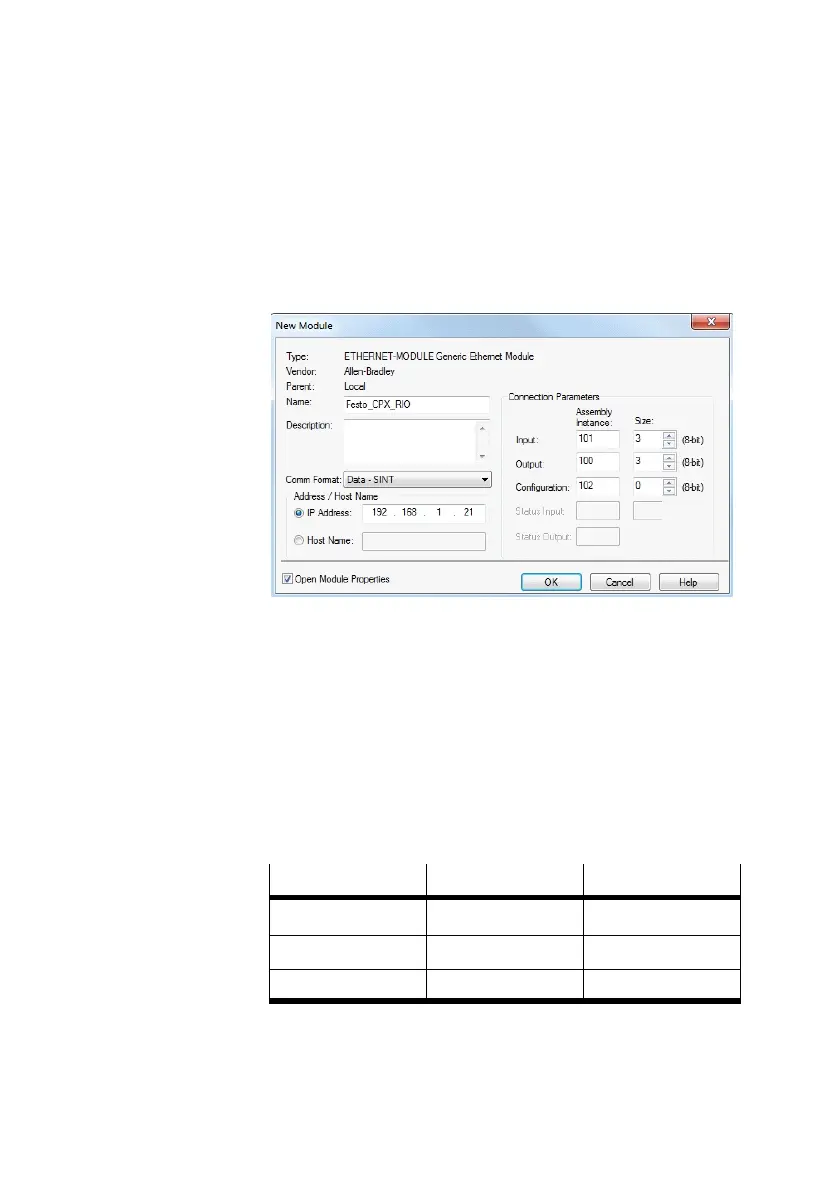
4. Confirm selection with the “Create” button.
This opens the dialogue “Module Properties” for configura
tion of the module as participant (è Fig. 3/10).
Fig. 3/10: Configuring a participant
5. Enter a name for the bus node.
6. Select data format (Data - SINT or Data - INT) in the
“Comm Format” list field.
7. Enter IP address of the bus node.
8. Enter values for “Assembly Instance” dependent on the
selected data format (è Tab. 3/3).
Data format
Data – SINT Data – INT
“Input” 101 111
“Output” 100 110
“Configuration” 102 102
Tab. 3/3: Input values for “Assembly Instance”
9. Enter values for “Size” dependent on the selected operat
ing mode (è Tab. 3/4).



 To Next Page