9
EN
8
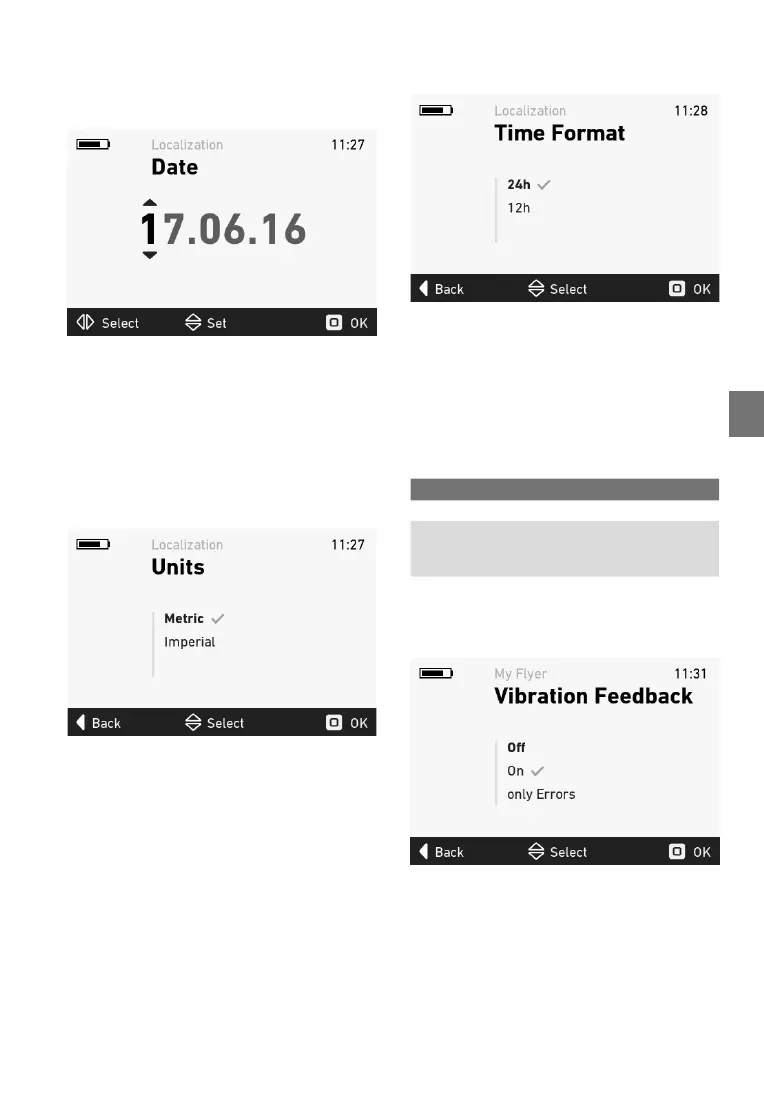
5.5.4 Datemenu
You can set the current date in the date menu.
Move the joystick up and down to change the
numbers.Movethejoystickleftandrighttoswitch
betweennumbers.
Figure 9: Date menu
Pressthejoysticktoapplythenewsettingsafter
conrmation(see5.3).
5.5.5 Unitsmenu
In the units menu, you can switch between the
metricandBritishsystem.Thefollowingunitswill
be changed:
• Distance kilometres<->miles
• Speed km/h<->mph
Figure10:Unitsmenu
The check mark indicates which unit is currently
applied.Pressthejoysticktoapplythenewset-
tings
afterconrmation(see5.3).
5.5.6 Clockformatmenu
Intheclockformatmenu,youcanswitchbetween
the24-hourand12-hourclock.
Figure 11: Clock format menu
The check mark indicates which clock format is
currentlyapplied.Pressthejoysticktoapplythe
newsettingsafterconrmation(see5.3).
5.5.7 Feedbackmenu
Inthefeedbackmenu,youcancongurethevi
-
bration
feedbackoftheremote.Thefollowingset-
tings can be selected:
Figure 12: Feedback menu
The check mark indicates which fee back setting
iscurrentlyapplied.Pressthejoysticktoapplythe
newsettingsafterconrmation(see5.3).
Selection Description
Off Novibrationfeedback
On Every button press and every
active error message gener-
ates vibration feedback
Errors
only Vibration feedback is only
generated by active error
messages


 To Next Page