FlipAlbum
®
6 127
Note: This section is applicable only to FlipAlbum
®
6 Suite and Pro users only.
7.11 Import CD Maker 1.x Album
FlipAlbum
®
6 Suite/Pro allows you to import your old FlipAlbum
®
CDs created by the
FlipAlbum
®
CD Maker 1.x series of products.
After the import is carried out, FlipAlbum
®
6 Suite/Pro will convert it into the new OPF format
that can be viewed with FlipAlbum
®
6 series or the free FlipViewer
®
.
To import FlipAlbum
®
CD Session:
1. Click CD Maker on the menu bar.
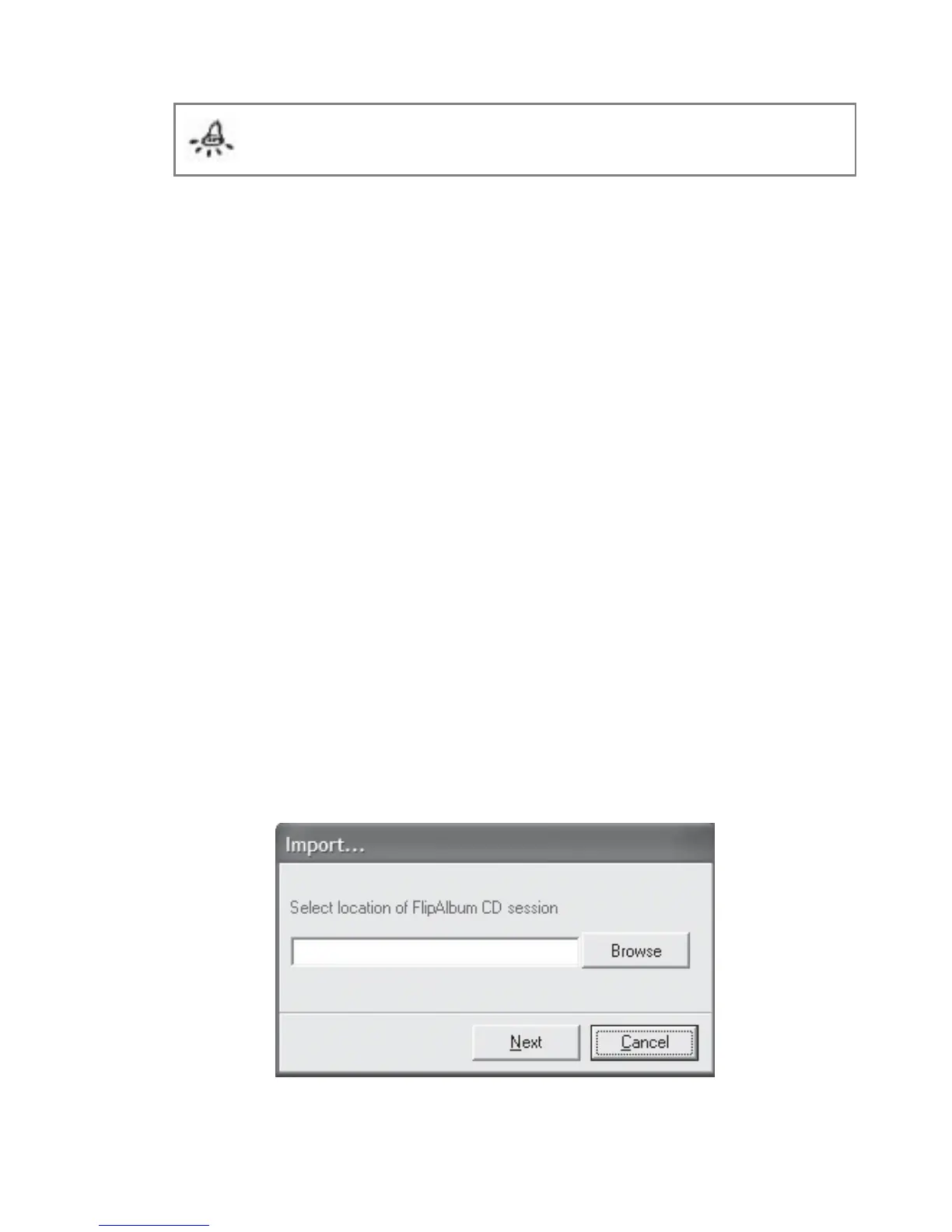
2. Click Import CD Maker 1.x Album. The Import... dialog box will be displayed
(Fig 7.11.1).
3. Click Browse to navigate to the folder containing your FlipAlbum
®
CD session.
4. Select the relevant FACDM file and click Open (Fig 7.11.2).
5. Click Next.
6. Click Browse to navigate to a new folder in which you want to import your FlipAlbum
®
CD
session to.
7. Click Next.
8. Once the import is successful, click Finish.
Fig 7.11.1 Import CD Maker 1.x Album Dialog Box



 To Next Page