138
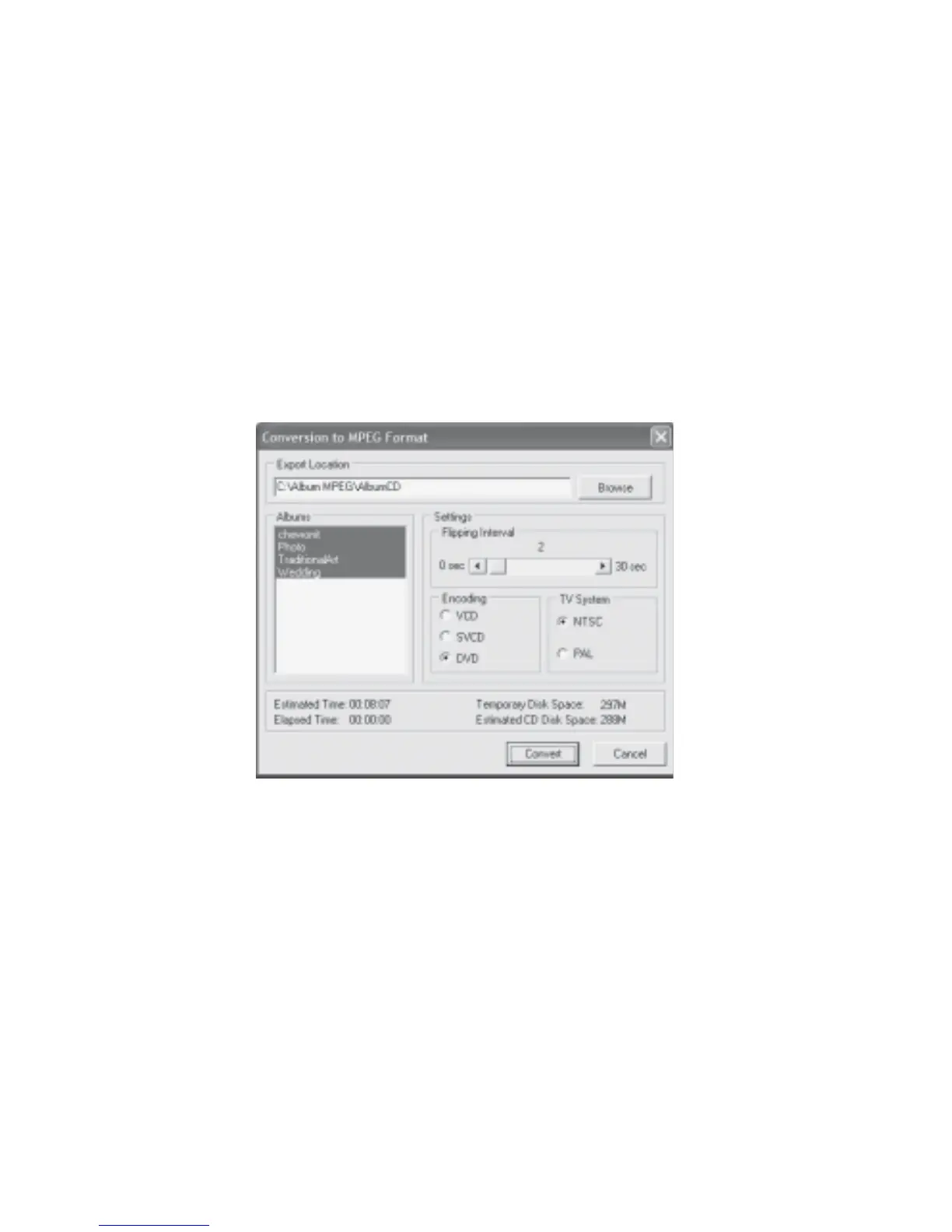
5. Select the desired TV System (NTSC is more commonly used in US and Japan while PAL
is more commonly used in Asia).
6. The estimated time, elapsed time, temporary disk space and estimated CD disk space
will be indicated. The total time taken may depend on the size of your album, whether
audio files have been inserted, and CPU speed.
7. Click Convert. The Conversion to MPEG Format status dialog box will be displayed
(Fig 7.12.3).
8. Once all the albums are converted to MPEG format, the Conversion to MPEG Format
Completion dialog box will be displayed (Fig 7.12.4). The location of the exported MPEG
file will be indicated, eg C:\Album MPEG\AlbumCD.
Fig 7.12.15 Export Multi-Albums to MPEG Format
Export Multiple Albums to AVI Format:
1. At Fig 7.12.14, click Tools, select Export Album(s) for TV Viewing and click AVI
Format. Fig 7.12.16 will be displayed.
2. Click the Browse button to select the location and name of the export folder
(eg C:\Album AVI\AlbumCD)
3. Select the flipping interval of the album by dragging the slider button or clicking the left
or right arrow. This will affect the length of your movie.
4. Select the desired Encoding (VCD has the lowest quality while DVD has the highest
quality).



 To Next Page