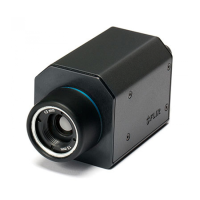
20.7 Fixed mount camera menu
The thermal camera application menu options for a xed mount thermal camera are shown below.
Activate Camera Brings the thermal camera out of standby mode. (only available
when camera is in standby.)
Pause Image
• On
• Off (default)
Image Options Select to display the Image Options sub-menu.
• Color
– Red
– Greyscale
– Glowbow
– Rainbow
– Fusion
• Scene
– Night Running
– Night Docking
– Day Running
– Man Overboard
• Reverse video
• Rear View
Adjust Contrast Select to display the Adjust Contrast sub-menu.
• Contrast
• Brightness
• Color
Standby Select to place the camera in to standby mode. (only available
when camera is activated.)
Camera Set-up Select to display the Camera Set-up menu.
• Default Color
• Icon Level
• Ball Down Mode
• High Power Standby
• JCU Icon
• PC Icon
• Restore Factory Defaults
Camera Set-up menu
Default Color Enables selection of default color palette.
• Red
• Greyscale
• Glowbow
• Rainbow
• Fusion
Icon Level
Enables selection of level of icons
displayed on-screen.
• None
• Minimal
• All
324



 To Next Page