Flora Digital Printing System
Model LJ320P
Copyright 2011@ Shenzhen Runtianzhi Image Technology Co.,Ltd. By Victor Xu
~42~
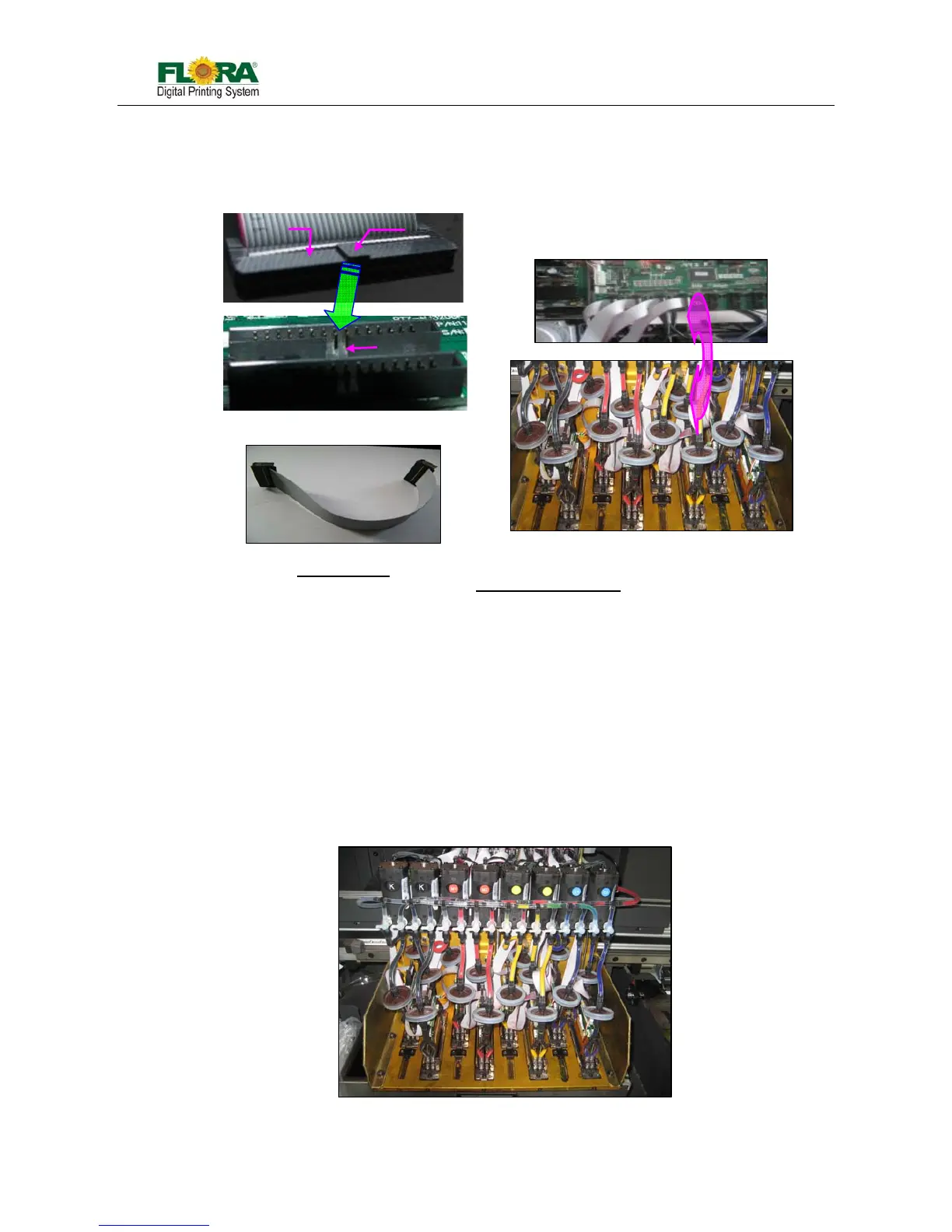
iv. Connect the 30pins flexible print head data cable to the Print head Control Board and print head.
Please take note of the proper connection of cable.
v. Connect the input tubing of print head to the Ink tank supply port accordingly,
Take note not to interchange the connection for input and the bleeding tubes.
vi. Check all the connections again to ensure there are no misconnections or loose connections on
the data cables. Power on the machine and check for any functional abnormalities on the
carriage.
Install print heads, you must take notice as below:
z Switch off the power before install print heads
z The ink tube shouldn’t be too long or short, keep the filter flat as standard
z The installation of screws mounting the print head should moderate, the end of screw can’t
be beyond the carriage plate
z All the connectors and interface should be properly connected. No loose, no reversed or
wrong connection!
Fig. 5.3-6: Carriage with PHs
Fig.5.3-5 Data Cable Connection
Male connector
Pro



 To Next Page