Page 14CWT S5 Installation & Maintenance ManualIssue 5
Product description
4.1 Terminal interface
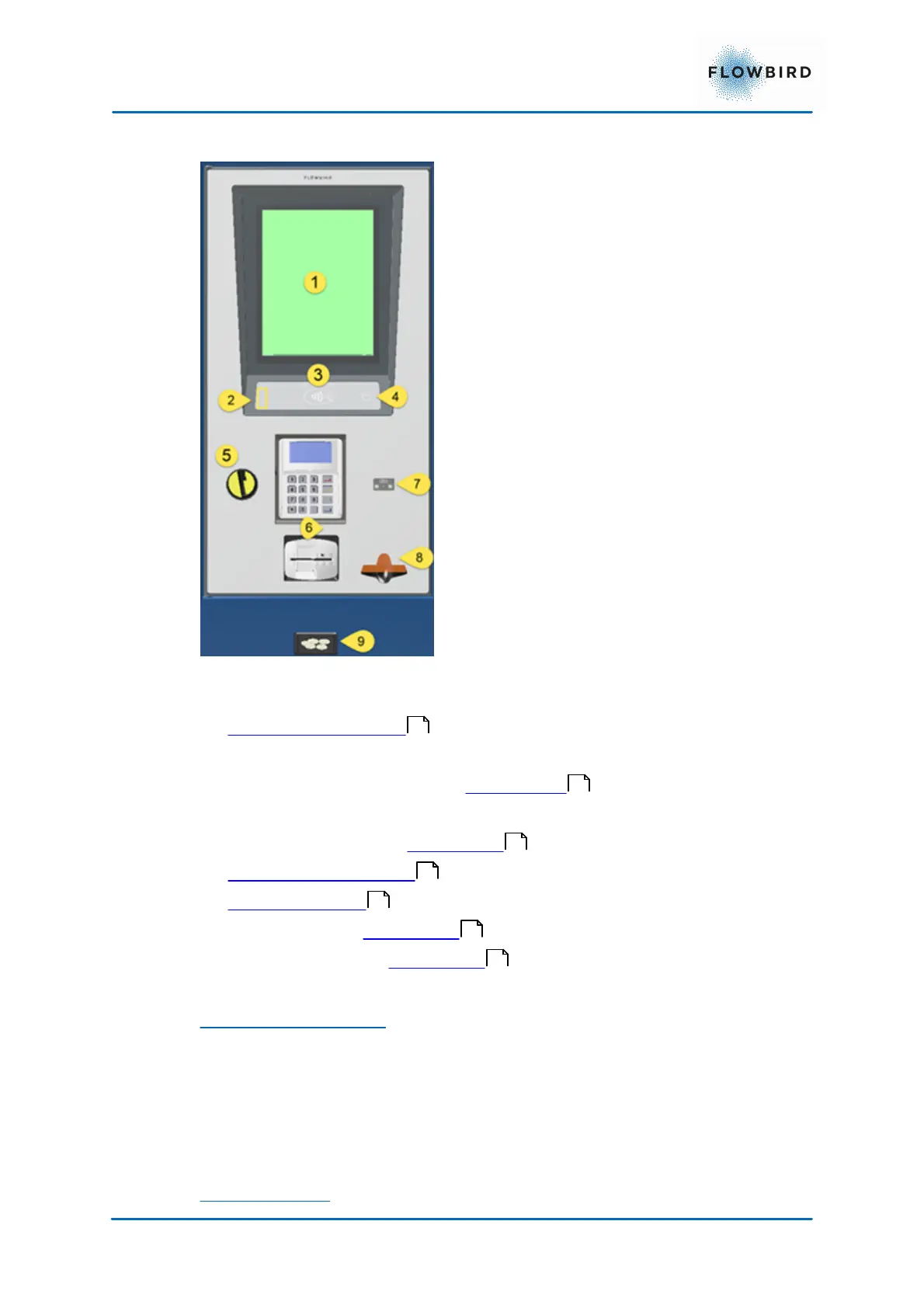
Figure 3, Terminal interface
The display assembly is built up with the following components:
1. Touch enabled Display
2. Warning/Error Indicator
3. Contactless Card Reader. See Card readers
4. Wake Up Button
5. Coin insertion slot. See Coin system
6. Card reader with pin-pad .
7. Bar code Scanner
8. Ticket outlet. See Print system
9. Coin return cup. See Coin system
Warning/error indicator
The warning/error indicator can light with either red or yellow color.
RED = Error
YELLOW = Warning
The slot for the warning indicator also supports the ambient light sensor
Wake Up button
15
17
17
17
21
21
17



 To Next Page