Page 72CWT S5 Installation & Maintenance ManualIssue 5
Maintenance
7.5.1
Display Module replacement
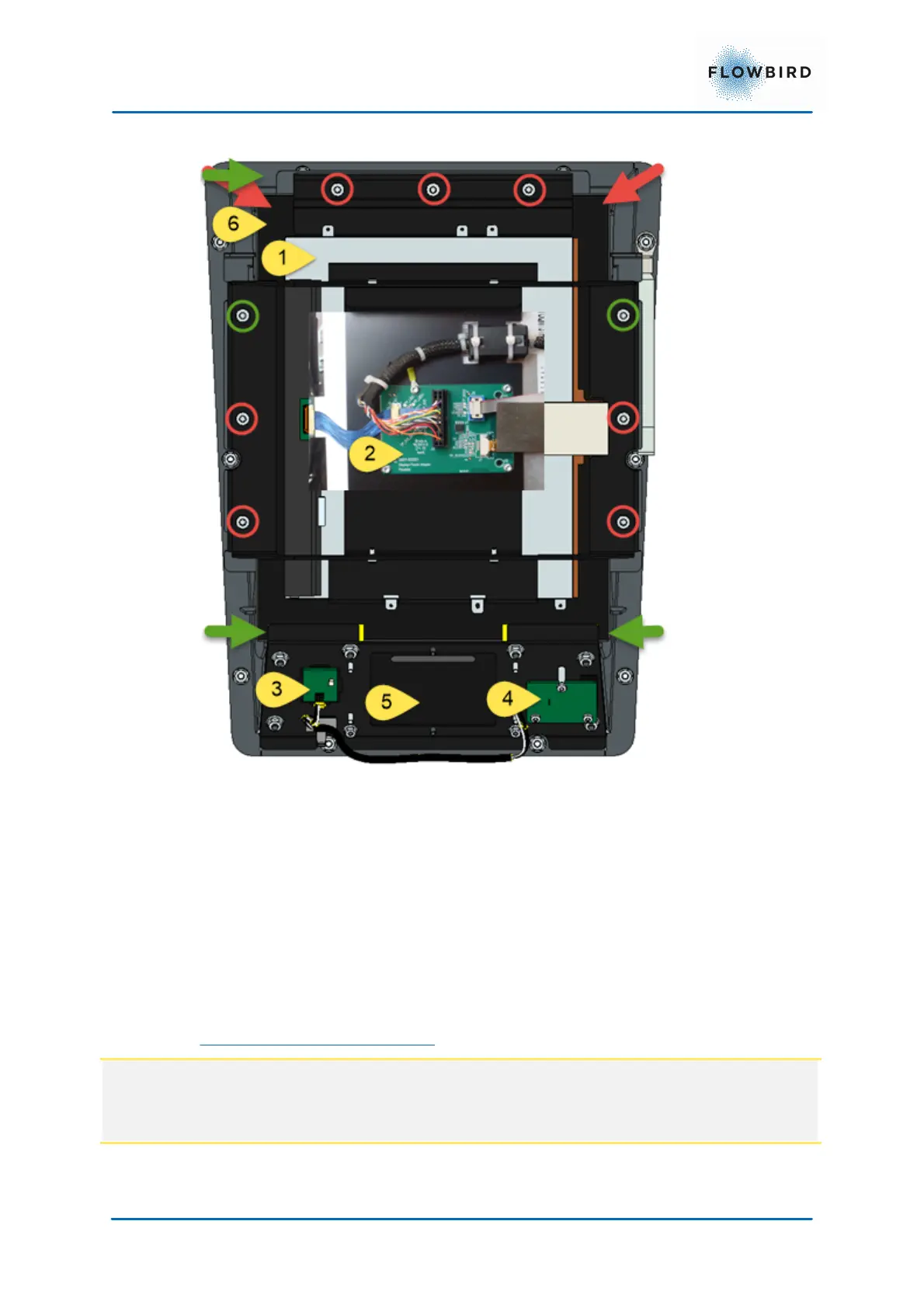
Figure 60, Display module mountings
The display module consists of the following parts:
1. Display Unit
2. Display adapter card
3. Wake-up button
4. Status indicator
5. place for contactless card reader
6. Touch screen
To dismount the Display Unit
Note:
The display unit must be replaces including the touch screen.
The display is fixed in place with heavy duty glue.



 To Next Page