Page 77CWT S5 Installation & Maintenance ManualIssue 5
Maintenance
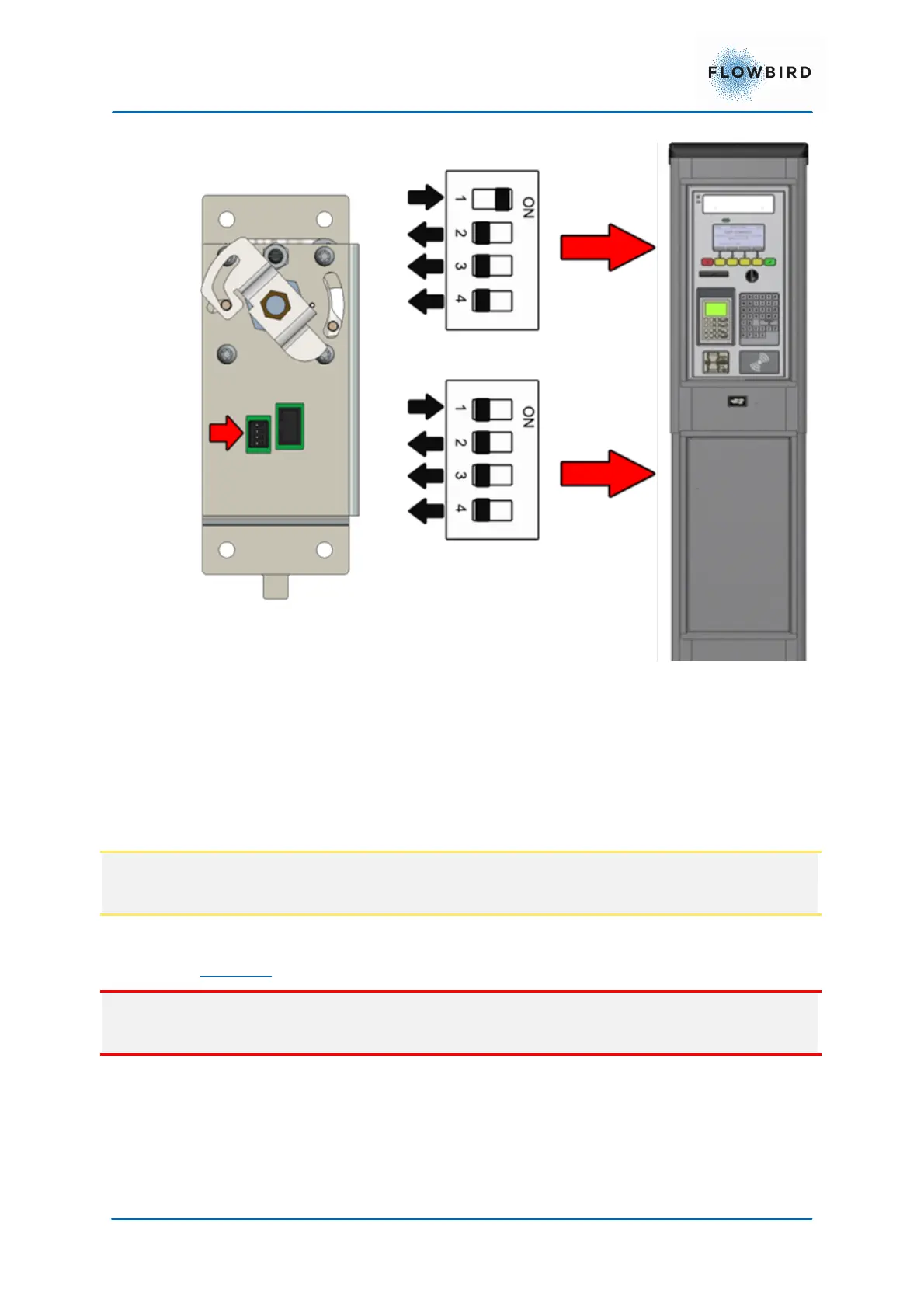
Figure 65, E-lock DIP switch settings
Start the terminal and close the cabinet door to get a printout showing the version
of the E-lock AVR program. If necessary, update. See more about AVR updates
in the CWT Software Configuration Manual.
7.7.2
Door replacement
The door is fastened to the cabinet with an upper and a lower hinge pin. A spring
helps pressing the pins into corresponding holes in the cabinet.
Note:
The procedure for the pedestal is the same as for the cabinet door replacement
Removal
Caution:
The weight of the door is approximately 15 kg.
1. Turn OFF the ticket terminal.
2. Disconnect all cables running between the door and the cabinet.
3. Ensure that the upper hinge pin’s locking screw (2 mm Allen key) is
tightened.
4. Hold the door with a steady grip.



 To Next Page