Page 21CWT S5 Installation & Maintenance ManualIssue 5
Product description
Coin collection personnel must have the proper access privileges to be able to
open the pedestal door. All access attempts are logged in CWT and are
transferred to the WebOffice management system.
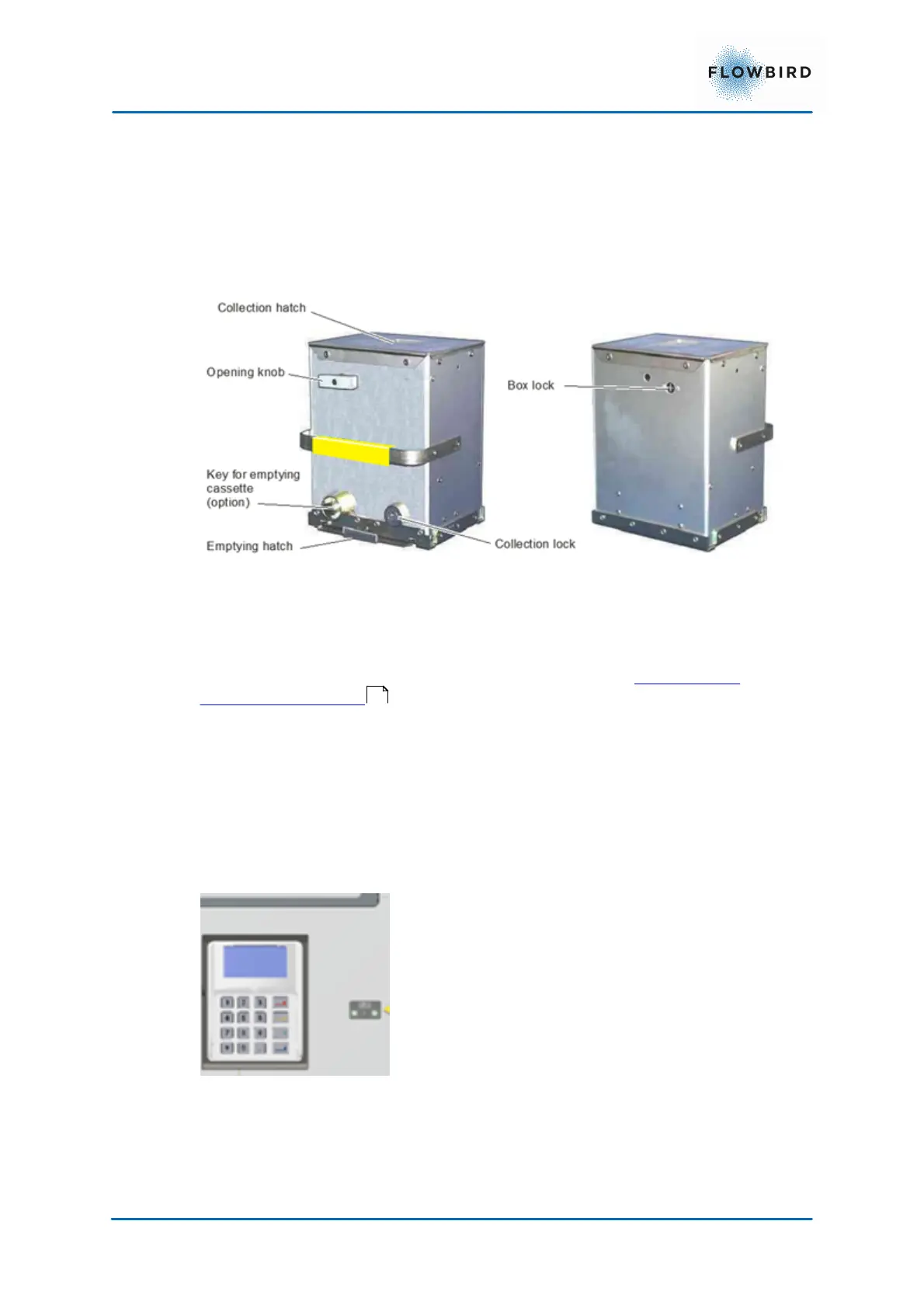
All structural joints on the coin box are riveted or welded. Screw fittings are not
used. This reduces the risk of anyone breaking into the coin box without leaving
any traces.
Removing the coin box activates a micro switch mounted inside the vault.
For security reasons, the design of the coin box is not described in detail in this
manual. For operation and maintenance instructions, see Changing and
emptying the coin box .
4.4 Bar code Scanner
The bar code scanner can read 1-dimensional and 2-dimensional (matrix) bar
codes.
This scanner is located on the right side of the pin-pad.
The scanner will be activated via a button in the Code Input panel or personal
Identifier panel. The scanned code will be displayed in the input text box.
Figure 13, Bar code scanner
4.5 Print system
CWT S5 terminals can be equipped with a thermal printer using direct thermal
printing to generate characters, symbols, and graphics.
57



 To Next Page