Page 22CWT S5 Installation & Maintenance ManualIssue 5
Product description
Both landscape and portrait orientation are supported. The document length is 75
– 100 mm. Paper loading is automatic and full cutting is supported.
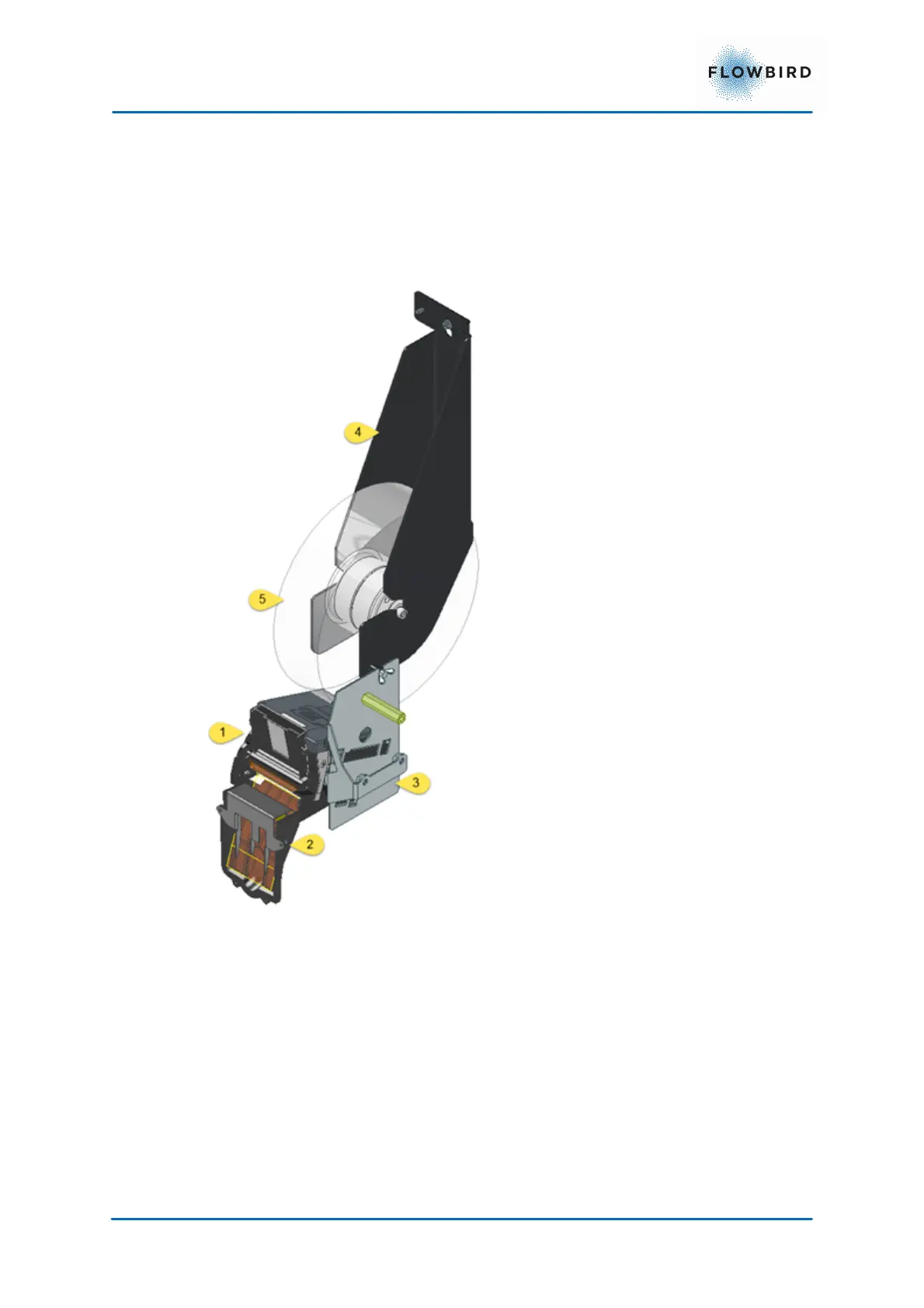
The printer module consisting of the printer and the paper supply roll are
positioned on vertical main assembly plates that can easily be removed.
The printer is connected to the CPU board via a serial interface.
The printer firmware can be updated via WebOffice.
1. Flowbird Printer
2. Ticket outlet mounted in the door
3. Printer shelf
4. Paper roll holder
5. Paper roll



 To Next Page