Page 33CWT S5 Installation & Maintenance ManualIssue 5
Product description
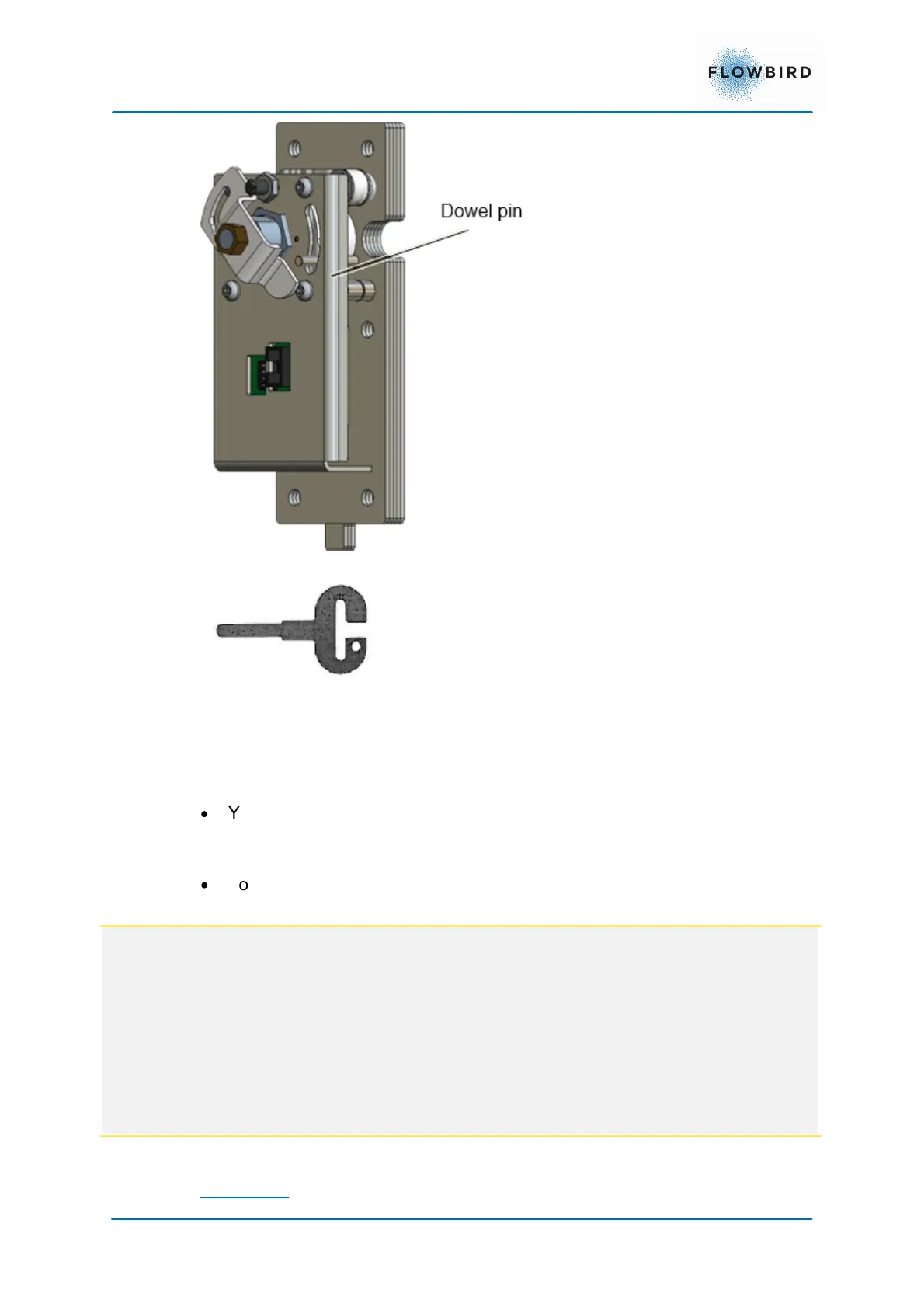
Figure 27, Electronic-locking mechanism.
Figure 28, Door key for
electronic locks
There is a round key hole at the right side of both the cabinet and the pedestal.
The inside of each hole is covered by a protective plate. To enable the insertion
of a key, this plate will automatically move out of way if these conditions are met:
·
You are registered as a user in WebOffice and have been given the proper
privileges for access times, opening frequencies, compartment (cabinet,
pedestal or both), etc.
·
You identify yourself by inserting an access card in the card reader and
entering an optional PIN code at the keyboard. In a
NOTE:
After you have opened the upper door, the lock will be closed again after a 15
second time out to save power. Because the terminal now is in the service mode
you cannot prove your identity and get the necessary privilege to open the door
again. Instead you have to press an Open Upper Door key shown in the start
page of the service menu to open the lock mechanism again.
The pedestal door lock also has a 15 second time out, but you can still run the
normal application with the upper door closed and open the lower door lock as
usual.
Master key



 To Next Page