Page 65CWT S5 Installation & Maintenance ManualIssue 5
Maintenance
2. Unplug the printer flat cable, located at the back of the printer
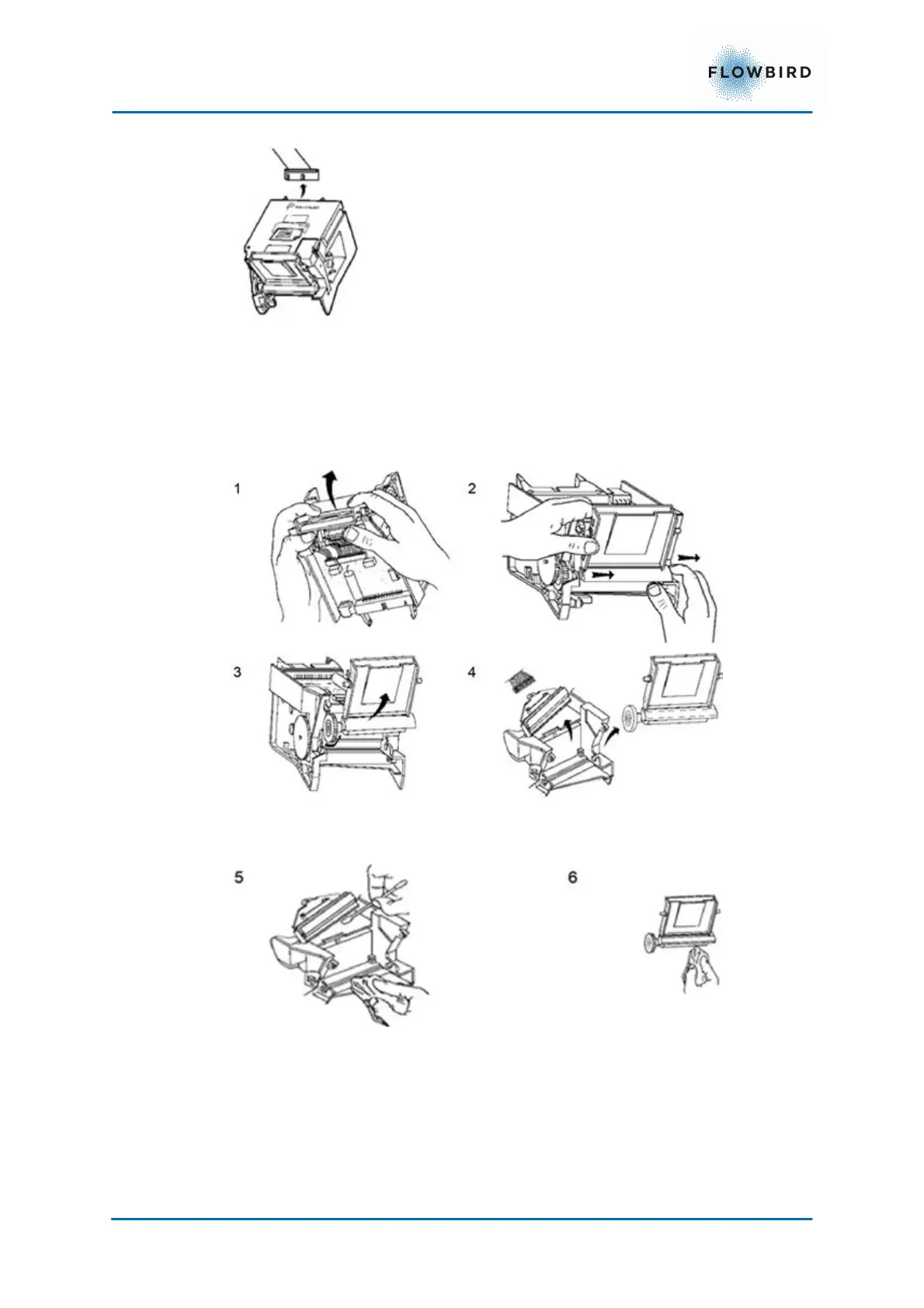
3. Open the paper guide (1).
4. Slide the guide slightly on the right (2).
5. Lift the paper guide to take it out (3).
6. Remove the paper guide and lift the thermal print head to take it out (4)
(unplug the strand if necessary).
7. Clean the print head with a cotton swab moistened with isopropyl alcohol (5).
8. Clean the printer roller with a dry cloth (6).
9. Put the print head back in place (7).



 To Next Page