Rev. 1.0
Cht setup menu
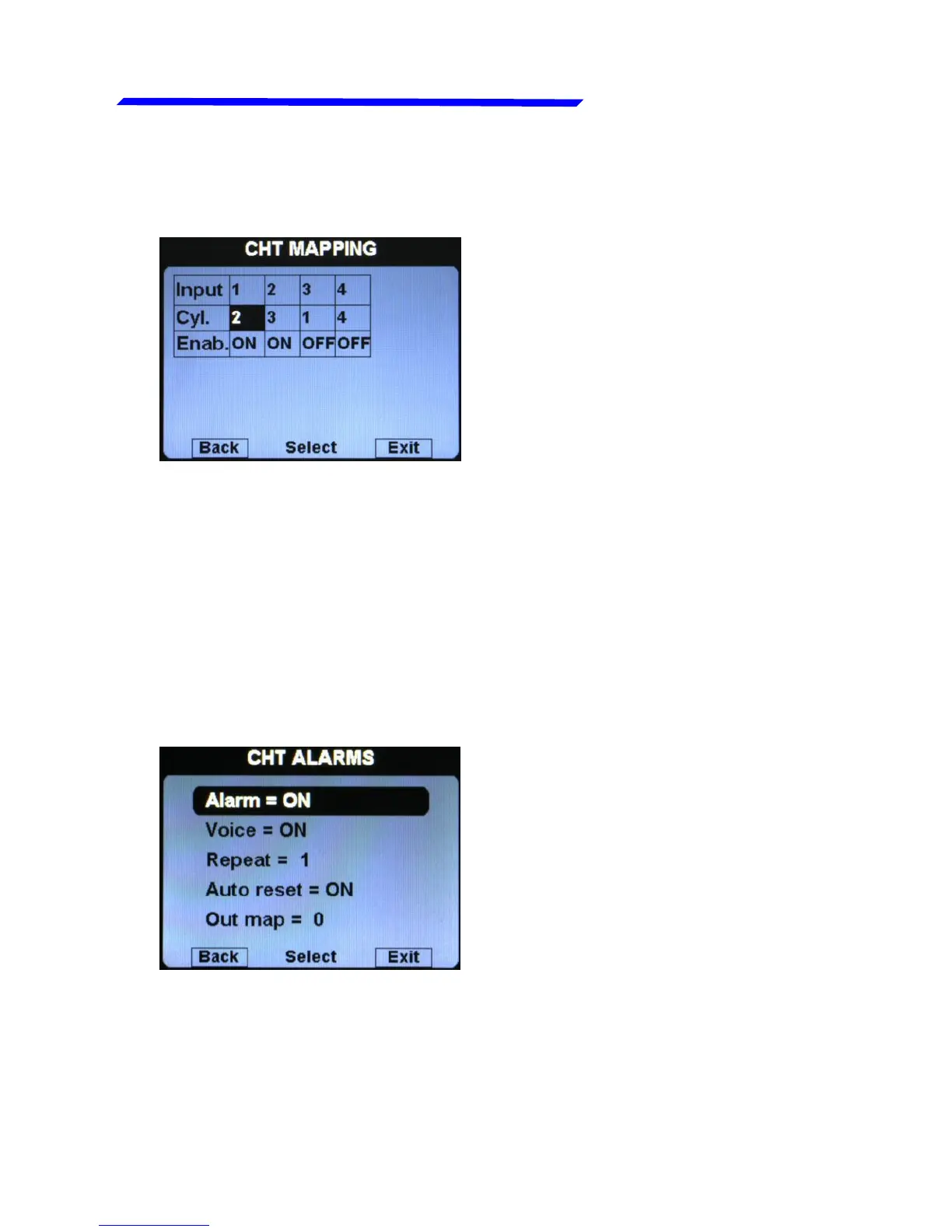
For example, for Rotax 912/914 engines the default situation
will be the following:
Since the Rotax engines are provided with two CHT sensors,
but the first is for the cylinder#2 and the second is for the
cylinder#3, this configuration make sure that the first input of
the remote module (where is connected the first sensor) is
referred to the cylinder#2, while the second input of the remote
module (where is connected the second sensor) is referred to
the cylinder#3; the third and fourth inputs are disabled (Enab.
= OFF).
● Alarm = ON/OFF:
enable/disable the alarm
(alert indication on display)
that occurs when a CHT
measurement exceeds the
red threshold (default=ON).
● Voice = ON/OFF: enable/disable the audio alert notification on
CHT alarms (default=ON).
● Repeat: Set the number of times that the vocal alarm for the
CHT is repeated on the audio output (range:1~5, default=1).
Instrument configuration



 To Next Page