To configure correctly the fuel level indicators, you need to know
what type of fuel level sensors are installed in your aicraft. The
resistive sensors can be of two types:
● Sensors that increase resistance as the fuel level increase
● Sensors that decrease resistance as the fuel level increase
If you don't know what type of resistive sensors are installed in
your aircraft, follow this procedure:
- Empty the tank that you want to check.
- On the Vigilus enter in the calibration for that tank (Main
menu → Instruments → Fuel L → Calibrations →
Left/Right/Main Tank ).
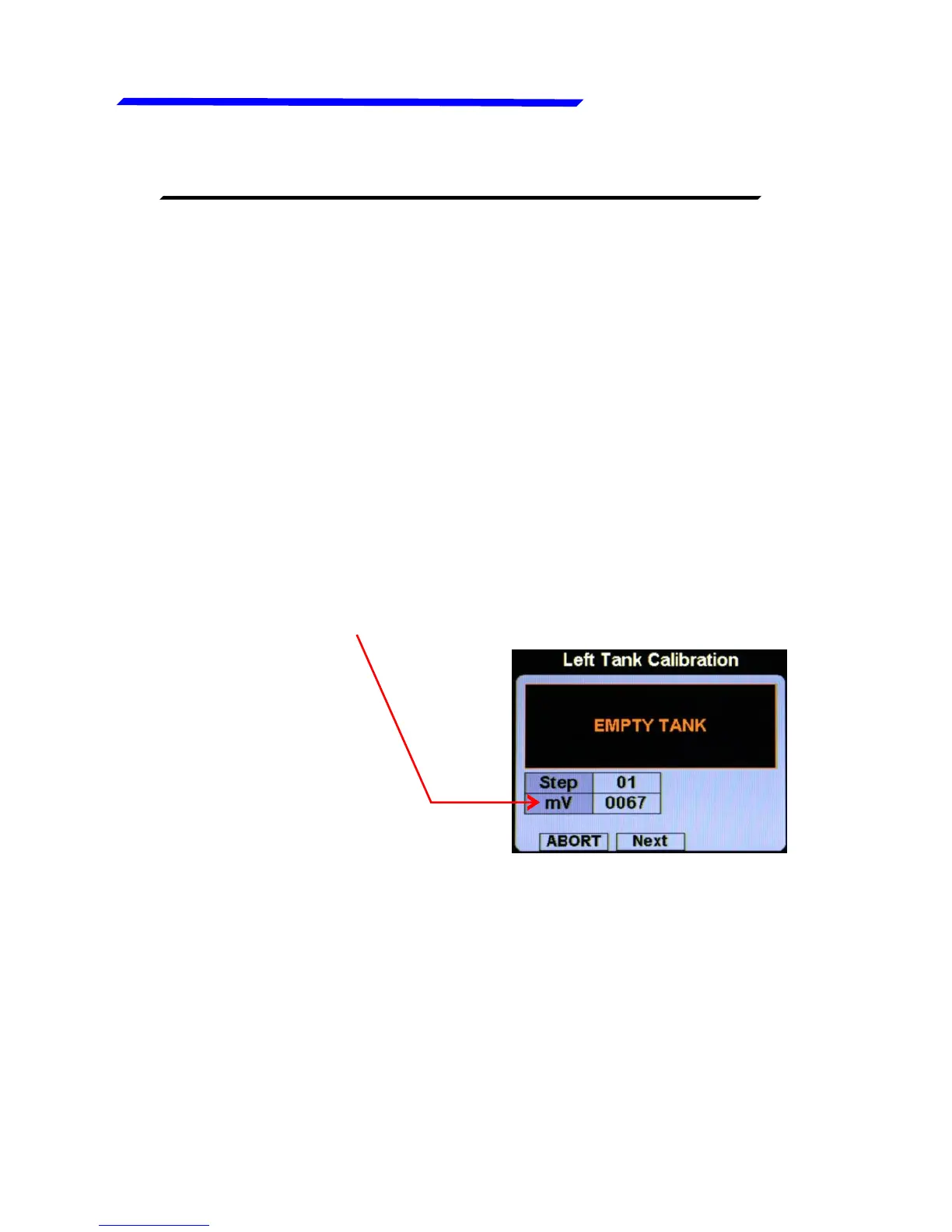
- From the screen that appear click on “START” button
- Annotate the numerical value (mV):
- Add a certain amount of fuel in the tank and check if the
numerical indication increase or decrease: if increase then
the sensors installed increase the resistance as you add
fuel (RES+), if decrease the sensors decrease the
resistance as you add fuel (RES-).
To exit from the calibration screen click on “ABORT”.
Repeat the procedure for any other unknown sensors installed.
Instrument configuration



 To Next Page