VIGILUS - Operating manual
Rev. 1.0
Fuel press. setup menu
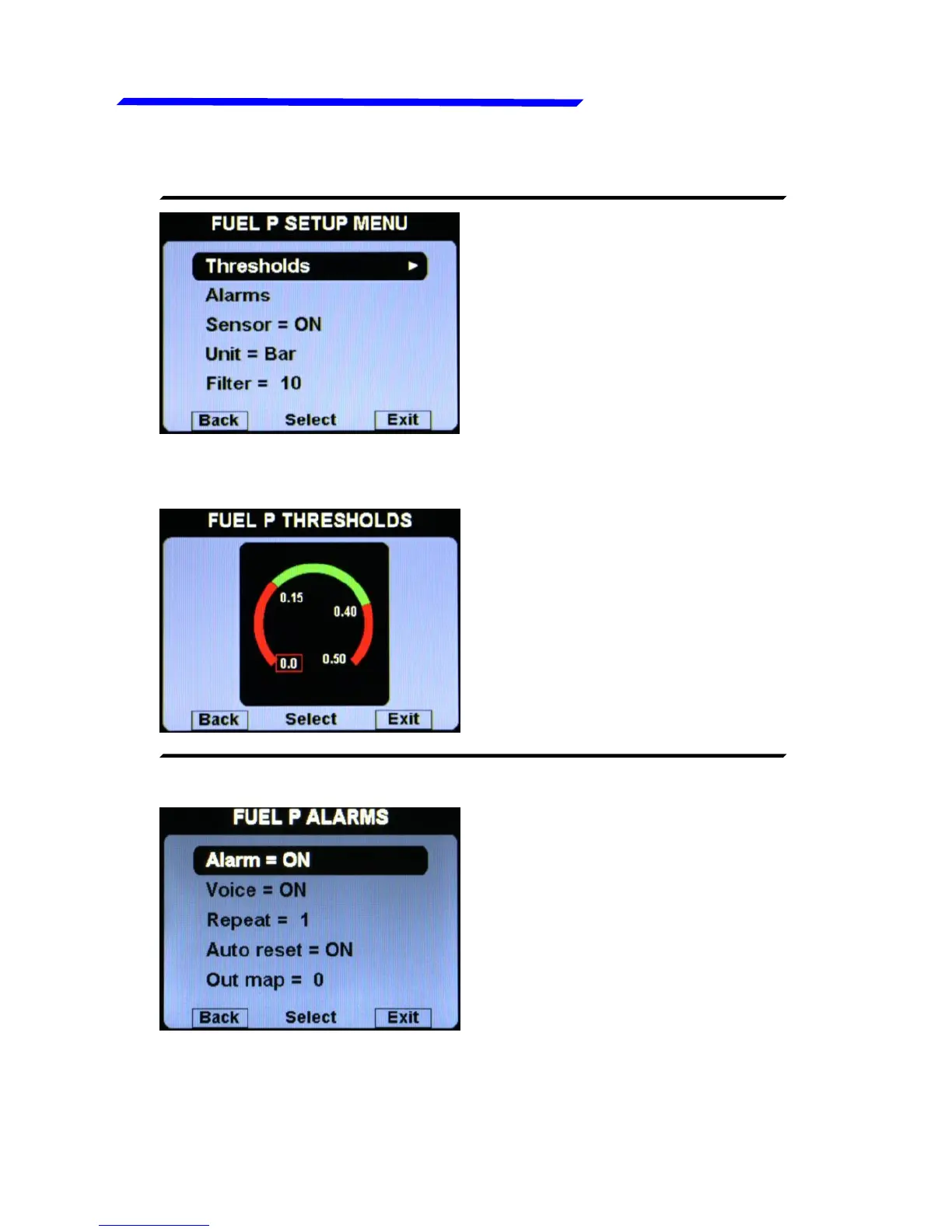
FUEL PRESSURE SETUP MENU:
● Thresholds: set the min
value (bottom of the bar), the
low red threshold, the high
red threshold and the max
value (top of the bar).
● FUEL P. THRESHOLDS SUBMENU:
● Alarm = ON/OFF:
enable/disable the alarm
(alert indication on display)
that occurs when the oil
pressure is outside of the
green zone (either high or
low). Default=ON.
● FUEL P. ALARMS SUBMENU:
● Voice = ON/OFF: enable/disable the audio alert notification on
fuel pressure alarms (default=ON).
Instrument configuration



 To Next Page