VIGILUS - Operating manual
Rev. 1.0
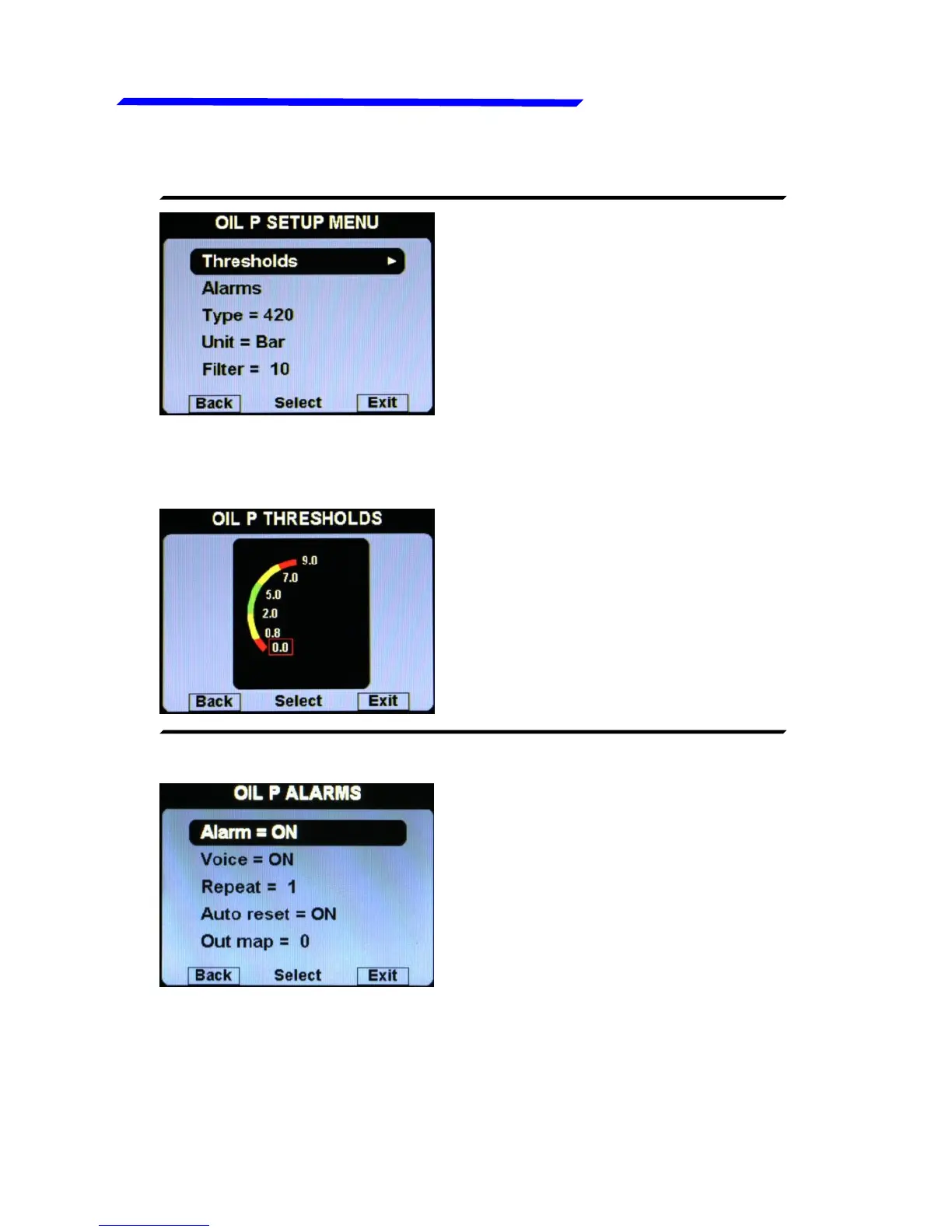
Oil press. setup menu
● Thresholds: set the min
value (bottom of the bar), the
low red threshold, the low
yellow threshold, the high
yellow threshold, the high red
threshold and the max value
(top of the bar).
● OIL P. THRESHOLDS SUBMENU:
● Alarm = ON/OFF:
enable/disable the alarm
(alert indication on display)
that occurs when the oil
pressure is too low (below the
low yellow threshold) or too
high (above the high red
threshold). Default=ON,
● Voice = ON/OFF: enable/disable the audio alert notification on
oil pressure alarms (default=ON).
● Repeat: Set the number of times that the vocal alarm for the
oil press. is repeated on the audio output (range:1~5, default=1).
Instrument configuration



 To Next Page