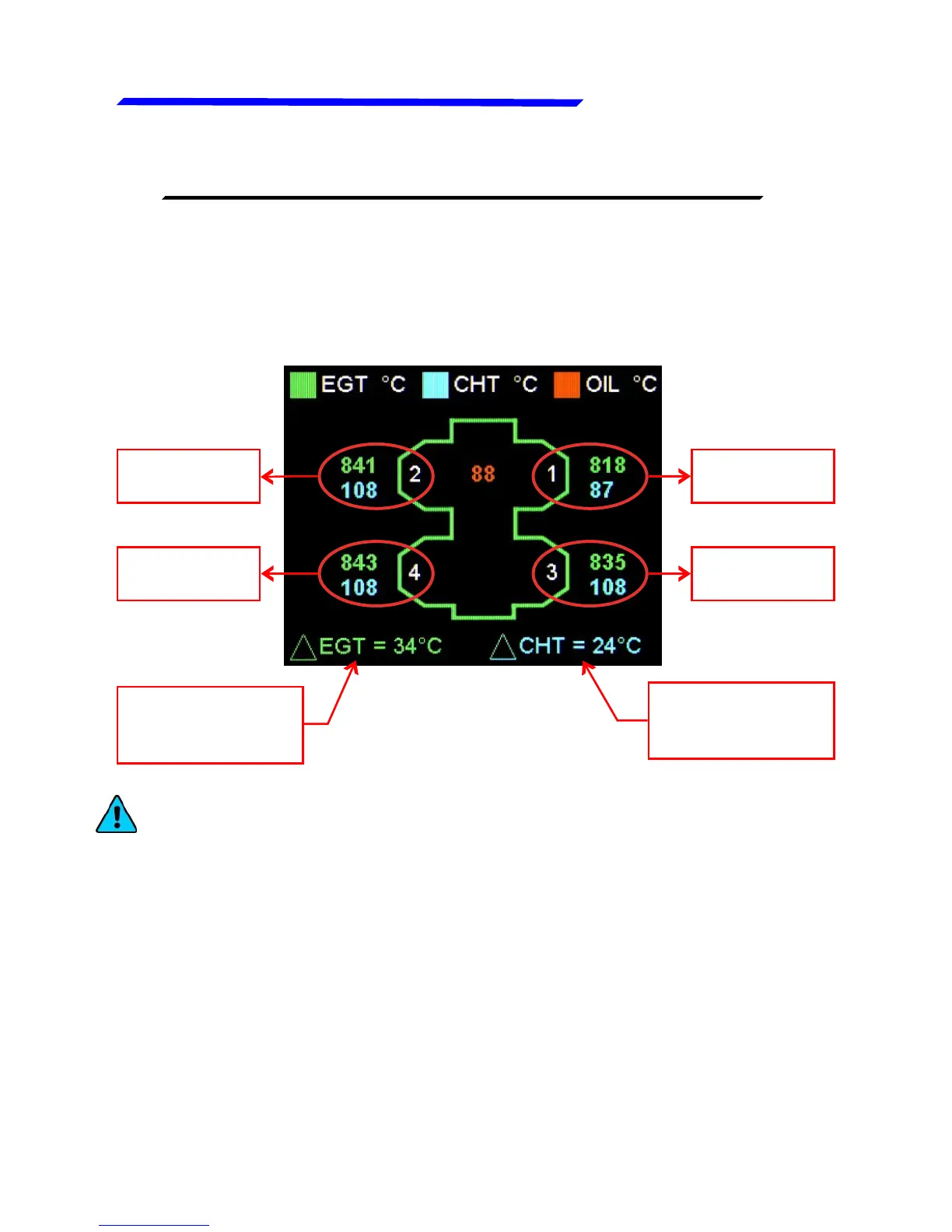
By pressing the F1 pushbutton (the left pushbutton) you can
switch between the main engine data page and the temperature
page. This page shows, with a graphical representation of the
engine, the temperatures of CHT, EGT, Oil and the difference
between warmer and colder CHT and EGT.
Cylinder 1
temperatures
Cylinder 3
temperatures
Cylinder 4
temperatures
Cylinder 2
temperatures
Difference
between warmer
and colder EGT
Difference
between warmer
and colder CHT
NOTE: you can customize the cylinders position by going in the
menu → Settings → Global settings → Aircraft → Cyl. Position.



 To Next Page