VIGILUS - Operating manual
Fuel level setup menu
● Sensor: Set the fuel level sensor type installed for the selected
tank:
“RES+” for resistive fuel sensors that increase resistance
as you add fuel (default).
“RES-” for resistive fuel sensors that decrease resistance
as you add fuel.
If you don't know what type of resistive sensors are
installed please see chapter 1.5.1 “Fuel level sensors
checkings”.
“CAP” for capacitive fuel sensors.
“DRES” for fuel sensors model “DRES”.
● Res: Set the amount of fuel below which is activated the alarm
of low fuel level for the selected tank (range:1~40 l, default=8l).
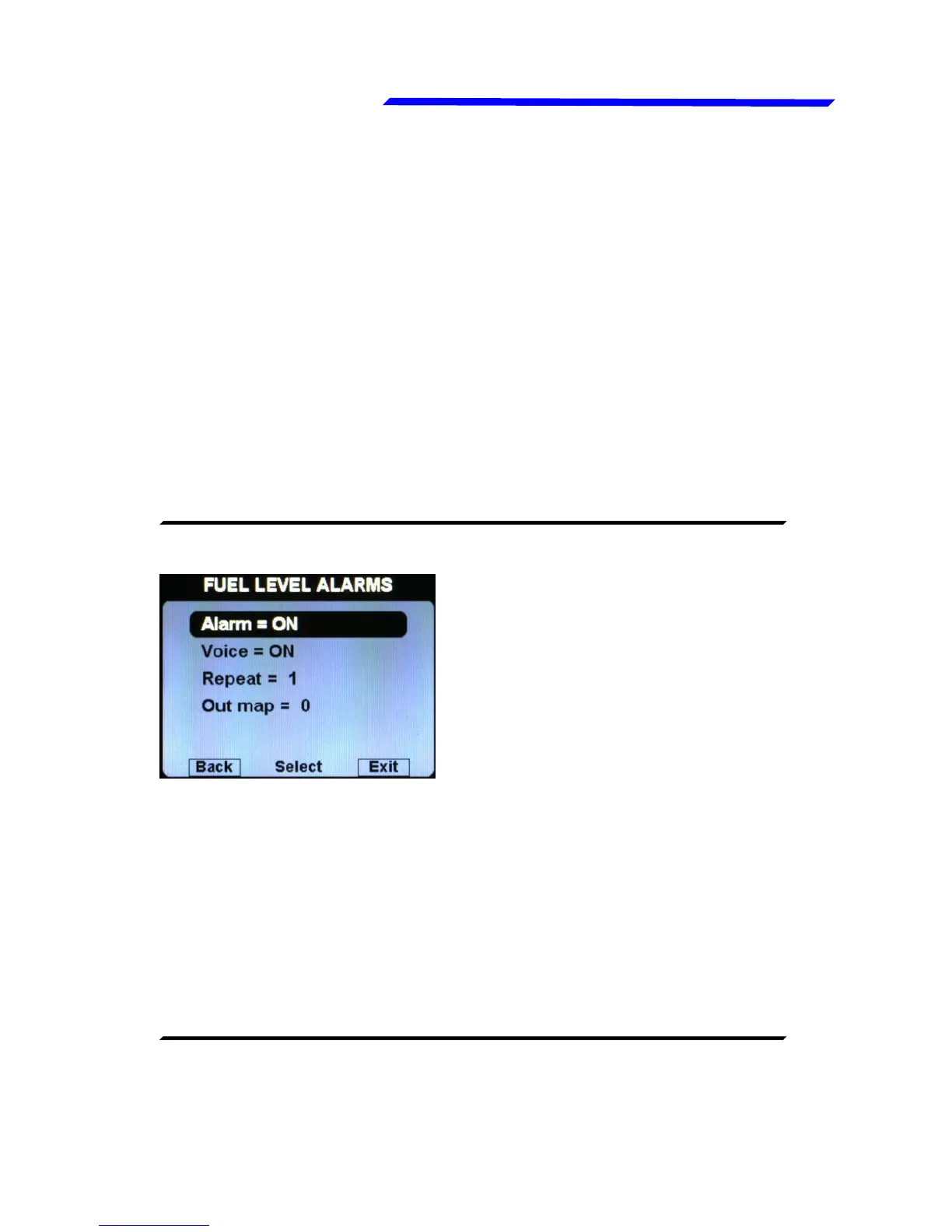
● FUEL LEVEL ALARMS SUBMENU:
Alarm = ON/OFF: enable/disable
the alarm (alert indication on
display) for the low fuel on any of
the available tanks (default=ON).
● Voice = ON/OFF: enable/disable the audio alert notification on
low fuel alarms (default=ON).
● Repeat: Set the number of times that the vocal alarm for the
fuel levels is repeated on the audio output (range:1~5,
default=1).
● Out map: you can choose to enable one of the four outputs
available on the remote module when the alarm is activated,
useful for example to turn on an alarm light on the cockpit.
Set to zero to disable this function (default=0).
Calibration of the fuel tanks (see chapter 1.5 "Fuel level sensors
calibration").
Instrument configuration



 To Next Page