Quickstart
10 FS-100 Portable DTE Recorder
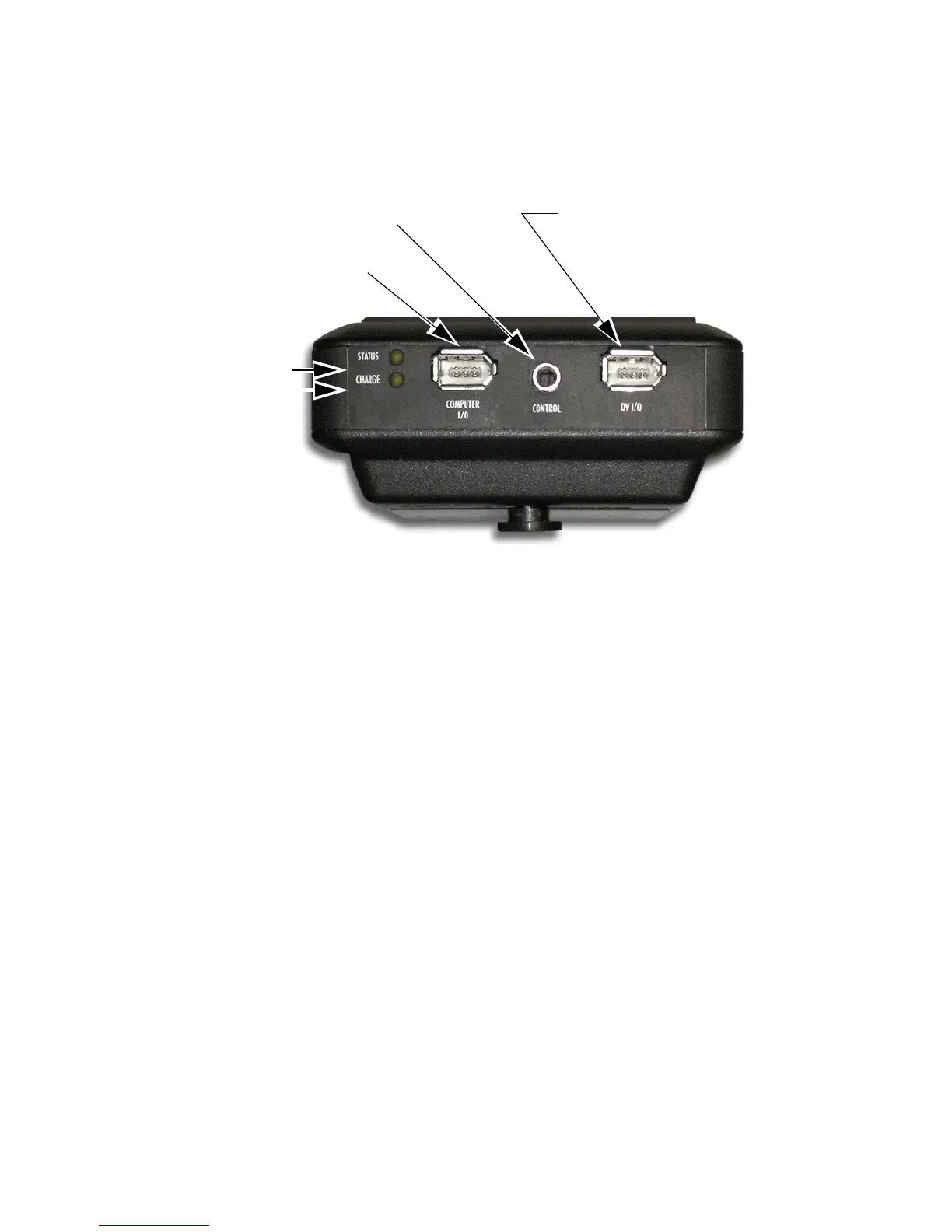
Top Panel
The top panel contains the following connectors and LEDs:
Table 1: Charge LED States
LED Indicates
Off No Charger Connected
Green Charging Cycle Completed
Amber / Green Floating Charge Mode
(Charging almost completed.)
Amber Fast Charge Mode (Maximum charging rate.)
Red Charging Error
Red / Amber No Battery Installed / Battery Error
Amber, flashing Insufficient Voltage to Charger
Table 2: Status LED States
LED Indicates
Off Power OFF
Green Power ON (Power On but there is no activity.)
Orange, solid Playback
Orange, fluttering Hard drive being accessed during playback.
Red, solid Recording Mode
Red, blinking Recording Pause
Computer
(FireWire Connector)
Remote Control
(Serial Connector)
Camera
(FireWire Connector)
Status LED
Charge LED



 To Next Page