Quickstart
FS-100 Portable DTE Recorder 19
Installing / Removing the Battery Pack
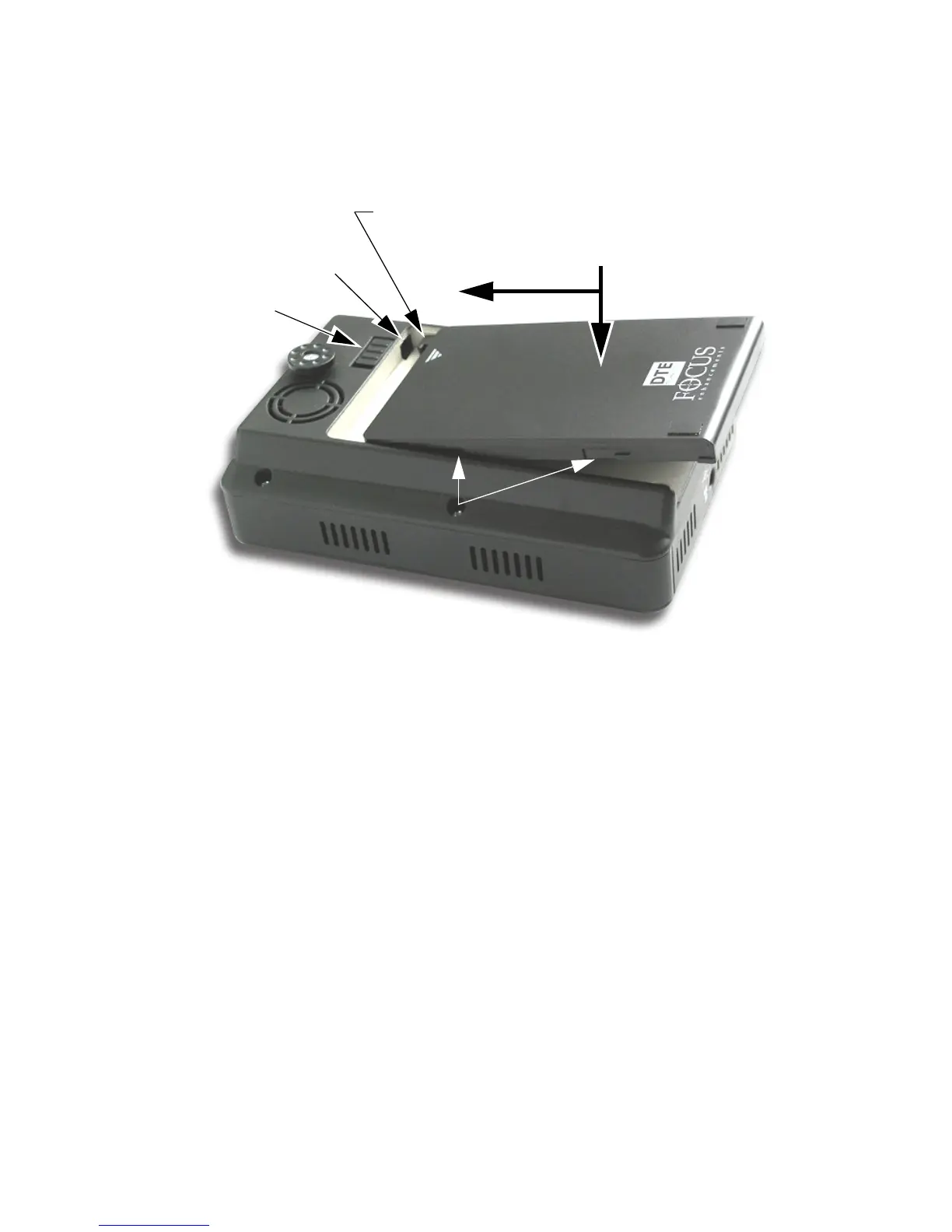
Installing a Battery
Step 1: Place the unit, so that the battery compartment is up.
Step 2: Position the battery pack, as shown above, so that the latch
hook is almost in the latch slot, and touching the floor of the
battery compartment.
Step 3: Slide the battery forward while gently pressing down.
Feel the battery slide along guides and seat itself.
Step 4: When seated, the battery latch clicks into place.
Removing a Battery
Step 1: Slide the battery latch to the left and hold.
Step 2: Apply backward pressure to the battery pack at the triangle/
arrow and gently slide the pack back about 1cm or 3/8 in.
This is the reverse motion of inserting the battery.
Step 3: Remove the battery pack.
Battery
Latch Hook
Gently press DOWN
while sliding battery pack
FORWARD
Battery Pack Guides
Latch Slot
Latch



 To Next Page