Quickstart
FS-100 Portable DTE Recorder 35
Playback on the FS-100
Verify that both the video camera and the FS-100 are powered on
and that they are connected together with the FireWire cable from
the FS-100 DV/IO port to the camcorder 1394 port.
Step 1: Set the video camera to VCR or playback mode.
Step 2: Navigate to the video clip to preview, using the FS-100
Left and Right transport control buttons.
Feature Availability on PAL Cameras
This feature is not available on some PAL cameras.
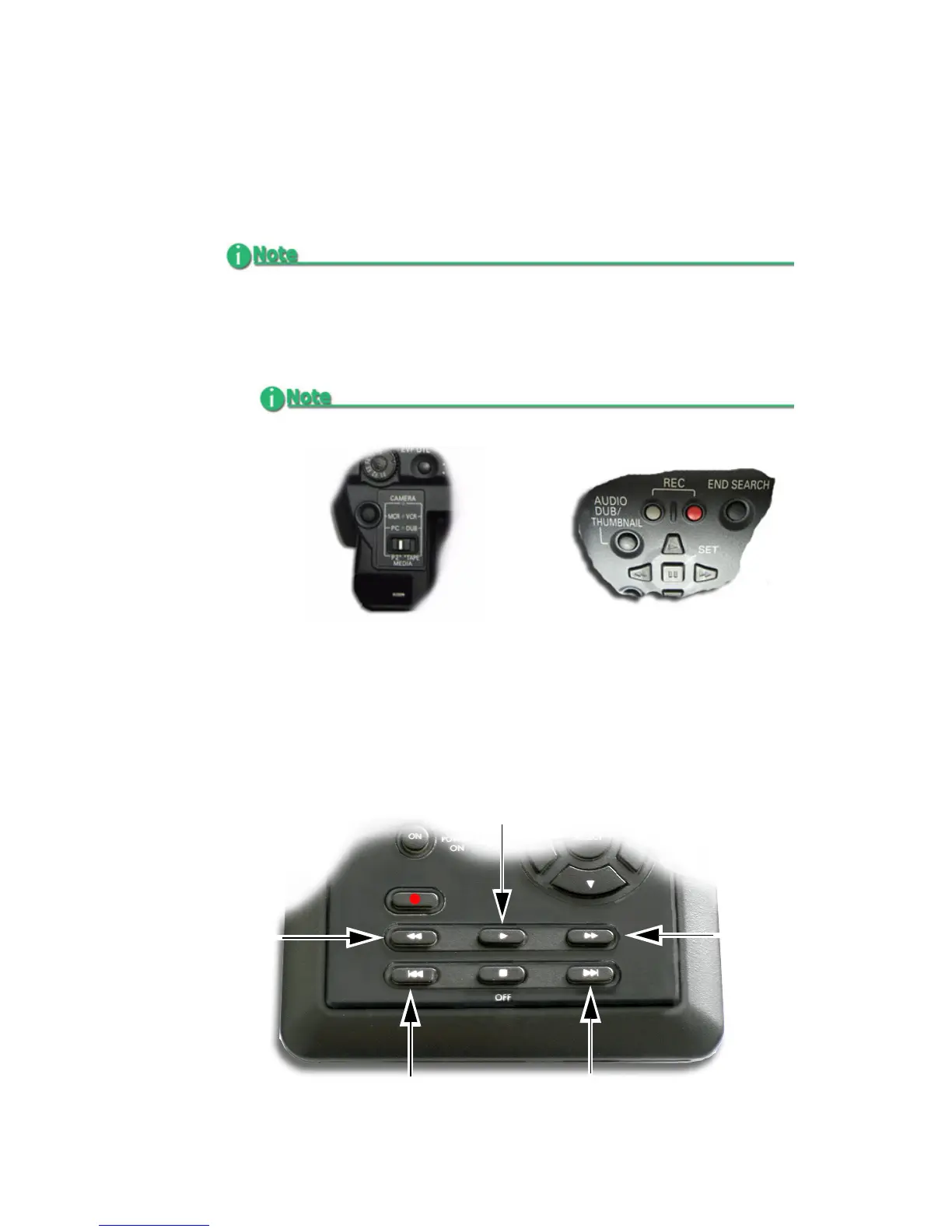
Setting the AG-HVX200
1. Set the AG-HVX200 to VCR by pressing the MCR/VCR
button.
A thumbnail screen appears in the camera’s LCD.
2. To turn off thumbnail display, press
THUMBNAIL button.
12
Play
Left
Transport
Back
Search
Forward
Search
(Back Index)
Right
Transport
(Forward Index)



 To Next Page