105
MR-8HD/CD Owner’s Manual (Track editing)
8) Press the [MENU/ENTER] knob.
The display now returns to the track edit menu
screen, where “Erase Track
” is highlighted.
9) Press the [STOP] key to exit the menu mode.
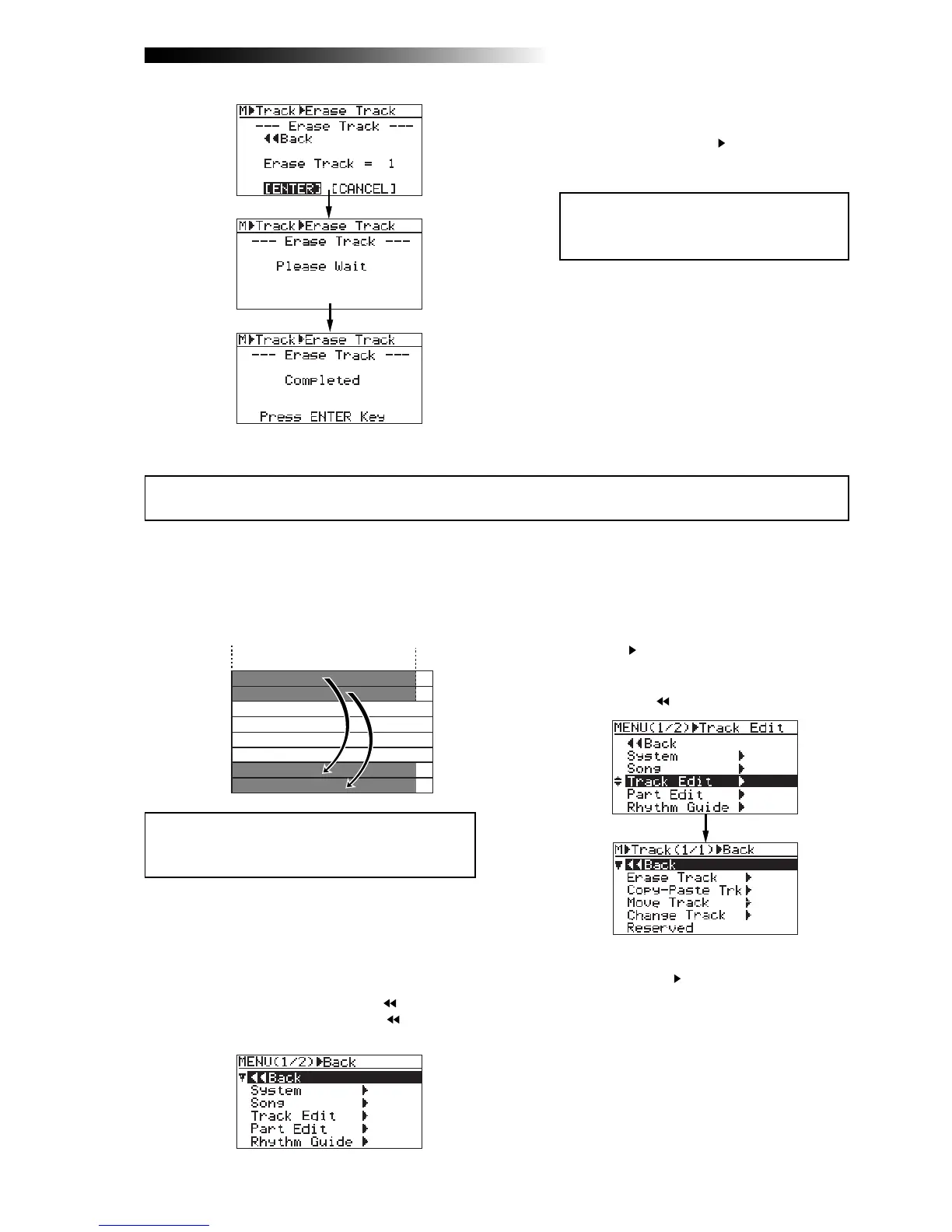
You can copy whole data (from ABS ZERO to REC END) of the desired track(s) of the song cur-
rently loaded and paste it to the other desired track(s). The data on the source track(s) still
remains after the copy/paste operation. Copy/paste operation can be done within the currently
loaded song.
<Note>:
You cannot copy/paste track data of a song
protected. Release the protection before copying/
pasting track data.
TRK 1
TRK 2
TRK 3
TRK 4
TRK 5
TRK 6
TRK 7
TRK 8
ABS ZERO
REC END
<Note>:
If you are not satisfied with the
result, press the [
UNDO/REDO
] key to undo
the operation (see page 103).
1) Load the song you want to edit.
2) While the recorder is stopped, press the
[MENU/ENTER] knob to enter the menu mode.
The display now shows the first page of the
menu selection screen, where "
Back" is
highlighted initially (selecting "
Back"
returns to the previous screen).
3) Rotate the [MENU/ENTER] knob to select
"Track Edit
", and press the [MENU/ENTER]
knob.
The display now shows the track edit menu
screen, where "
Back" is highlighted.
4) Rotate the [MENU/ENTER] knob to select
"Copy-Paste Track
", and press the
[MENU/ENTER] knob.
The display now shows the screen for
selecting the source track(s) and destination
track(s) of copy/paste operation.
"Source Track" selects the copy source track(s),
while "Dest. Track" selects the paste destination
track(s).
Copying/pasting track data



 To Next Page