101
MR-8HD/CD Owner’s Manual (Song management)
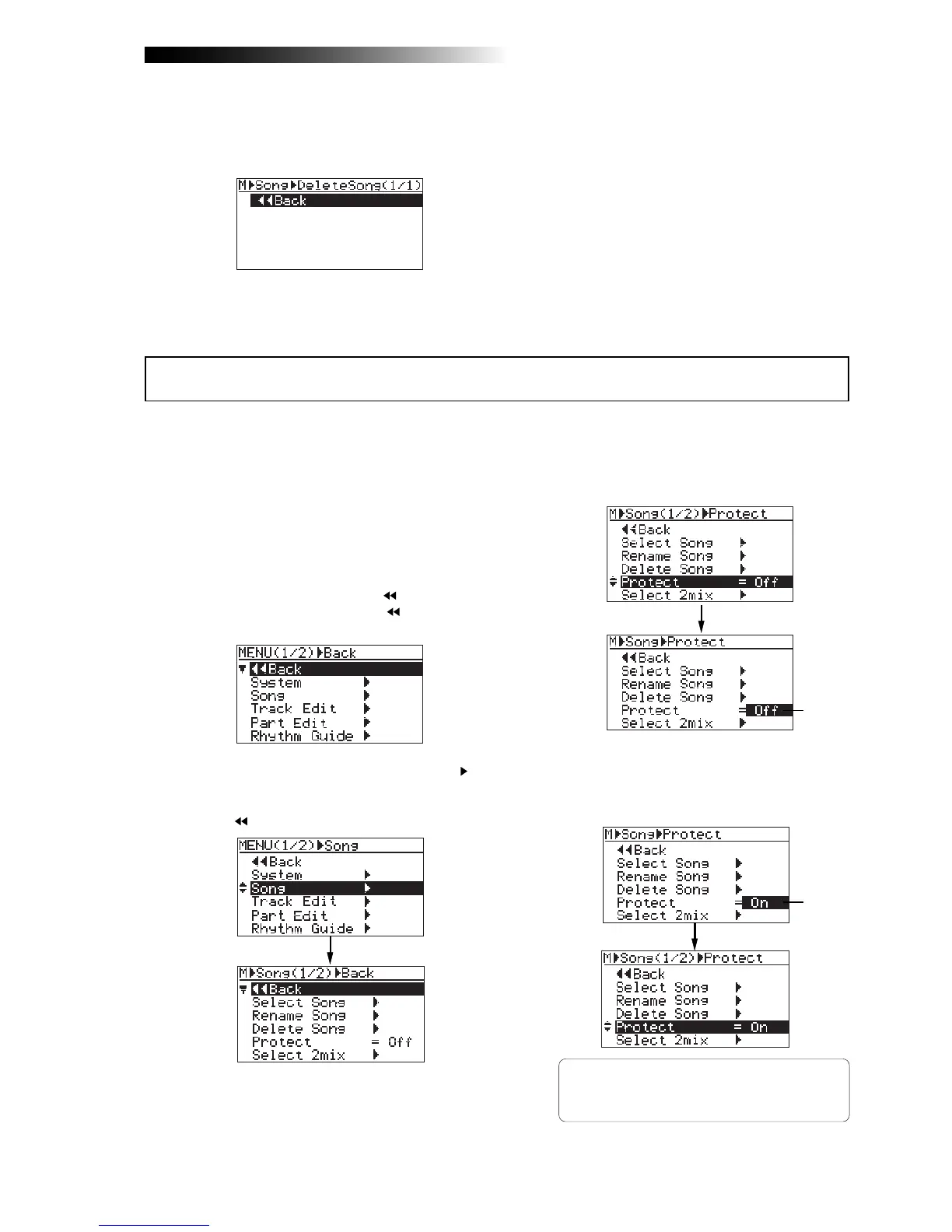
You can protect a song to prevent an accidental erasure. The protection can be released when-
ever you want. To keep a recorded song safely, we recommend protecting it. You can make
protection setting only for the current song.
5) Rotate the [MENU/ENTER] knob to select "On",
and press the [MENU/ENTER] knob.
The current song is now protected.
The display returns to the previous screen.
To release the protection, carry out the same pro-
cedure above but select "Off" and press the
[MENU/ENTER] knob in step 5.
1) Load the song you want to protect.
2) While the recorder is stopped, press the
[MENU/ENTER] knob to enter the menu mode.
The display now shows the first page of the
menu selection screen, where "
Back" is
highlighted initially (selecting "
Back"
returns to the previous screen).
3) Rotate the [MENU/ENTER] knob to select "Song ",
and press the [MENU/ENTER] knob.
The display now shows the song menu screen,
where "
Back" is highlighted.
4) Rotate the [MENU/ENTER] knob to select
"Protect=***", then press the [MENU/ENTER] knob.
The current option ("On" or "Off") flashes.
The default option is "Off".
If you delete all songs on the hard disk by
repeating the procedure above, ":(New Song)"
is shown. Then, create a new song (see page
31).
Protecting a song
Flashing
Flashing



 To Next Page