28
MR-8HD/CD Owner’s Manual (Basic operations)
The MR-8HD/CD operates by AC power. Before you start using the MR-8HD/CD, you must con-
nect the supplied power cord.
INPUT A SEL
USB USB HOSTAC-IN
DIGITAL
OUT FOOT SWMIDI OUT
GTR CLEAN
MIC/LINE
GTR DIST
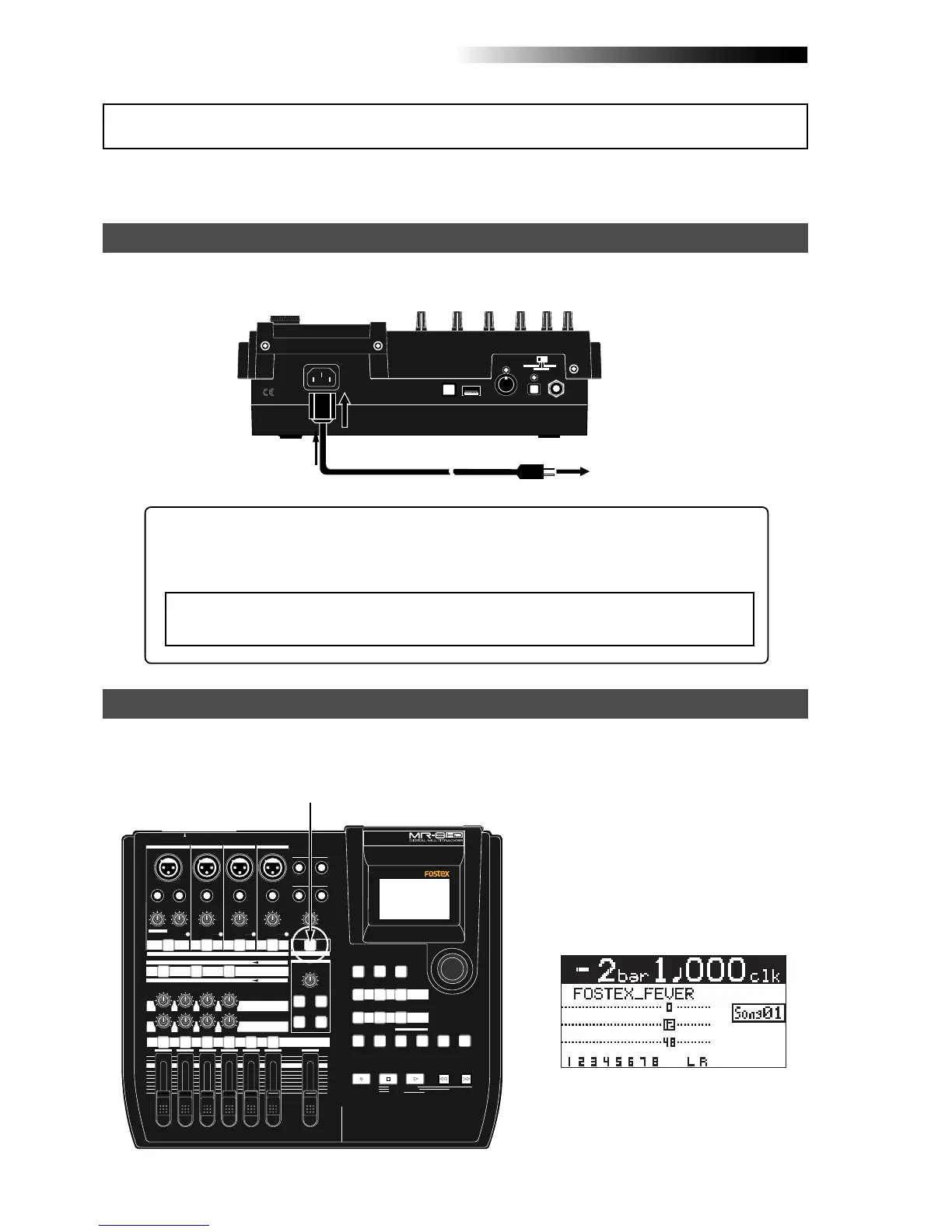
Connect between the [AC IN] connector on the MR-8HD/CD rear panel and an AC outlet using the
supplied power cord. The MR-8HD/CD enters the standby mode when the power cord is connected.
Power connection
AC outlet
Supplied power cord
You can turn on or off the MR-8HD/CD power using the [POWER] switch (pointed by an arrow below).
To turn off the power, press and hold down the [POWER] switch for a few seconds.
Turning on the unit
MIN MAX
100
LR
100
LR
100
LRRL
MIN
MAX
LINE MIC LINE MIC LINE MIC LINE MIC
REC SELECT
010
1
2
3
4
5/6 MASTER
MAX
MAX
MIN
MIN
7/8
LOCATE REC END
A-B PLAY
LOCATE ABS ZERO
PLAYSTOP
RECORD
REWIND F FWD
GUIDE
RHYTHM
CONTRAST
1-8 >
SONG
NEW
1-6 > 7/8
1-4 > 5/6 STEREO
WAV FILE
BOUNCE
POWERFUL
MASTERING
B / OUT
A / IN
LOCATE
STOREPLAY MODEAUTO PUNCH
NATURAL BRIGHT
TIME BASE
SELECT
UNDO/REDO
7/8 >
MENU / ENTER
SIMULATION
DYNAMIC CONDENSER TUBE
MIC
PAN
EFFECT
REVERB / DELAY TIME
HALL
ROOM
PLATE DELAY
PHONES VOL
L
STEREO OUT
R
2
PHONES
1
MAXMIN
BAL
BALBAL
TRIM
UNBAL
PEAK
TRIM
UNBAL
PEAK
TRIM
UNBAL
PEAK
PEAK
DISTORTION
GUITAR
/GUITAR
INPUT A SELECT
INSERT
BAL
UNBAL
TRIM
INPUT A
INPUT B INPUT C INPUT D
ON/
OFF
POWER
ABC1 DEF2 GHI3
JKL4 MNO5
PQR6 STU7 VWX8 YZ9 +-_0
DELETE
TO STEREO BUSS
EFFECT SEND
ON/
OFF
ON/
OFF
ON/
OFF
60'S COMBO
US METAL
BRIT STACK
AMP
SIMULATION
INPUT A
[POWER] switch
[AC IN] connector
<Note>:
When you do not operate the MR-8HD/CD for a long period of time, we recom-
mend disconnecting the power cord.
About the standby mode
The standby mode is the condition when the power cord is connected and the [POWER]
switch is set to OFF. In the standby mode, a small amount of power is consumed and the
indicator of the [POWER] switch flashes slowly.
When you press the [POWER] switch to
turn on the power for the first time, the
MR-8HD/CD starts up and the display
shows the screen as below (note that it
takes some time until the screen as be-
low is shown).
This screen shows that the demo song is
loaded and stopped at the beginning (ABS
0) of the song named "FOSTEX_FEVER".
Follow the procedure described on the
next page to play back the demo song.
About power



 To Next Page