25
MR-8HD/CD Owner’s Manual (Names and functions)
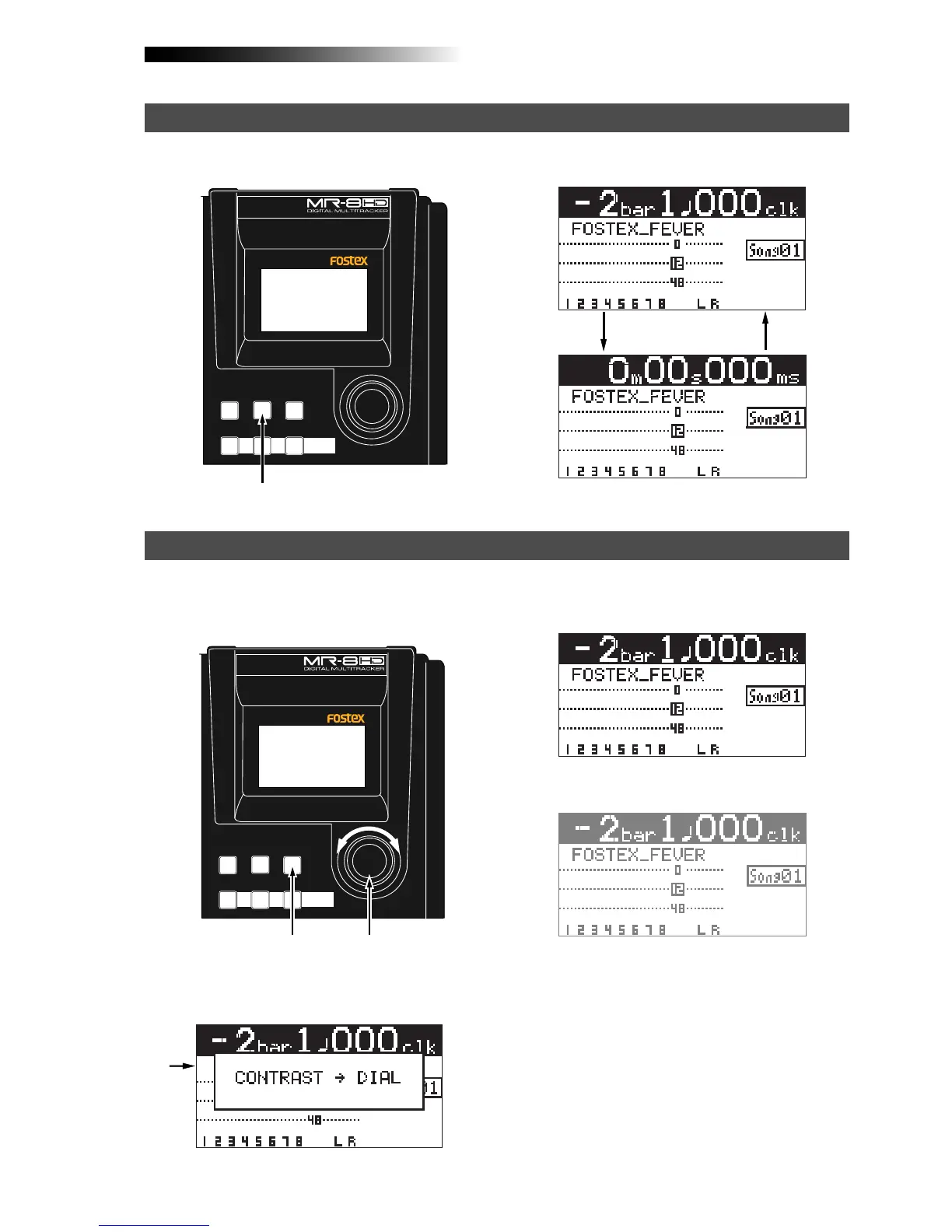
When the display shows the home screen, pressing the [TIME BASE SELECT] key switches the time base
mode between ABS and bar/beat.
Example of ABS display
Example of bar/beat display
You can adjust the display contrast by rotating the [MENU/ENTER] knob while holding down the [CON-
TRAST] key. Rotating the dial clockwise heightens the contrast, while rotating it counterclockwise lowers
the contrast.
[MENU/ENTER] knob
[CONTRAST] key
GUIDE
RHYTHM
CONTRAST
1-8 >
SONG
NEW
1-6 > 7/8
1-4 > 5/6 STEREO
WAV FILE
BOUNCE
TIME BASE
SELECT
7/8 >
MENU/ENTER
ABC1 DEF2 GHI3
GUIDE
RHYTHM
CONTRAST
1-8 >
SONG
NEW
1-6 > 7/8
1-4 > 5/6 STEREO
WAV FILE
BOUNCE
TIME BASE
SELECT
7/8 >
MENU/ENTER
ABC1 DEF2 GHI3
[TIME BASE SELECT] key
<High contrast>
<Low contrast>
Selecting a time base mode
Adjusting the display contrast
While pressing down the [CONTRAST] key, the dis-
play shows "CONTRAST -> DIAL".



 To Next Page