80
MR-8HD/CD Owner’s Manual (Rhythm guide function)
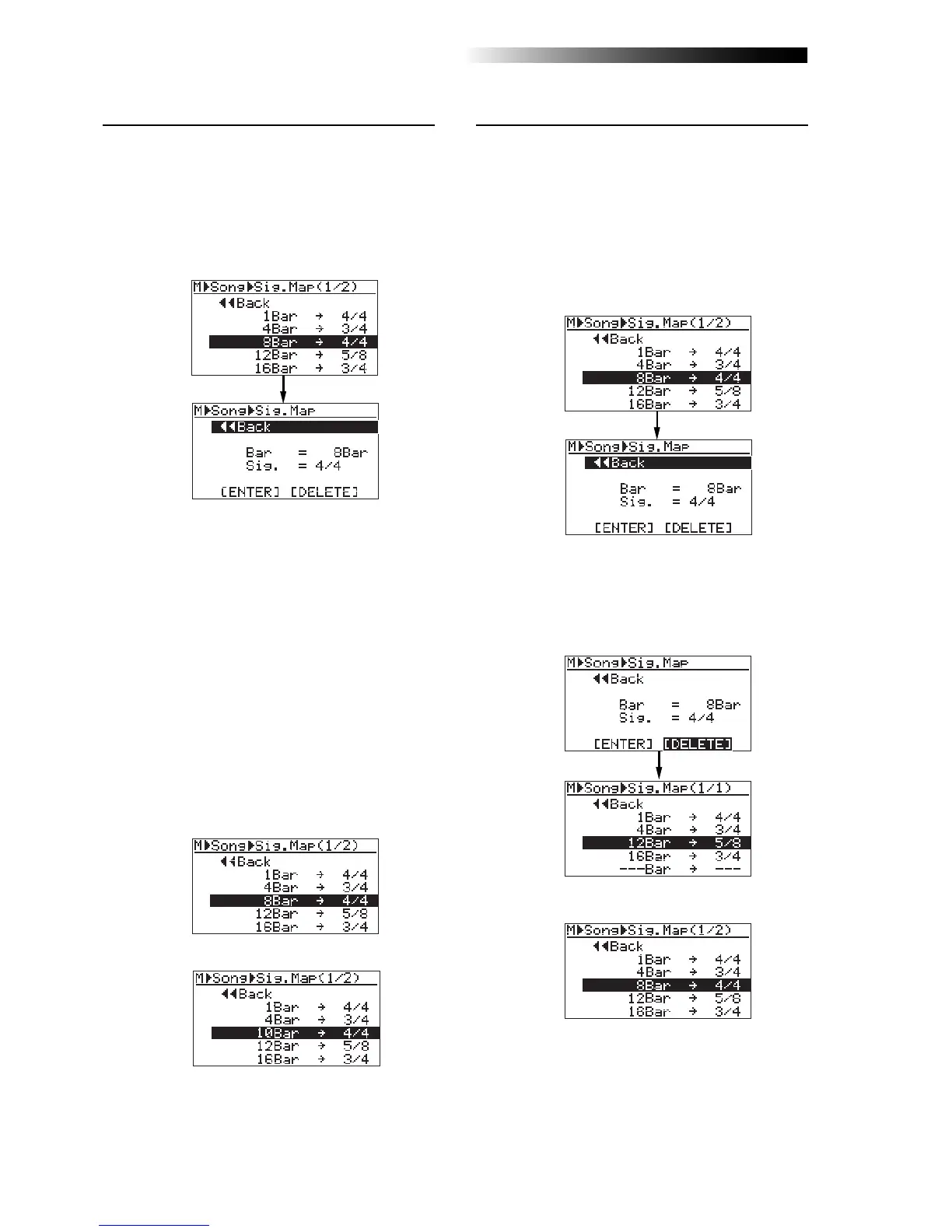
• Deleting an unnecessary time signature event
You can delete an unnecessary time signature
event.
2) Rotate the [MENU/ENTER] knob to select
"[DELETE]" at the bottom, and press the
[MENU/ENTER] knob.
The event is immediately deleted and the
display returns to the signature map screen.
• Editing a time signature event
You can edit a time signature event.
2) To change the bar number, rotate the
[MENU/ENTER] knob to select "Bar = 8Bar", and
press the [MENU/ENTER] knob.
To change the time signature, rotate the
[MENU/ENTER] knob to select "Sig. = 4/4", and
press the [MENU/ENTER] knob.
As with the procedure described on the previous
page, you can now set the bar number or time
signature.
3) Rotate the [MENU/ENTER] knob to edit the value,
and press the [MENU/ENTER] knob.
In this procedure example, enter "10" for the
bar number.
4) Rotate the [MENU/ENTER] knob to select
"[ENTER]" at the bottom, and press the
[MENU/ENTER] knob.
The editing is confirmed and the display returns
to the signature map screen.
<Before editing>
<After editing>
To exit the menu mode, press the [STOP] key.
<Before deleting>
<After deleting>
To exit the menu mode, press the [STOP] key.
1) On the time signature map screen, rotate the
[MENU/ENTER] knob to select the event you want
to edit, and press the [MENU/ENTER] knob.
As with the description on the previous page, the
display now shows the screen for setting the event.
For example, let's select "8Bar -> 4/4".
1) On the time signature map screen, rotate the
[MENU/ENTER] knob to select the event you want
to delete, and press the [MENU/ENTER] knob.
As with the description on the previous page,
the display now shows the screen for setting
the event.
For example, let's select "8Bar -> 4/4".



 To Next Page