55
MR-8HD/CD Owner’s Manual (Punch in/out)
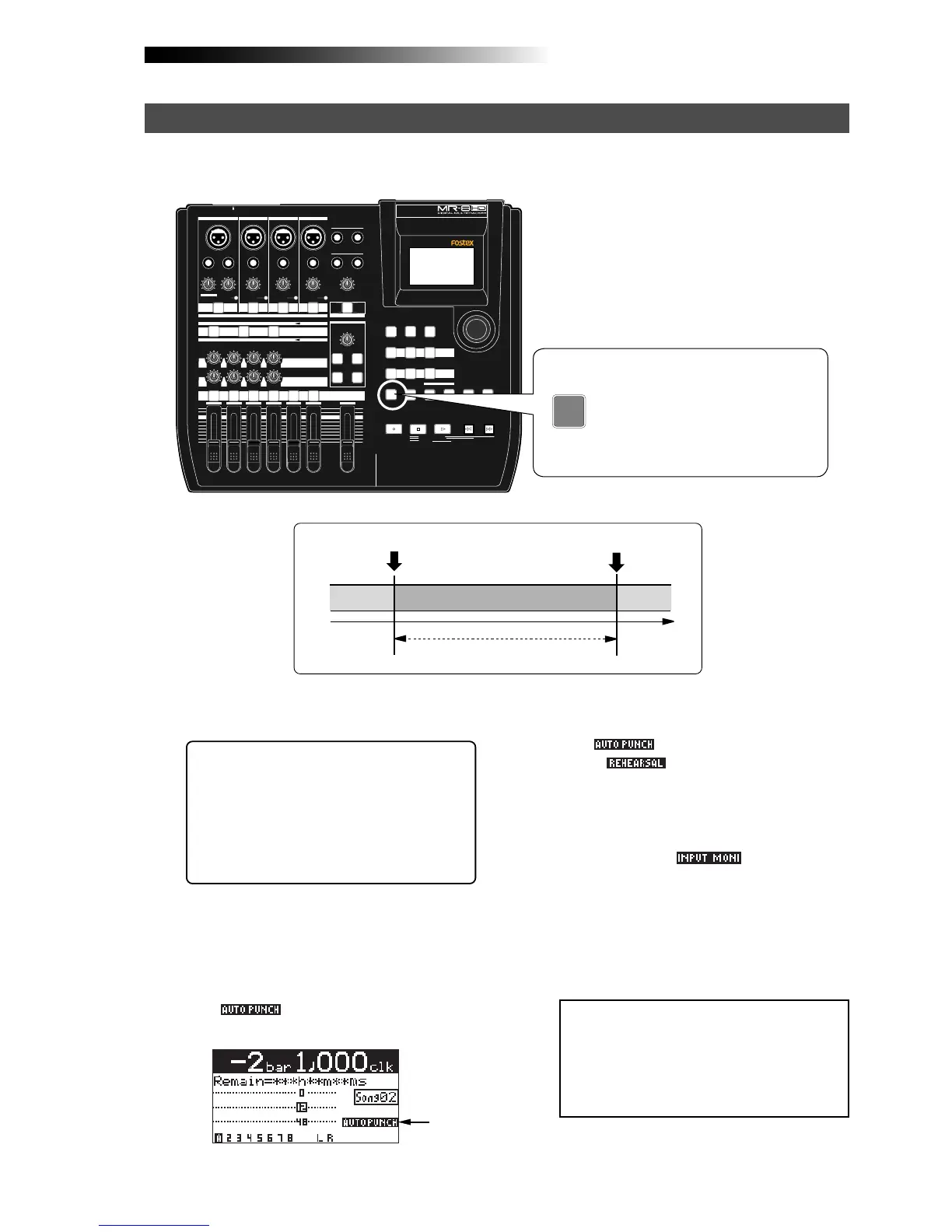
After setting the punch-in and punch-out points appropriately, you can rehearse the auto punch
in/out for checking the punch-in and -out points or practicing punch-in and -out timing.
<Tip>: You can immediately locate to the
punch-in point by pressing the
[LOCATE A/IN] key. Therefore, by press-
ing the [LOCATE A/IN] key, followed by
the [REWIND] key then the [STOP] key,
you can easily locate to the point before
the punch-in point.
1) Locate the recorder to the point before the punch-
in point (or the beginning of the song).
4) Press the [PLAY] key.
The recorder starts punch in/out rehearsal.
The "
" icon on the display changes
to the "
" icon.
2) Press the [REC SELECT] key of the track you are
going to make punch in/out operation to arm the
track.
3) Press the [AUTO PUNCH] key to make the auto
punch mode active.
The " " icon is now shown on the
screen.
Lighting
<Note>:
By using the loop function when
rehearsing the auto punch in/out operation,
you can concentrate on playing without the
need of troublesome operation of the MR-
8HD/CD. See page 45 for details about the
loop function.
5) After the punch-out point is passed, locate the
recorder back to the beginning position.
In the rehearsal mode, the recorder automati-
cally switches the monitor of the armed track
from "repro" to "input" at the punch-in point,
but actual recording is not made (the [RECORD]
key flashes while "
" is shown on the
display.
By repeating the operation above, you can prac-
tice auto in/out operation as many times as
you like.
MIN MAX
100
LR
100
LR
100
LRRL
MIN
MAX
LINE MIC LINE MIC LINE MIC LINE MIC
REC SELECT
010
1
2
3
4
5/6 MASTER
MAX
MAX
MIN
MIN
7/8
LOCATE REC END
A-B PLAY
LOCATE ABS ZERO
PLAYSTOP
RECORD
REWIND F FWD
GUIDE
RHYTHM
CONTRAST
1-8 >
SONG
NEW
1-6 > 7/8
1-4 > 5/6 STEREO
WAV FILE
BOUNCE
POWERFUL
MASTERING
B / OUT
A / IN
LOCATE
STOREPLAY MODEAUTO PUNCH
NATURAL BRIGHT
TIME BASE
SELECT
UNDO/REDO
7/8 >
MENU / ENTER
SIMULATION
DYNAMIC CONDENSER TUBE
MIC
PAN
EFFECT
REVERB / DELAY TIME
HALL
ROOM
PLATE DELAY
PHONES VOL
L
STEREO OUT
R
2
PHONES
1
MAXMIN
BAL
BALBAL
TRIM
UNBAL
PEAK
TRIM
UNBAL
PEAK
TRIM
UNBAL
PEAK
PEAK
DISTORTION
GUITAR
/GUITAR
INPUT A SELECT
INSERT
BAL
UNBAL
TRIM
INPUT A
INPUT B INPUT C INPUT D
ON/
OFF
POWER
ABC1 DEF2 GHI3
JKL4 MNO5
PQR6 STU7 VWX8 YZ9 +-_0
DELETE
TO STEREO BUSS
EFFECT SEND
ON/
OFF
ON/
OFF
ON/
OFF
60'S COMBO
US METAL
BRIT STACK
AMP
SIMULATION
INPUT A
AUTO PUNCH
PQR6
<How to make auto punch in/out mode active>
Rehearsal for auto punch in/out
Pressing the [AUTO PUNCH] key
switches the auto punch in/out mode
on or off.
Each press of the [AUTO PUNCH] key
turns on or off the indicator.
Punch-in point
Punch-out point
Playback
Input monitor
Playback



 To Next Page