83
MR-8HD/CD Owner’s Manual (Rhythm guide function)
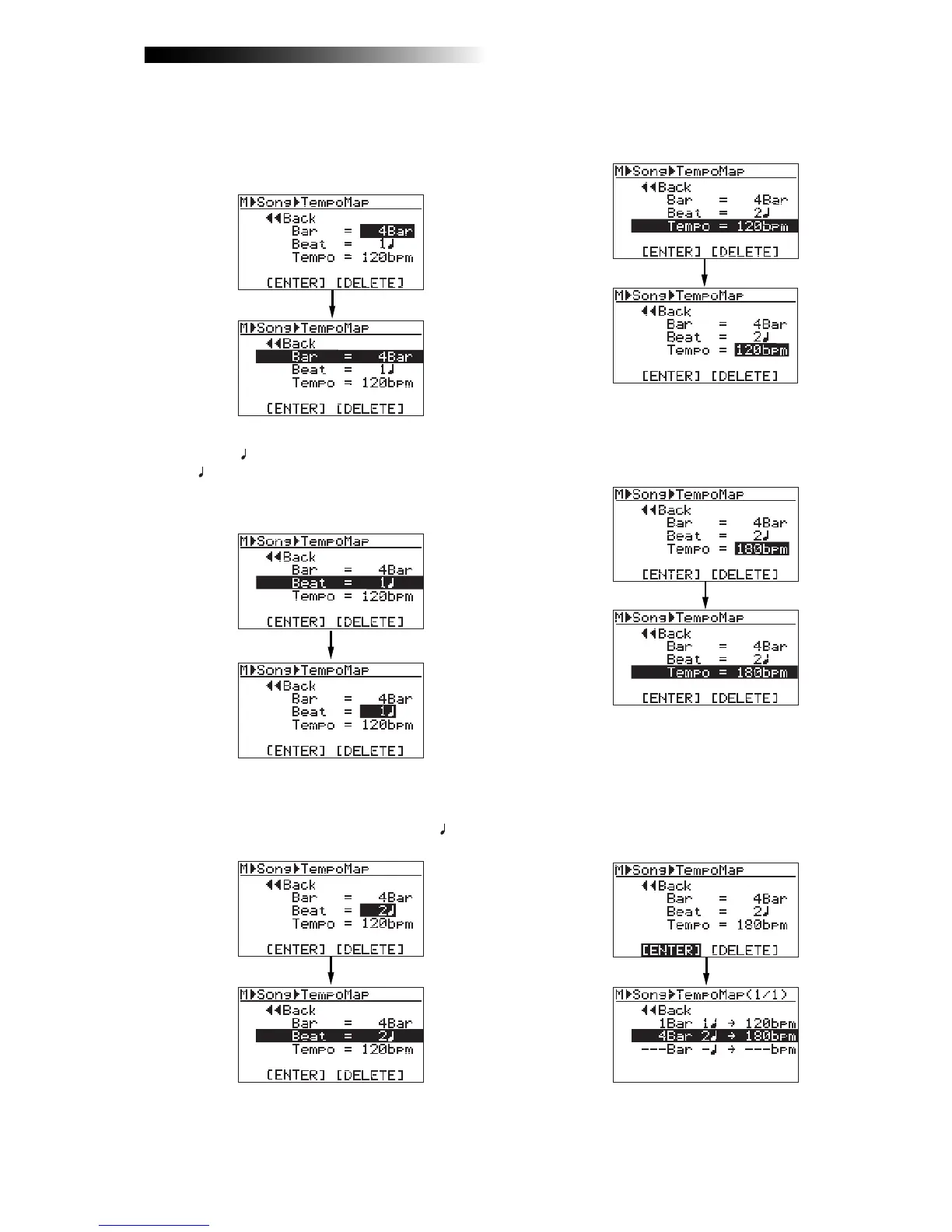
7) Rotate the [MENU/ENTER] knob to select
"Beat = 1
", and press the [MENU/ENTER] knob.
"1 " starts flashing and you can now set the
beat number. You can enter the beat number
between 1 and 8.
8) Rotate the [MENU/ENTER] knob to enter the
desired beat number, and press the [MENU/ENTER]
knob.
In this procedure example, let's enter "2 ".
The display returns to the previous screen.
11) Rotate the [MENU/ENTER] knob to select "[ENTER]"
at the bottom, and press the [MENU/ENTER] knob.
The new tempo event is set and the display
shows the screen as below. In this condition,
the song is played in 120 bpm from the
beginning to bar 4/beat 1 and in 180 from bar
4/beat 2 to the end.
Repeat steps 4 through 11 until creating all
necessary tempo events.
"120bpm" starts flashing and you can now set
the tempo. You can enter the tempo between
30 and 250.
10) Rotate the [MENU/ENTER] knob to enter the desired
tempo, and press the [MENU/ENTER] knob.
In this procedure example, enter "180bpm".
The display returns to the previous screen.
6) Rotate the [MENU/ENTER] knob to enter the
desired bar number, and press the
[MENU/ENTER] knob.
In this procedure example, enter "4Bar".
The display returns to the previous screen.
9) Rotate the [MENU/ENTER] knob to select
"Tempo = 120bpm", and press the [MENU/ENTER]
knob.



 To Next Page