13
3 : SETUP GUIDE
SIGNAL FLOW:
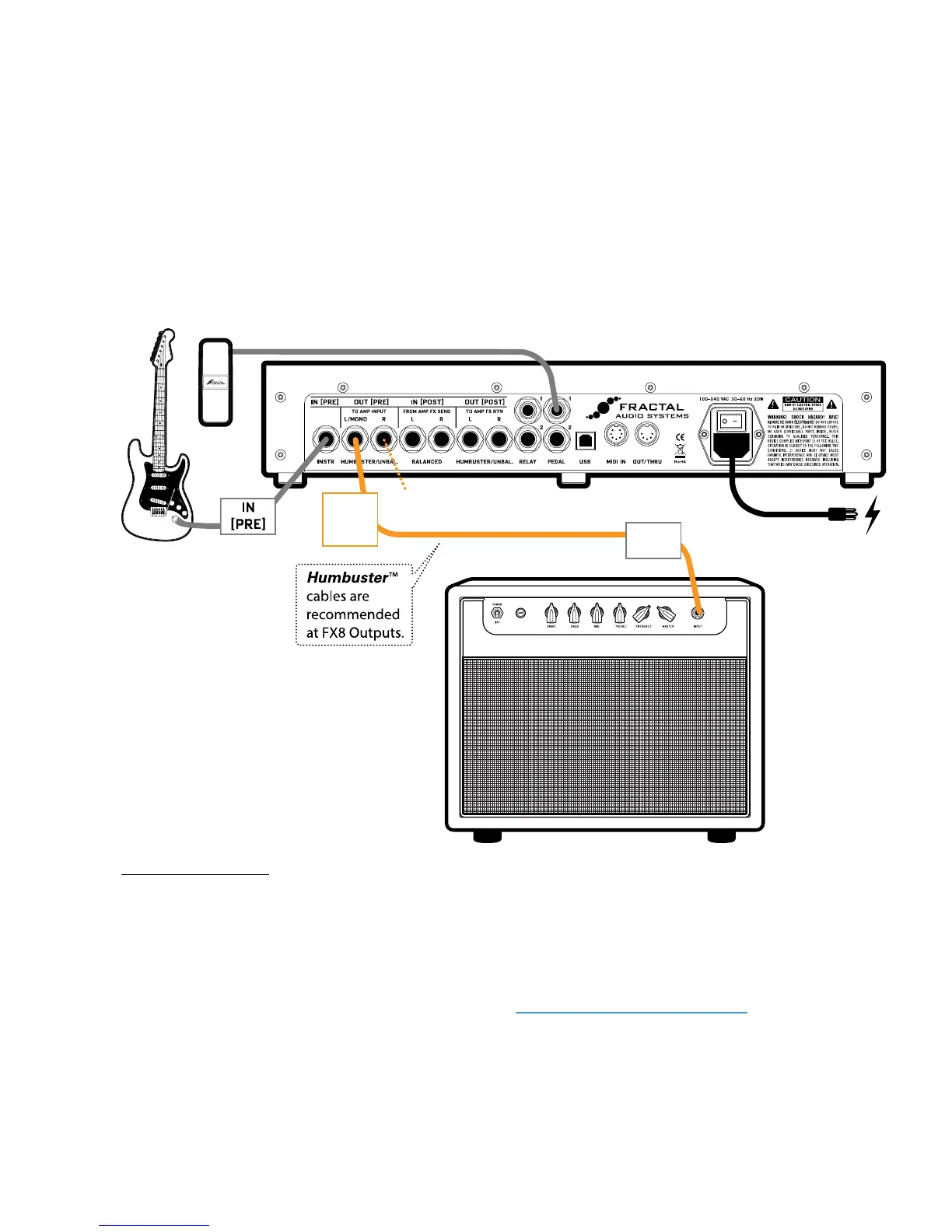
Here, signal ows out from the GUITAR to the IN [PRE] of the FX8. It is processed by the eects—all designated
as “PRE”—and then routed to OUT [PRE] LEFT, which is connected via Humbuster™ cable to the guitar
INPUT of your amplier. (You could easily connect OUT [PRE] Right to the input of a second amp for stereo.)
A combo is shown, but a head with a separate speaker cabinet is equally suitable for this setup.
Humbuster™ cables help reduce ground loop hum. See “Humbuster Cables” on page 4 for details.
The FX8 is connected to a grounded AC outlet.
This is also a great way to connect the FX8 to an Axe-Fx. Use the FX8 for PRE eects and the Axe-Fx for amp
and cab sims, and POST eects. Add MIDI cable and the FX8 can even select Axe-Fx presets.
Here the FX8 is used in a simple setup with PRE eects only (between guitar and amp) with presets presumably
congured so all eects are PRE. This is exactly like using traditional guitar pedals—with the exception that
there are no batteries or short cables to fail ;-)
Find factory presets for this type of setup in Banks A and B.
SETUP FOR PRE EFFECTS ONLY
Connect OUT [PRE] R to a
second amp for stereo (oponal)
Comb
Comb 50
OUT
[PRE]
L
INPUT
Optionally connect 1–2 optional expression pedals such as Fractal Audio Systems EV-1 .



 To Next Page