16
3 : SETUP GUIDE
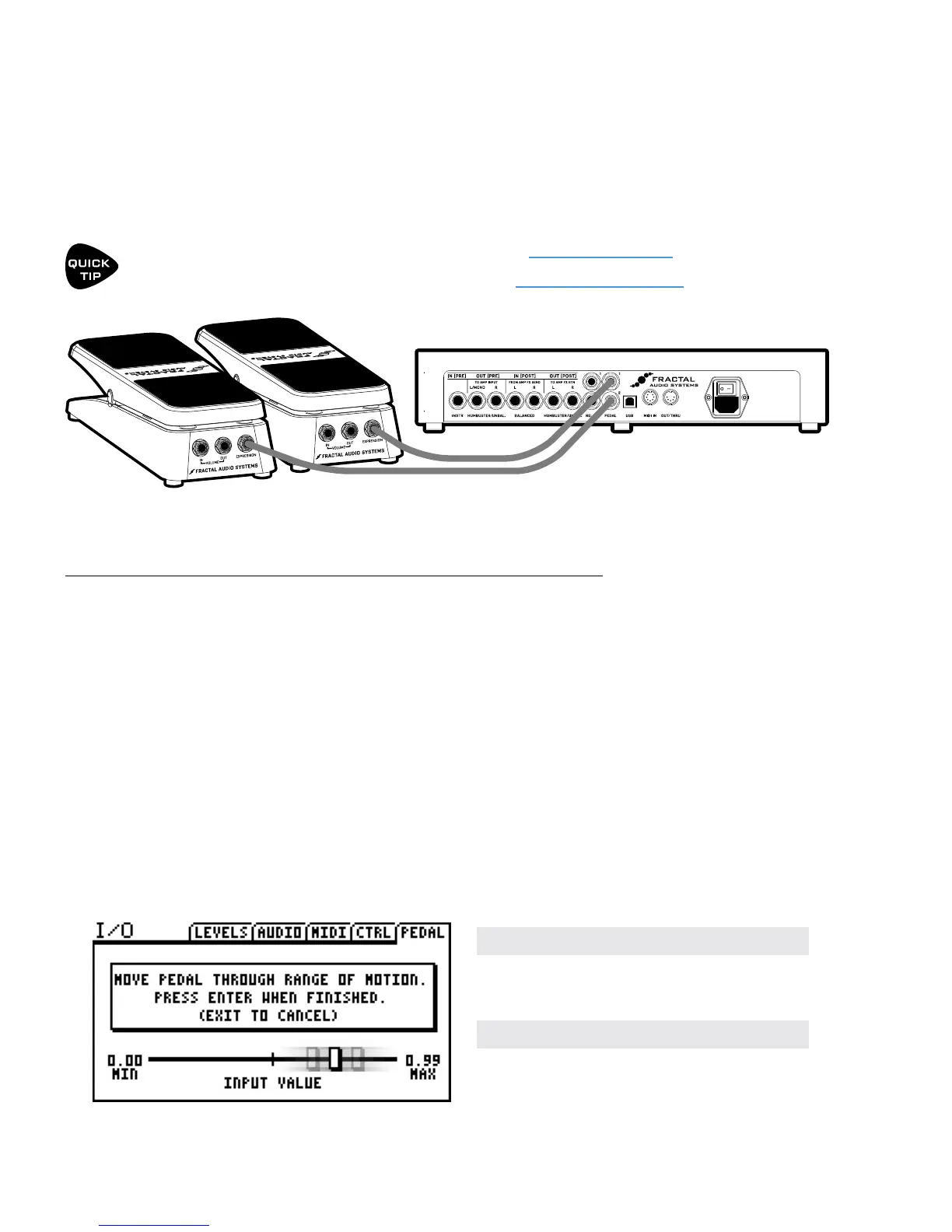
Each of the two onboard PEDAL jacks of the FX8 allows you to connect one expression pedal or one
external footswitch. You can use a connected pedal or switch to change eect parameters or to operate any
of a long list of global functions and many factory presets are ready for one or even two pedals.
Learn to assign pedals and switches to sound parameters in Section 10 : Modiers
Learn to assign pedals and switches to global functions in Section 14 : Setup Menus
TO CONNECT & CALIBRATE AN EXPRESSION PEDAL...
Your expression pedal(s) should have a linear resistance taper, a max resistance of 10kΩ to 100kΩ, and must
be used with Tip-Ring-Sleeve (TRS) cables. (If you are not familiar with TRS cables, see the FAQ on the next
page.)
Calibration is required for the FX8 to recognize the full range of your particular expression pedal.
Connect your expression pedal to the PEDAL 1 or PEDAL 2 jack with a TRS cable, then follow these
instructions to calibrate:
Press the SETUP button, followed by the #2 footswitch to select the I/O menu.
Press the PAGE button until you reach the PEDAL page.
Ensure that the pedal TYPE is set to “CONTINUOUS”.
Navigate to the PEDAL # CAL function and press the ENTER button.
Follow the on-screen instructions to perform calibration.
CONNECTING PEDALS & SWITCHES
During calibration, you should see the
“slider” move on-screen as you move the
pedal. It does not need to reach “MAX”,
but a good quality pedal should demon-
strate a wide range of motion.
The Fractal Audio Systems EV-1 Expression/Volume Pedal (sold separately) is ideal for the FX8.



 To Next Page