61
13 : THE TUNER
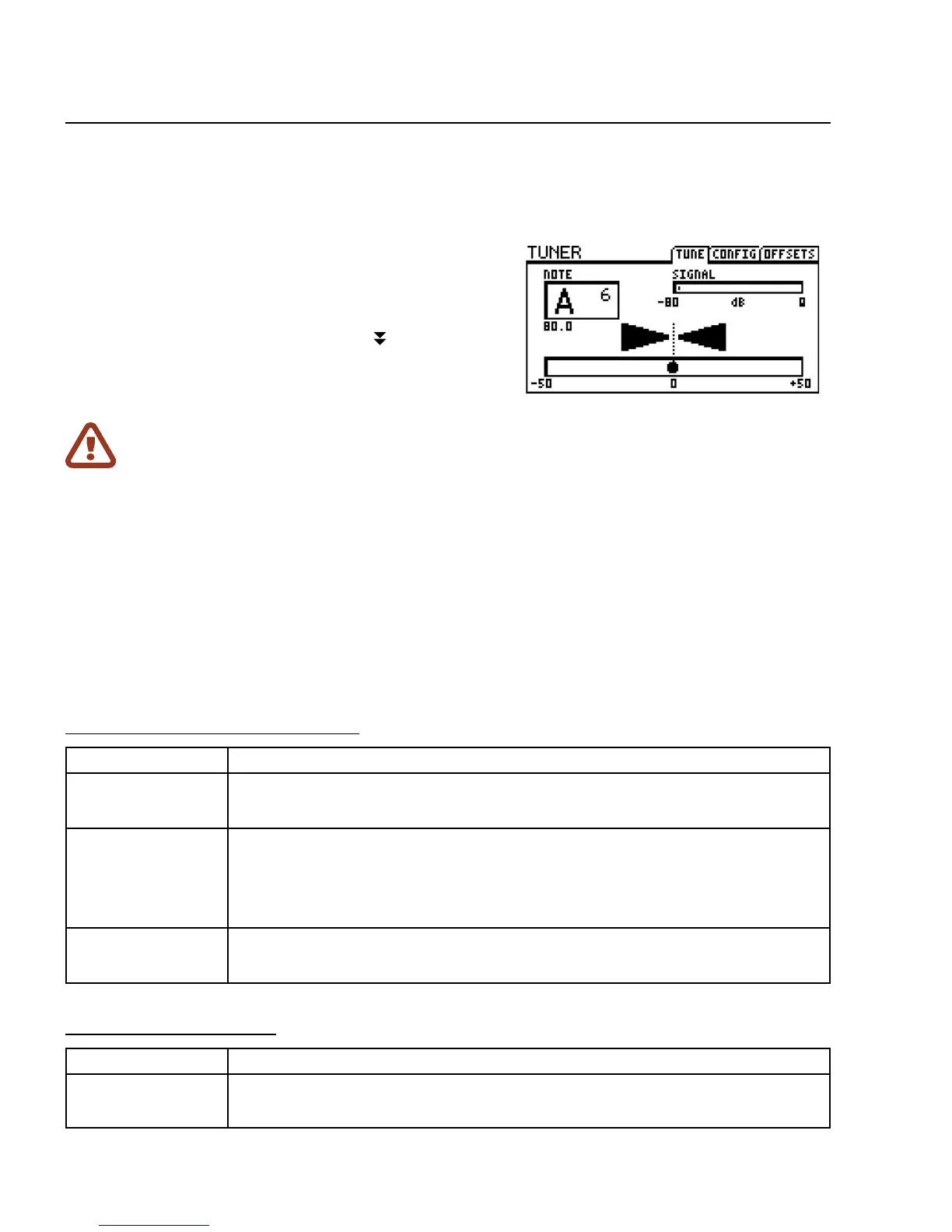
The FX8 has a built-in TUNER—an essential tool for the
performing or recording musician. The tuner is easy to use and
has high-resolution automatic pitch detection, a calibration
control, osets for modied tuning schemes, and the option
to mute audio while tuning. Press and hold the TUNER
footswitch to show or hide the tuner menu.
ADVANCED TUNER FUNCTIONS
The actual tuner is on the rst page of the tuner menu.
The CONFIG and OFFSETS page provide options for advanced tuner functions.
CONFIGURATION PARAMETERS
PARAMETER Description
CAL
430.0 – 450.0 Hz
Calibrates the tuner by setting the frequency of A4 (in the 8va above middle C).
MUTE
OFF/INPUT/OUTPUT
Determines how the tuner mute works.
OFF: No mute. All signal is passed as usual when the tuner is engaged.
OUTPUT: The signal is muted at the output. Tails for PRE FX are silenced.
INPUT: The signal is muted at the noise gate. Tails for PRE FX ring out.
USE OFFSETS
OFF/ON
Determines whether the OFFSET settings (see below) are applied or ignored.
OFFSET PARAMETERS
PARAMETER Description
E1, B2, G3, D4, A5, E6
+/-12.7 Hz
Osets allow the tuner to be calibrated so individual notes diverge from standard
concert tuning by a dened amount. Use this for example, for Buzz Feiten tuning.
13 : THE TUNER
IMPORTANT: For a POST ONLY setup, you’ll need to make a global change for the tuner to work.
Open the GLOBAL menu (press SETUP followed by Footswitch 1) and nd the SETTINGS page.
NAV to
GLOBAL DETECTOR and then use VALUE to select “IN 2 [POST]”.
Press EXIT twice to save and return to Stompbox Mode.



 To Next Page