58
12 : THE LOOPER
LOOPER PARAMETERS
The following Looper parameters can be congured as desired for every FX8 Preset.
MODE – Selects the Looper mode, whether mono or stereo and with or without undo.
Whenever you change the mode, the looper memory will be entirely cleared.
MONO – Recording/playback are in mono. Maximum loop length is 8 minutes. Undo is not possible.
STEREO – Recording/playback are in stereo. Maximum loop length is 4 minutes. Undo is not possible.
MONO UNDO – Recording/playback are in mono. Maximum loop length is 4 minutes. Undo works.
STEREO UNDO – Recording/playback are in stereo. Maximum loop length is 2 minutes. Undo works.
LOOPER MIX PARAMETERS
The Looper has a MIX page with LEVEL, BALANCE, and BYPASS MODE parameters.
See “Mix Page Common Parameters” on page 44.
DUB MIX – Determines how existing layers fade when you DUB new layers. If you want old layers to NOT
decay, set this to 100%, but be aware that adding additional layers in this way might cause clipping.
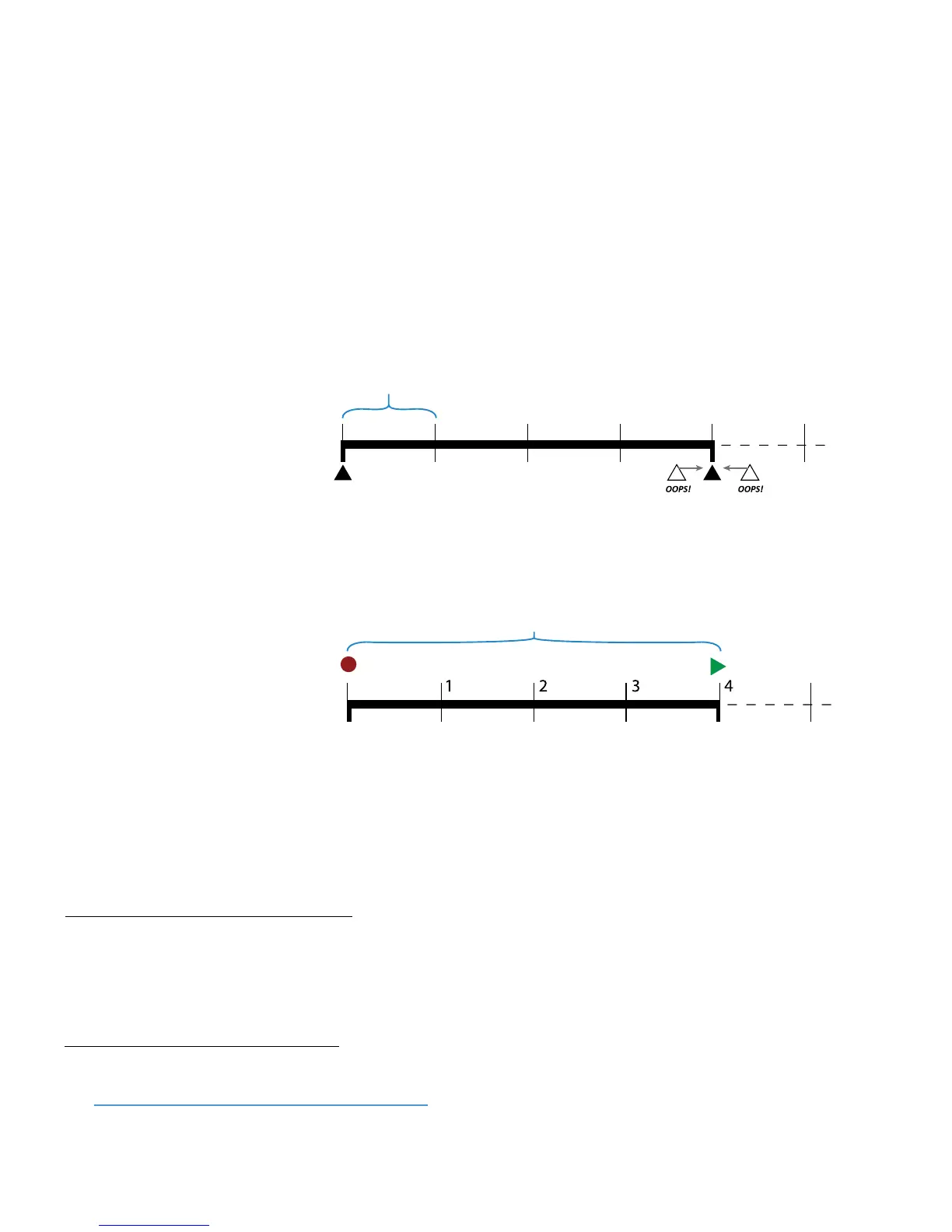
QUANTIZE – With QUANTIZE set
to any value except “OFF”, loop
length is forced to some number
of beats (or subdivisions): 1/4
notes, 1/8th notes, or 1/16th
notes—with respect to the tempo
of the FX8. If you stop recording
early or late, loop length is
adjusted automatically to the
nearest quantize “tick” mark.
RECORD BEATS – This sets the
loop length to some number of
QUANTIZE beats/subdivisions,
causing recording to end and
playback to begin automatically
after a certain time. For example, if
your QUANTIZE unit is set to “1/4”
and record beats is set to “4” the
loop length is automatically set to
four quarter-notes.
PLAY IMMEDIATELY – Turning this OFF disables automatic playback upon completion of recording.
THRESHOLD – The FX8 Looper can start recording automatically when the input exceeds a given level.
THRESH LEVEL – Sets the level that must be exceeded (at the input of the LOOPER) for recording to begin.
LOOPER TRIM PARAMETERS
The START and END controls on the TRIM page allow you to manually trim the length of the loop. This
would most typically be used for extremely precise ne-tuning or creative eects.
Hidden feature: press ENTER with either trim control selected to add a modier for realtime trim controls!
RECORD BEATS stops recording and starts playback after the
designated number of quantize units (4 in this case)
QUANTIZE forces loop length to precise units (1/4, 1/8th or 1/16th)
T
he loop begins precisely
Loop length is quantized, even if
you stop recording early or late.



 To Next Page